When should you read this?
You already deploy a Spring Boot jar to one EC2. That still works. It gets awkward when another runtime (Fargate, another region) or a rollback by version should run the same build without another scp of a jar. Package the app as a Docker image and store it in Amazon ECR (AWS storage for container images). Later Fargate or a host pulls that tagged image and runs it.
Part 1 of 4 (ECR -> Fargate -> ALB HTTPS -> Actions). This post ends when a tagged image is in Amazon ECR. Next (part 2): run $REPO:1.0.0 on ECS Fargate — planned slug run-spring-boot-on-ecs-fargate.
It follows the one-box EC2 arc (Nginx + Spring, Actions to EC2, health gate). Those posts ship a jar to one host. Here the next step is build a container image and put it in ECR.
What you are building
Spring Boot repo
  -> mvn/gradle package  ->  app.jar
  -> Dockerfile          ->  local image
  -> docker push         ->  ECR repository (private)
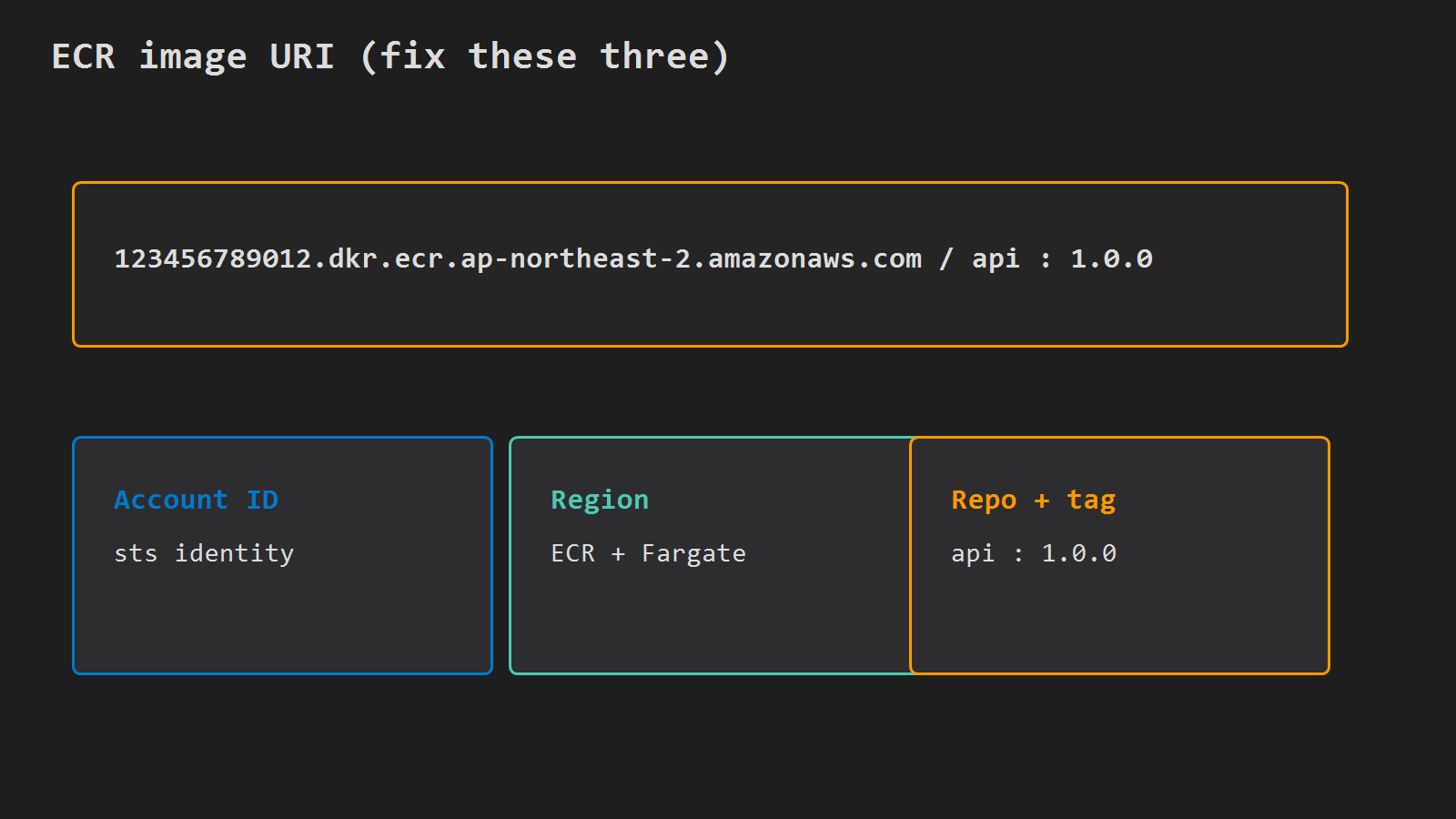
Image ref: 123456789012.dkr.ecr.ap-northeast-2.amazonaws.com/api:1.0.0
           \________ registry host ________/\__/ \___/
              account + region                 repo  tag
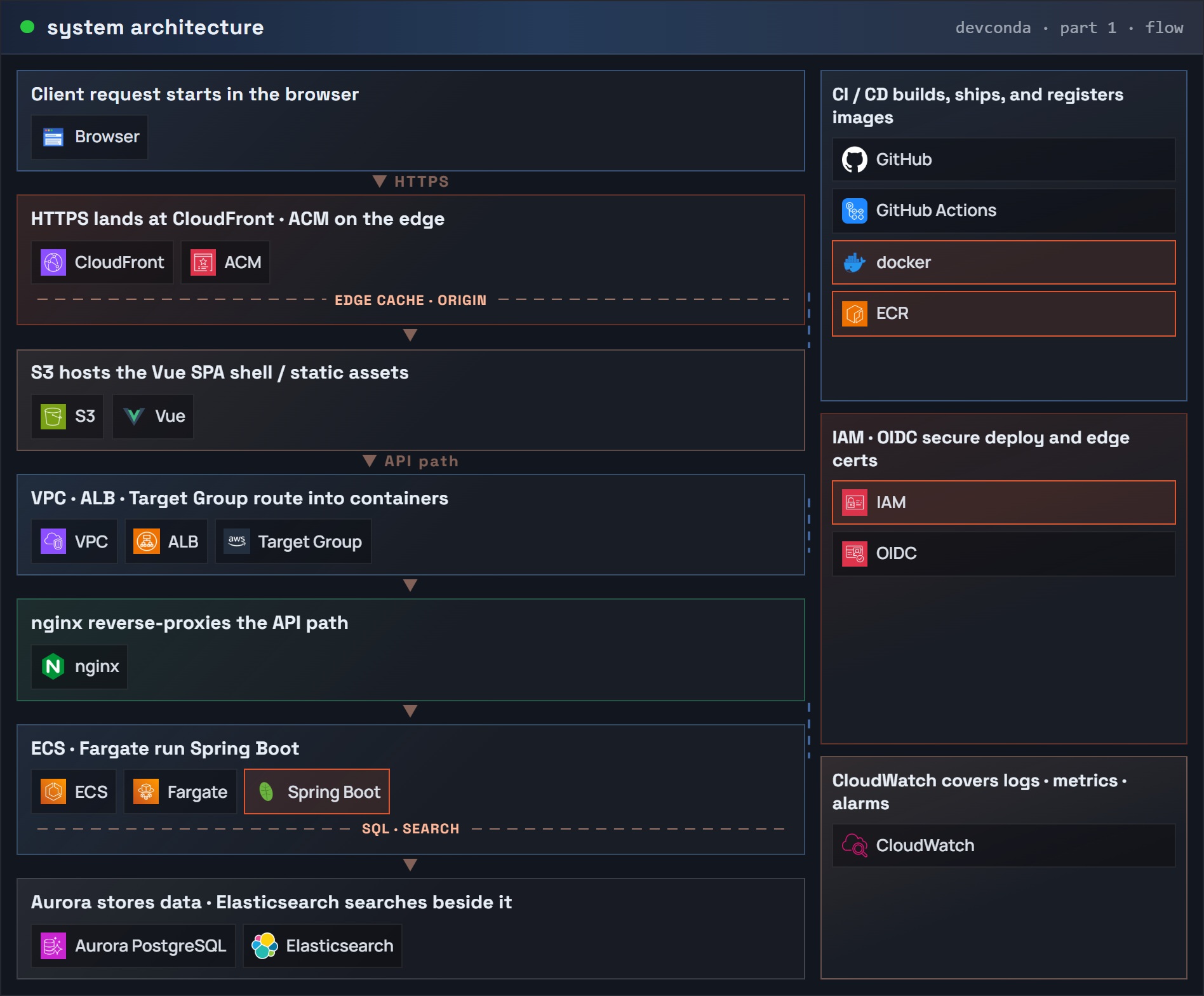
Keep account, region, and repository name stable so part 2 can reuse the same image reference. The first figure shows the jar-to-ECR pipeline; Fargate, ALB, and Actions are later parts in this series.
Part 1: system architecture (request flow) – Spring Boot / docker / ECR / IAM
The second figure contrasts jar-to-one-EC2 delivery with a versioned image stored in ECR that any runtime can pull.
Dockerfile for the jar
Build the jar the way CI already does (mvn -B -DskipTests package or ./gradlew bootJar). Put the Dockerfile where that output lives.
Before COPY . . in a multi-stage build, add a .dockerignore so Docker does not ship .git, old target/ or build/ output, or IDE folders into the build context:
.git
target
build
.idea
*.iml
That keeps docker build fast and avoids stale jars in the image.
Spring Boot often writes more than one jar (for example *-plain.jar). Copy only the executable jar and name it app.jar in the build stage. If several non-plain jars appear, fix the build so one boot jar is produced before relying on head -n 1.
Maven multi-stage:
FROM eclipse-temurin:21-jdk AS build
WORKDIR /workspace
COPY . .
RUN ./mvnw -B -DskipTests package \
  && JAR=$(ls target/*.jar | grep -v plain | head -n 1) \
  && cp "$JAR" app.jar

FROM eclipse-temurin:21-jre
WORKDIR /app
COPY --from=build /workspace/app.jar app.jar
EXPOSE 8080
ENTRYPOINT ["java","-jar","/app/app.jar"]
Gradle multi-stage (same pattern; output under build/libs/):
FROM eclipse-temurin:21-jdk AS build
WORKDIR /workspace
COPY . .
RUN ./gradlew bootJar -x test \
  && JAR=$(ls build/libs/*.jar | grep -v plain | head -n 1) \
  && cp "$JAR" app.jar

FROM eclipse-temurin:21-jre
WORKDIR /app
COPY --from=build /workspace/app.jar app.jar
EXPOSE 8080
ENTRYPOINT ["java","-jar","/app/app.jar"]
If the jar is already on disk as target/app.jar or build/libs/app.jar, a single stage is enough:
FROM eclipse-temurin:21-jre
WORKDIR /app
COPY target/app.jar app.jar
EXPOSE 8080
ENTRYPOINT ["java","-jar","/app/app.jar"]
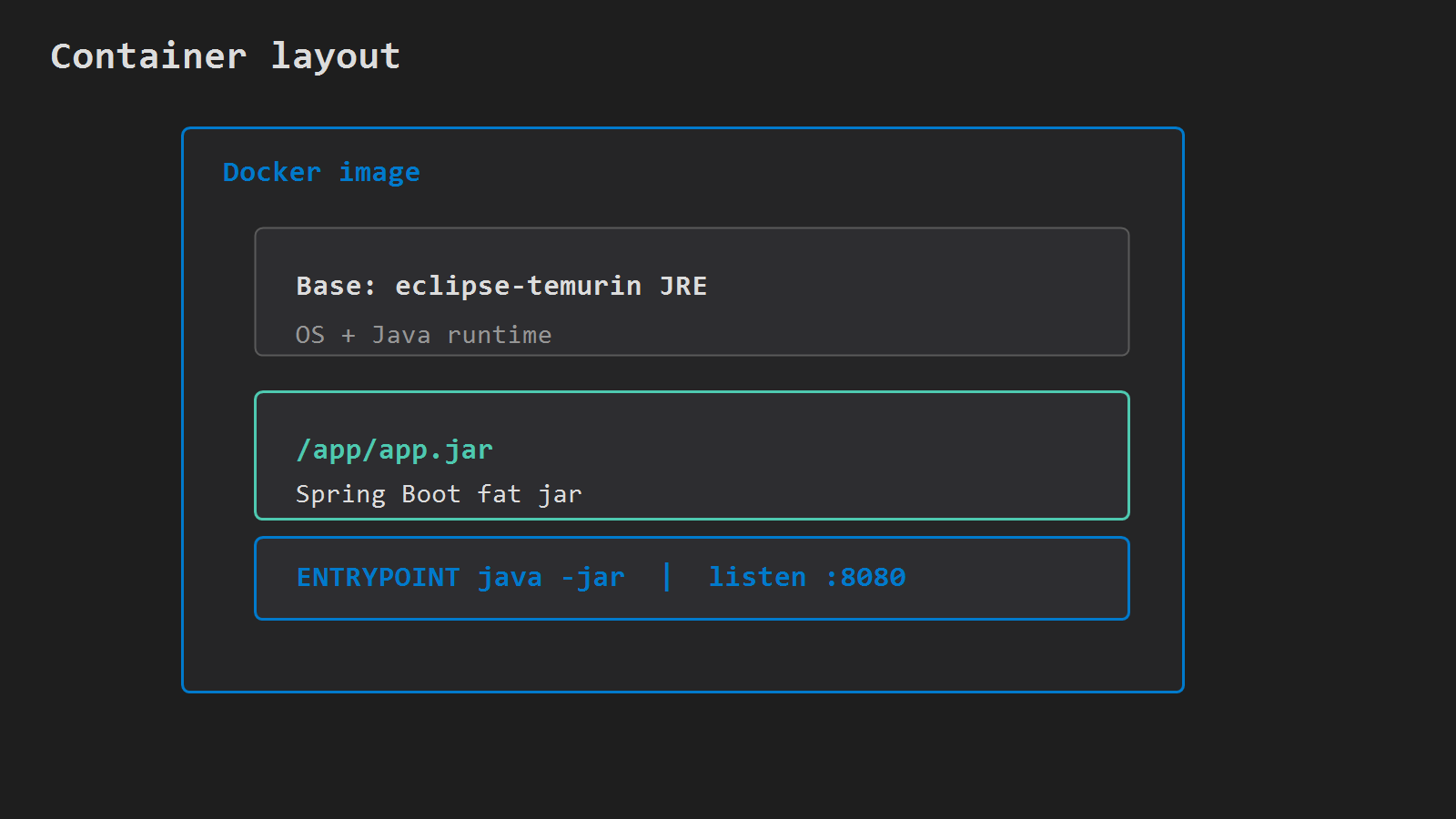
The process inside the container must listen on 8080 — the same port Nginx proxies to on EC2. Use the default server.port or set server.port=8080 in config; the mapped host port in docker run must match what the app binds inside the container.
The container layout figure shows the JRE base layer, app.jar, and the 8080 entrypoint.
Create the ECR repository
Pick a region (example ap-northeast-2) and a short repository name (api):
# Create a private ECR repository named api (scan on every push)
aws ecr create-repository \
  --repository-name api \
  --region ap-northeast-2 \
  --image-scanning-configuration scanOnPush=true
If it already exists, RepositoryAlreadyExistsException is fine – reuse it. Save repositoryUri from the response. That value is registry host + repository name (no tag). The tag is added on docker tag / docker push (.../api:1.0.0). The URI figure labels account, region, repository, and tag.
IAM: ecr:CreateRepository once to create. To push: ecr:GetAuthorizationToken (on *), plus on the repository ecr:BatchCheckLayerAvailability, ecr:PutImage, ecr:InitiateLayerUpload, ecr:UploadLayerPart, ecr:CompleteLayerUpload (and commonly ecr:BatchGetImage). To run describe-images later: ecr:DescribeImages.
Build, tag, push
Log in to the registry for that region (authorization token lasts 12 hours):
# Read the current AWS account ID from STS
ACCOUNT=$(aws sts get-caller-identity --query Account --output text)
REGION=ap-northeast-2
# ECR repo URI without tag (registry host + /api)
REPO=$ACCOUNT.dkr.ecr.$REGION.amazonaws.com/api

# Get a 12-hour ECR auth token and pipe it into docker login
aws ecr get-login-password --region $REGION \
  | docker login --username AWS --password-stdin $ACCOUNT.dkr.ecr.$REGION.amazonaws.com
Cannot perform an interactive login from a non-TTY device usually means the password pipe broke – rerun get-login-password and confirm Docker is running.
Build with a version tag, not only latest, then smoke-test locally before push:
docker build -t api:1.0.0 .
docker run --rm -p 8080:8080 api:1.0.0
In another shell:
curl -sf http://127.0.0.1:8080/actuator/health || curl -sf http://127.0.0.1:8080/If Actuator is not enabled, the root URL or any known health endpoint is enough — confirm the container answers before you upload layers to ECR.
Tag and push:
docker tag api:1.0.0 $REPO:1.0.0
docker push $REPO:1.0.0
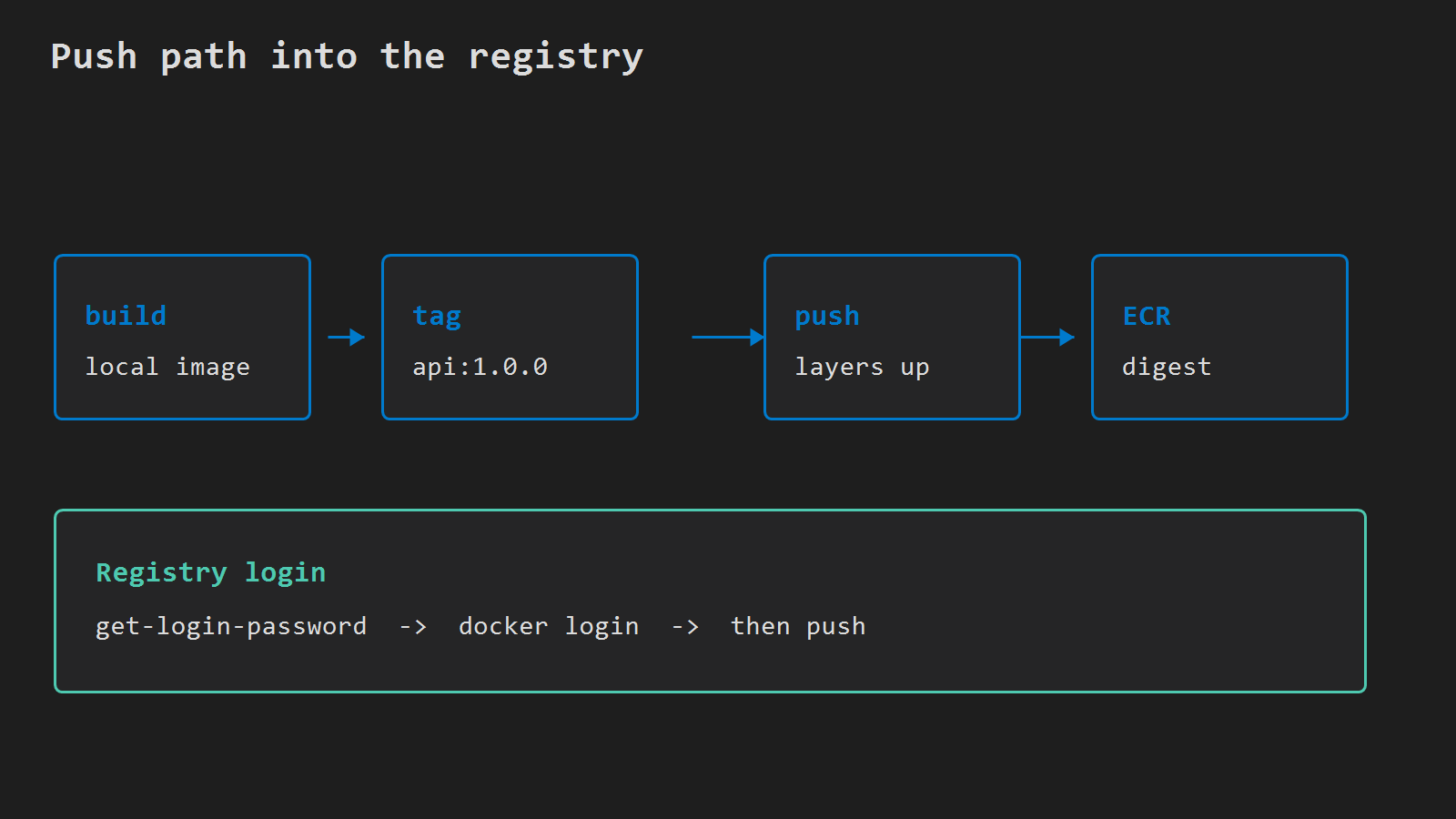
denied: Your authorization token has expired – log in again. no basic auth credentials – login never succeeded for that registry host. Wrong account or region in $REPO sends the image to the wrong place; match sts get-caller-identity and the ECR console. The push-path figure shows build, tag, push, and registry login.
Confirm the image is in ECR
# List images in repo api (tags, push time, size) to confirm 1.0.0 landed
aws ecr describe-images \
  --repository-name api \
  --region ap-northeast-2 \
  --query 'imageDetails[].{tags:imageTags,pushed:imagePushedAt,size:imageSizeInBytes}' \
  --output table
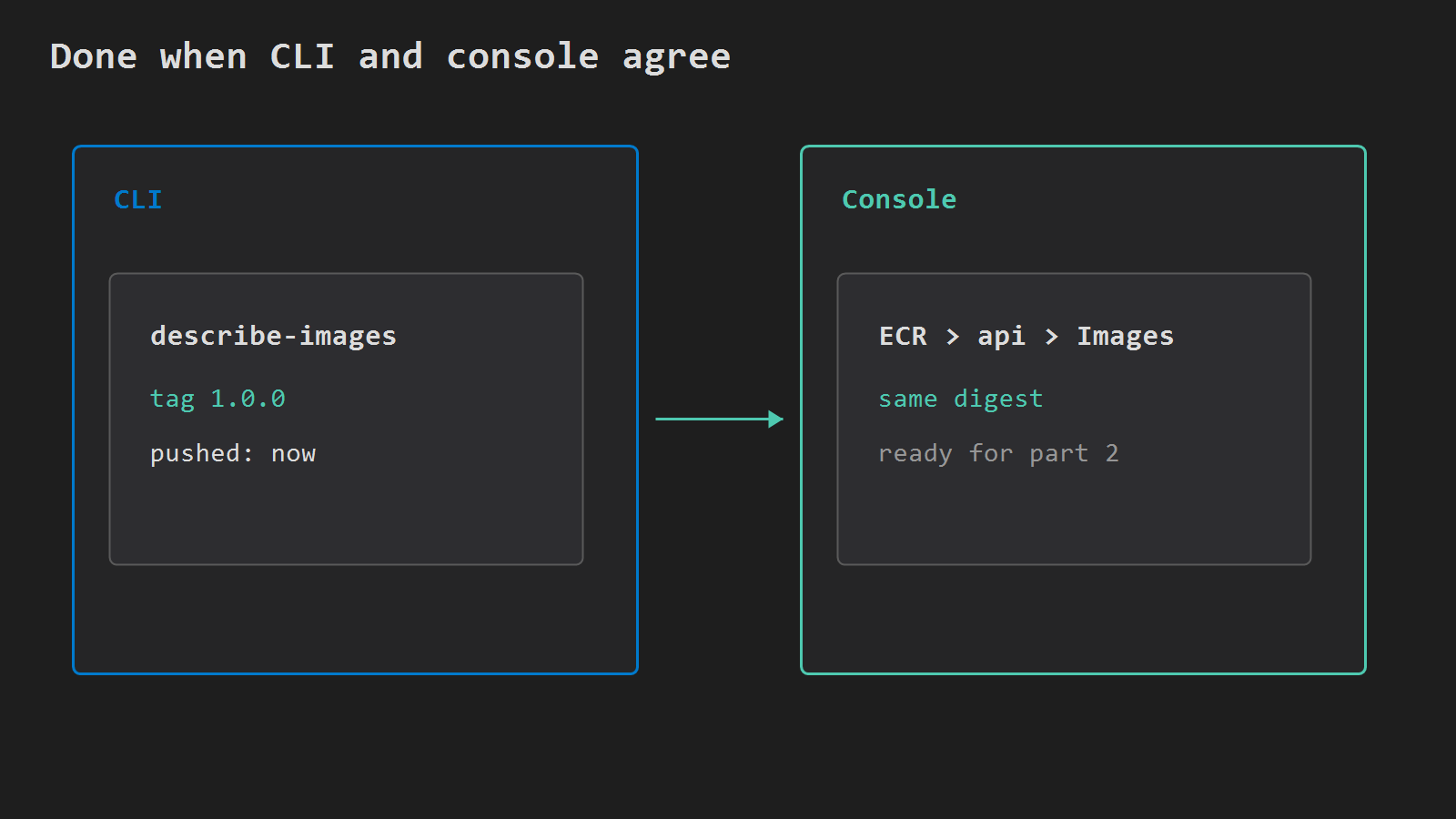
Tag 1.0.0 should appear with a fresh pushed time. The console Images tab should show the same digest. If scanOnPush is on, findings arrive shortly after; fix critical base-image issues before part 2. The verify figure shows CLI describe-images and the console Images tab agreeing on digest.
Next in series
Part 2 runs $REPO:1.0.0 on ECS Fargate in the same account and region: Run Spring Boot on ECS Fargate. Use that exact tag string in the first task definition; do not depend on floating latest.
Minimal checklist
- Executable fat jar builds;
docker runanswers on8080. - ECR repository
apiexists in the target region. docker loginto that account’s ECR registry host succeeds.docker push .../api:1.0.0completes without auth errors.describe-imageslists tag1.0.0.
After that, ECR holds the image Fargate will pull. The existing EC2 jar deploy can stay until part 2.




Leave a Reply