When should you read this?
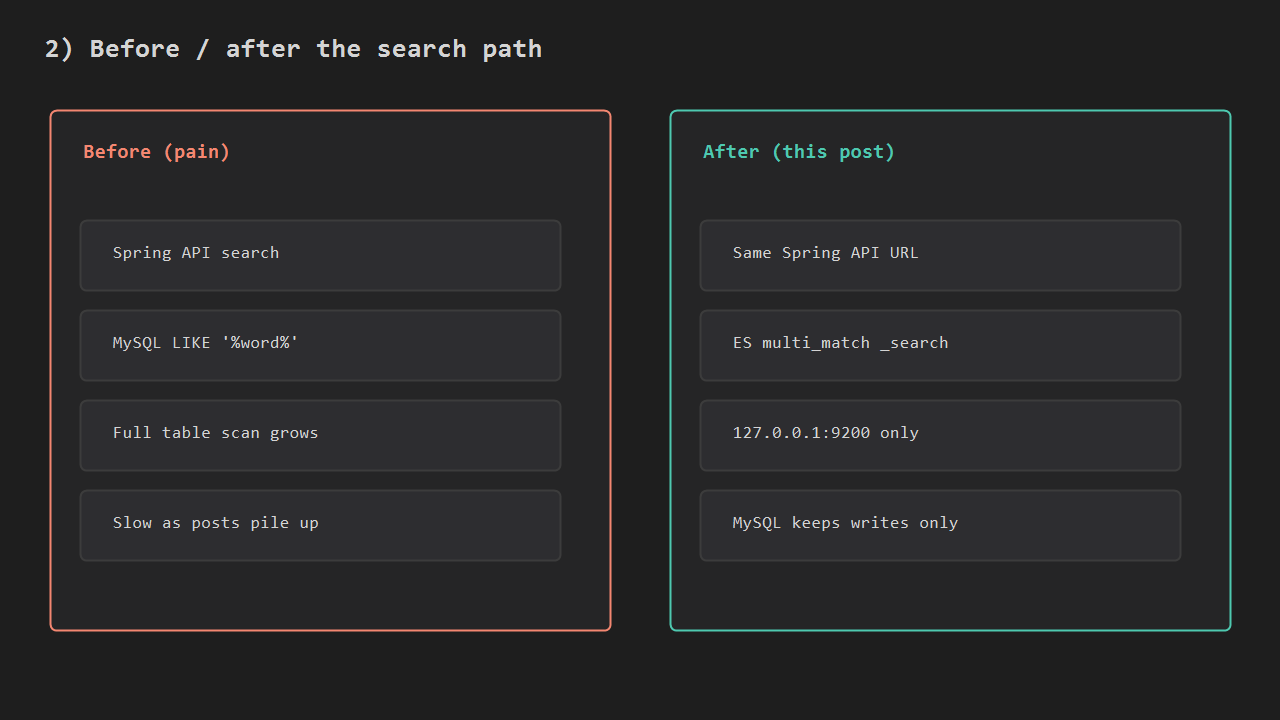
You already finished Replace SQL LIKE With Elasticsearch Search: local Docker, NDJSON bulk, one multi_match _search. The Spring app on EC2 still hits MySQL with LIKE '%…%', or has no search server at all. Opening :9200 on the public IP gets the box scanned overnight. This post runs ES on 127.0.0.1:9200 next to the jar, then connects Spring so one API path runs the same _search.
It follows the one-box EC2 arc (Nginx + Spring, Actions deploy, LIKE search). Those posts cover a single host and a local search proof. Here the next step is ES on that EC2, called from Spring.
What you are building
One EC2 box: Nginx terminates TLS, Spring serves GET /api/posts/search, ES answers on loopback only, MySQL keeps writes and id lookups. Security group opens 443 and keeps 9200 closed.
Client
  -> Nginx :443
      -> Spring :8080  GET /api/posts/search?q=
           -> Docker es-ec2  127.0.0.1:9200  (devconda-posts)
      -> MySQL  (writes / id lookup)
SG: 443 open / 9200 closed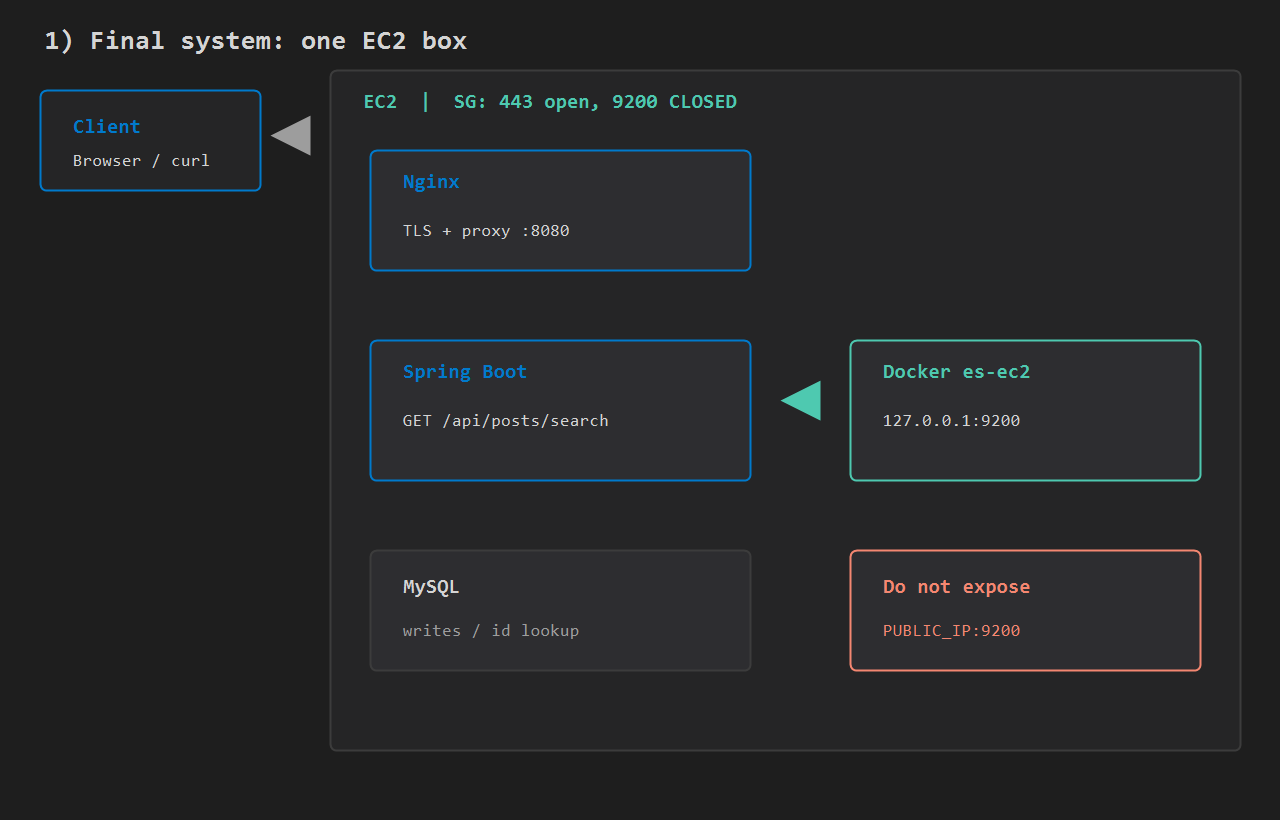
For the search API alone, keep the URL and move the store from MySQL LIKE to ES _search.
Size the box, then Docker ES
Leave about 2 GB free RAM after Nginx and Java. A small instance that already runs a fat jar often OOMs if ES shares the box – raise instance size or keep the ES heap at 512m.
SSH in. Docker must be installed. Bring ES up in this order:
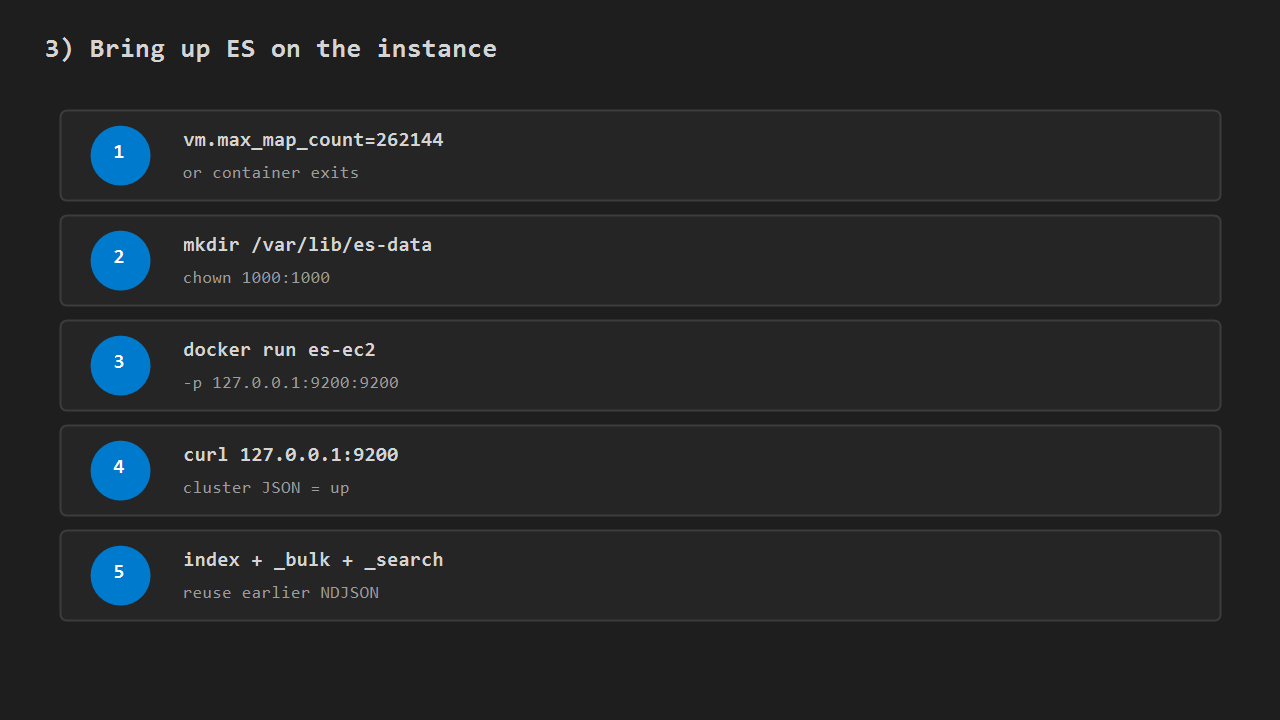
sudo sysctl -w vm.max_map_count=262144
echo 'vm.max_map_count=262144' | sudo tee /etc/sysctl.d/99-es.conf
sudo mkdir -p /var/lib/es-data
sudo chown 1000:1000 /var/lib/es-data

docker run -d --name es-ec2 --restart unless-stopped \
  -p 127.0.0.1:9200:9200 \
  -e discovery.type=single-node \
  -e xpack.security.enabled=false \
  -e "ES_JAVA_OPTS=-Xms512m -Xmx512m" \
  -v /var/lib/es-data:/usr/share/elasticsearch/data \
  docker.elastic.co/elasticsearch/elasticsearch:8.15.0

curl -s http://127.0.0.1:9200
Bind loopback only. xpack.security.enabled=false is fine only while 9200 is not public. From outside the VPC, curl http://PUBLIC_IP:9200 must fail; the security group must not open 9200.
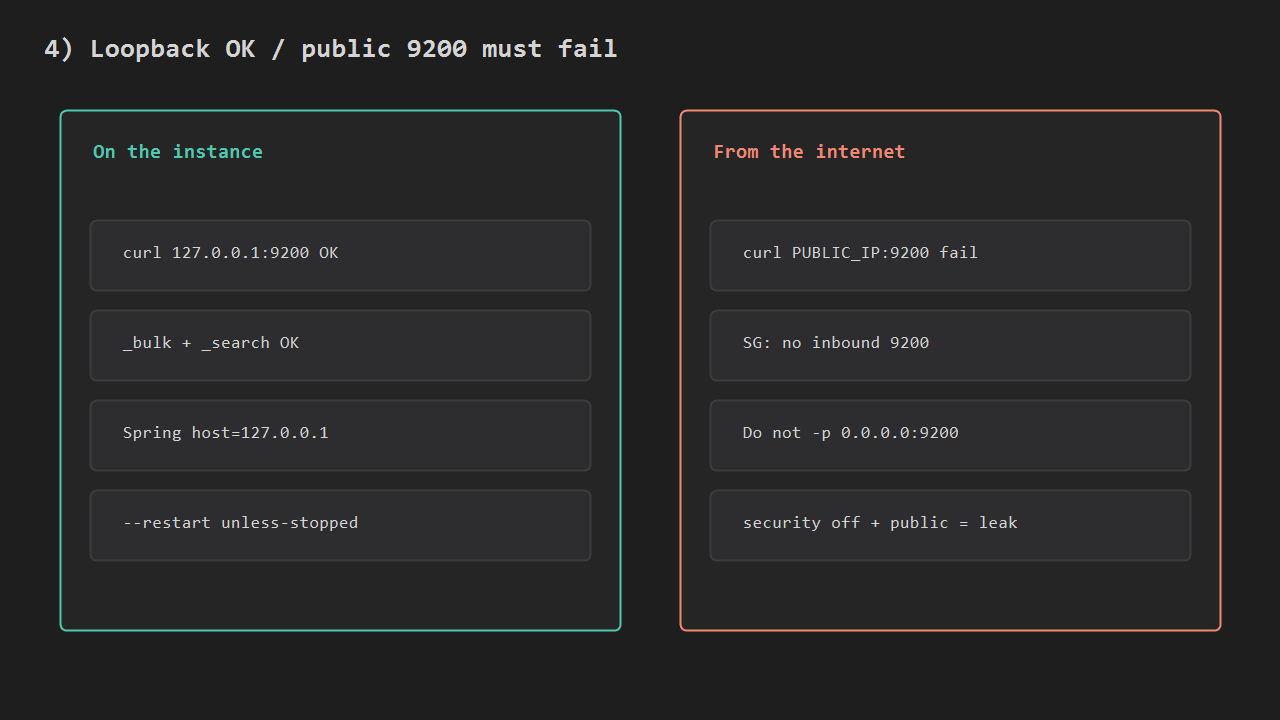
Create the index, bulk the NDJSON from the earlier LIKE post, then run _search once on the instance. Fix NDJSON newlines before blaming networking. One-node yellow health is normal.
How the Spring request runs
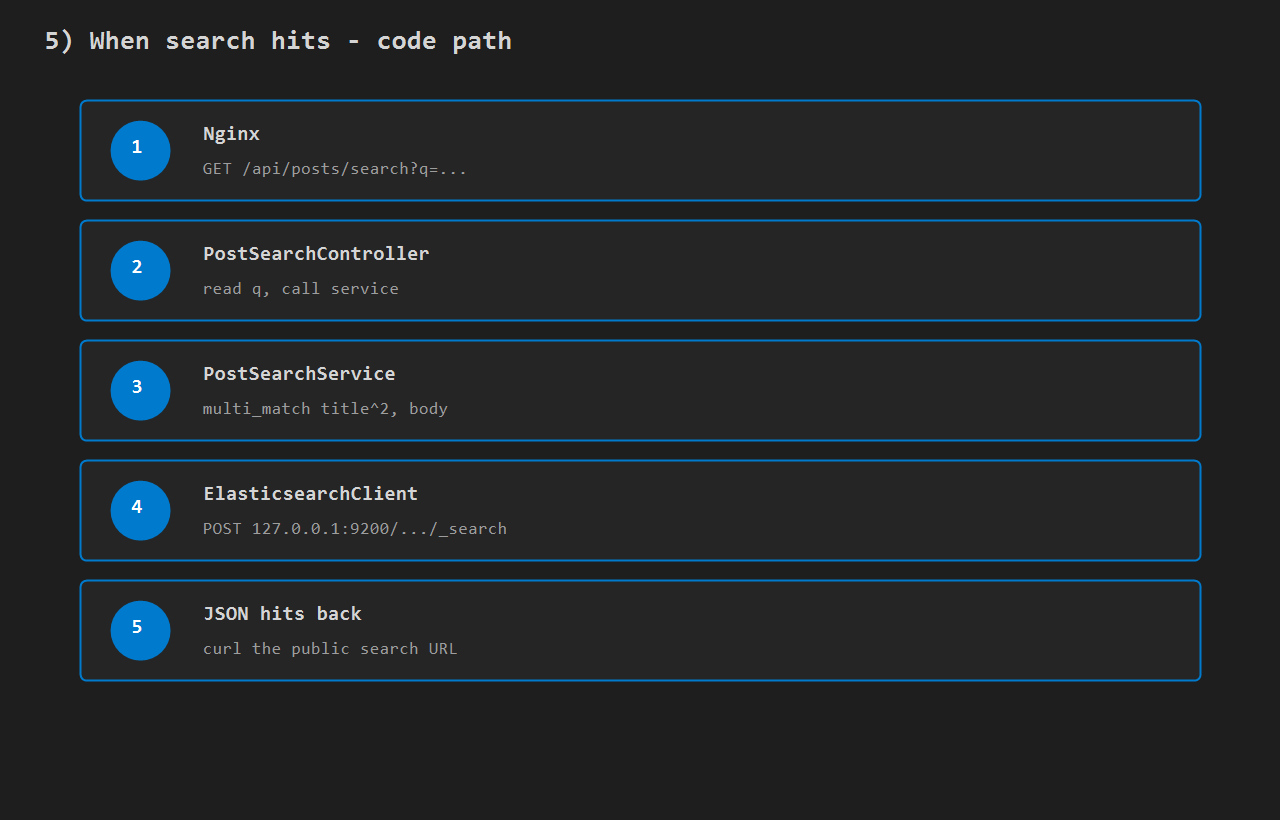
On each search request the path is fixed:
- Nginx forwards
GET /api/posts/search?q=...to Spring:8080 PostSearchControllerreadsqPostSearchServicebuilds the samemulti_matchas the LIKE post (title^2,body)ElasticsearchClientPOSTs tohttp://127.0.0.1:9200/devconda-posts/_search- Hits return as JSON; confirm with curl on the public URL
Add the dependency (match the Docker image tag, here 8.15.0):
<dependency>
  <groupId>co.elastic.clients</groupId>
  <artifactId>elasticsearch-java</artifactId>
  <version>8.15.0</version>
</dependency>
<dependency>
  <groupId>org.elasticsearch.client</groupId>
  <artifactId>elasticsearch-rest-client</artifactId>
  <version>8.15.0</version>
</dependency>
application.properties (or the prod profile on EC2):
app.elasticsearch.host=127.0.0.1
app.elasticsearch.port=9200
app.elasticsearch.index=devconda-posts
Add three classes: config opens the client, the service runs _search, the controller exposes the URL.
@Configuration
public class ElasticsearchConfig {

  @Bean(destroyMethod = "close")
  RestClient restClient(
      @Value("${app.elasticsearch.host}") String host,
      @Value("${app.elasticsearch.port}") int port) {
    return RestClient.builder(new HttpHost(host, port, "http")).build();
  }

  @Bean
  ElasticsearchClient elasticsearchClient(RestClient restClient) {
    ElasticsearchTransport transport = new RestClientTransport(
        restClient, new JacksonJsonpMapper());
    return new ElasticsearchClient(transport);
  }
}
@Service
public class PostSearchService {
private final ElasticsearchClient es;
private final String index;
public PostSearchService(
ElasticsearchClient es,
@Value("${app.elasticsearch.index}") String index) {
this.es = es;
this.index = index;
}
public List<Map<String, Object>> search(String q) throws IOException {
SearchResponse<Map> res = es.search(s -> s
.index(index)
.size(20)
.query(query -> query.multiMatch(m -> m
.query(q)
.fields("title^2", "body"))),
Map.class);
List<Map<String, Object>> out = new ArrayList<>();
for (Hit<Map> hit : res.hits().hits()) {
Map<String, Object> row = new LinkedHashMap<>();
row.put("id", hit.id());
row.put("score", hit.score());
if (hit.source() != null) row.putAll(hit.source());
out.add(row);
}
return out;
}
}@RestController
@RequestMapping("/api/posts")
public class PostSearchController {
private final PostSearchService search;
public PostSearchController(PostSearchService search) {
this.search = search;
}
@GetMapping("/search")
public List<Map<String, Object>> search(@RequestParam String q) throws IOException {
return search.search(q);
}
}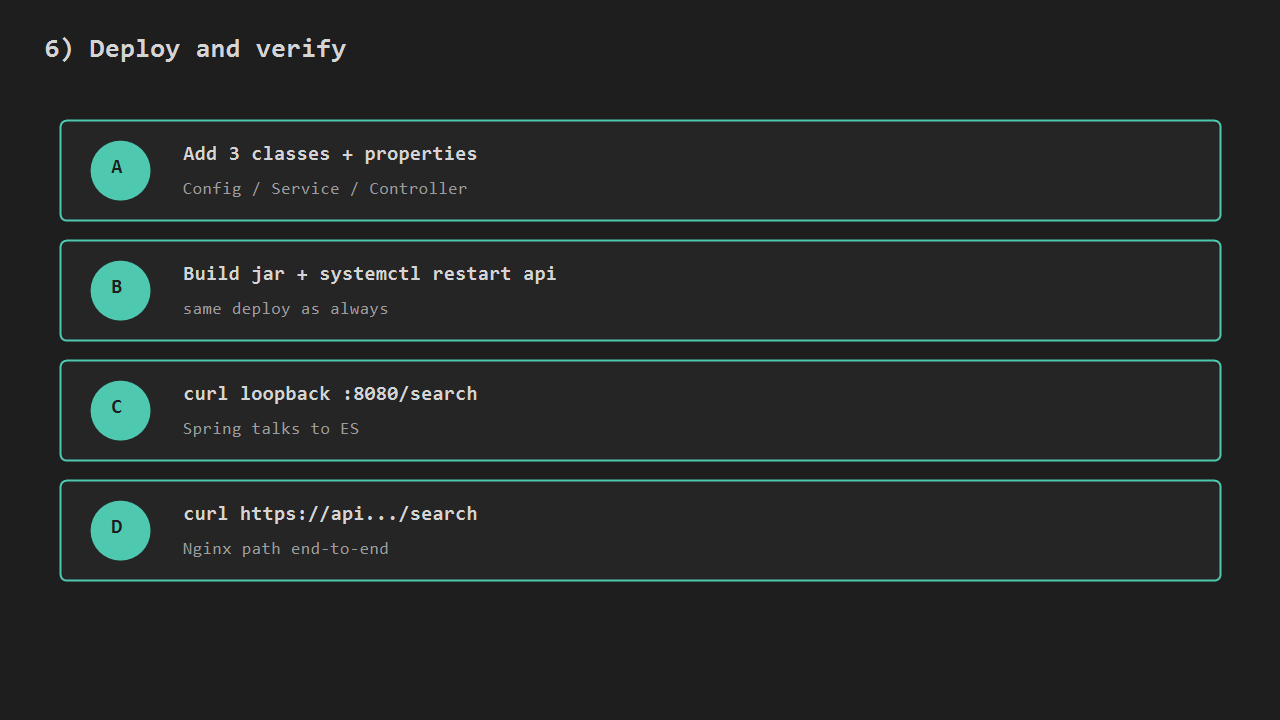
Build, deploy (systemctl restart api), then verify:
curl -fsS "http://127.0.0.1:8080/api/posts/search?q=nginx%20spring"
curl -fsS "https://api.example.com/api/posts/search?q=nginx%20spring"
A document that matches nginx spring should rank near the top with a score. Connection refused on 9200 – start es-ec2 before changing Spring. Empty [] while ES is up usually means bulk never ran on this instance. Keep id lookups on MySQL; this path is text search only.
Writes still go to MySQL. Index sync on publish is a later topic; until then re-bulk or index when content is published.
Minimal checklist
- LIKE search post done; NDJSON and curl notes ready.
es-ec2on127.0.0.1:9200, map count set, no public 9200.- Index + bulk + curl
_searchOK on the instance. - Three Spring classes and properties point at loopback; client version matches the image.
- After restart,
GET /api/posts/search?q=returns hits through Nginx.
After that, the same _search contract runs on the server, and the search API no longer needs LIKE '%…%'.




Leave a Reply