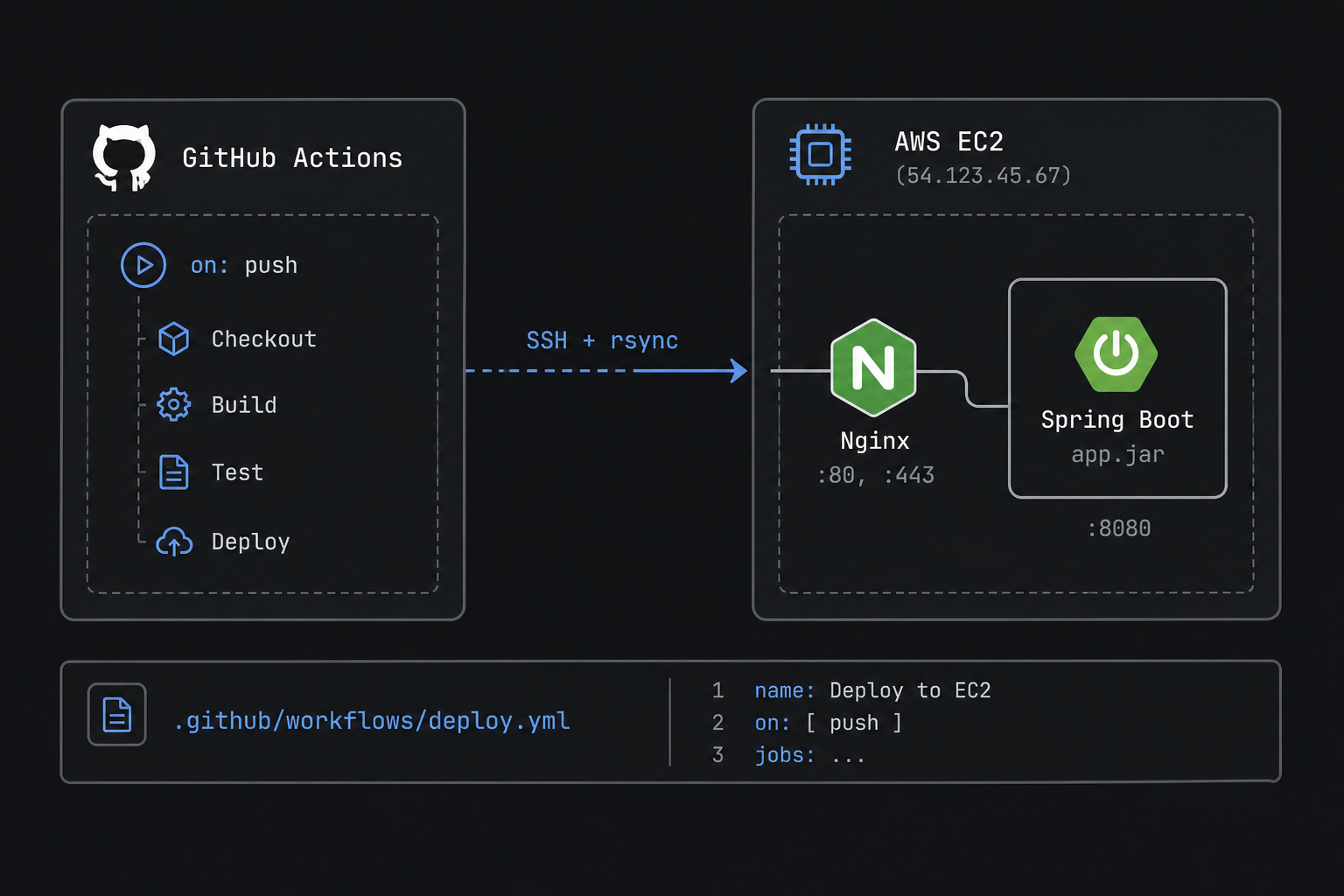
You already have Spring Boot behind Nginx on EC2. The missing piece is stopping manual scp. This post wires a minimal GitHub Actions deploy: build on push, copy the jar, restart the service.
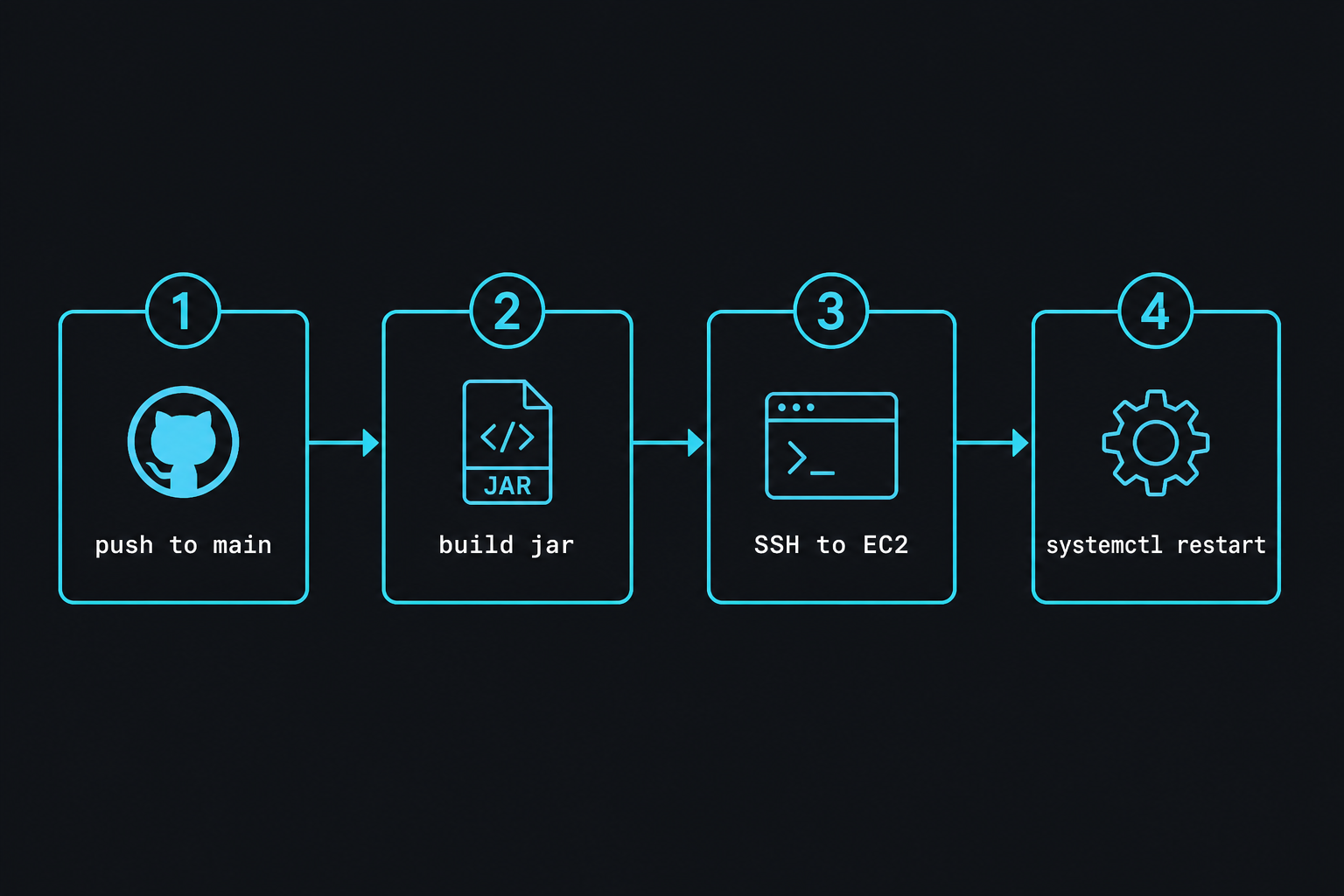
What you need
- A Spring Boot repo that builds with Maven or Gradle
- An EC2 instance with your app already running under systemd (example unit:
api.service) - An SSH user that can write the deploy directory and restart the unit (often via passwordless
sudo) - GitHub Secrets:
EC2_HOST,EC2_USER,EC2_SSH_KEY
1) Keep one deploy path on the server
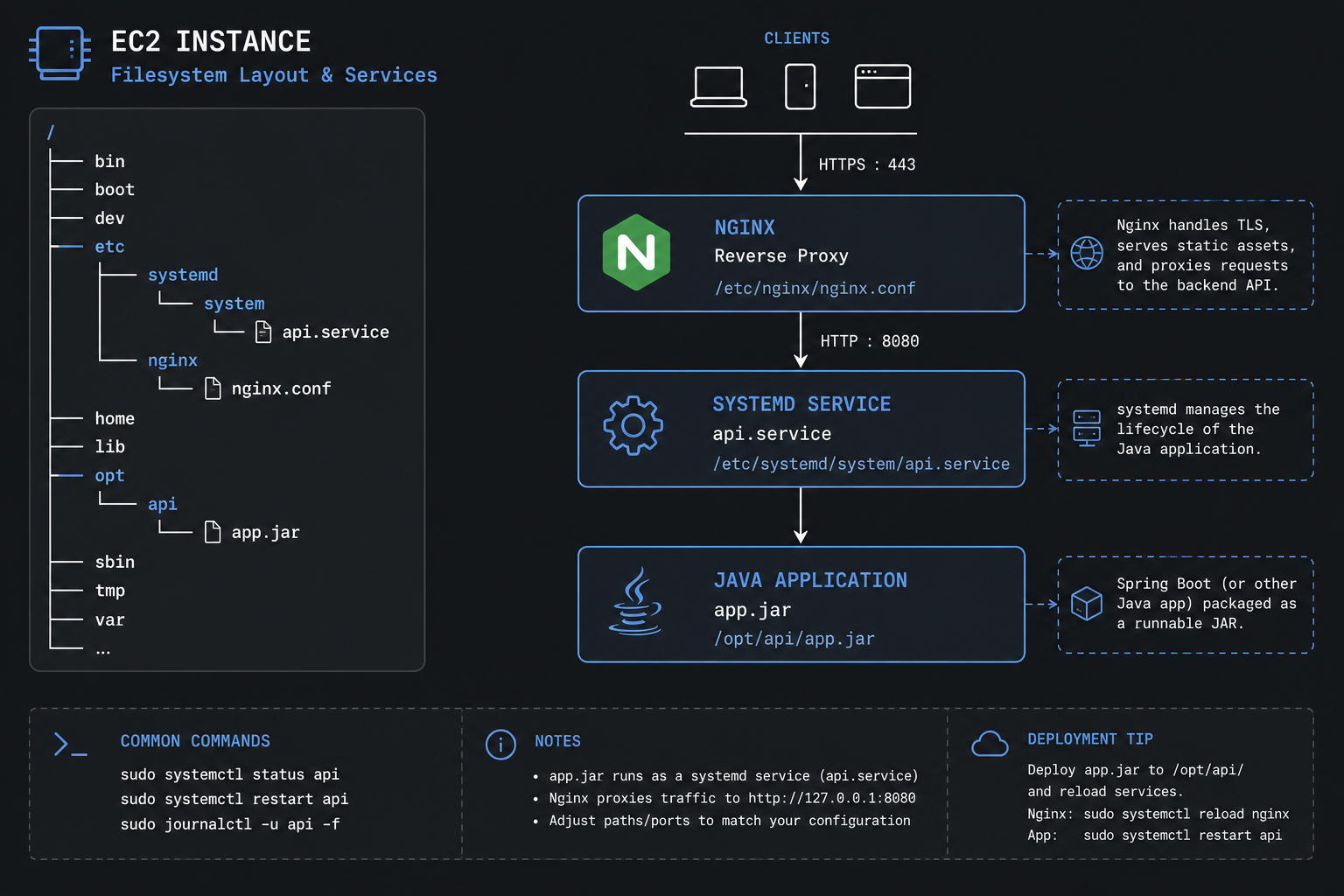
Pick a fixed path and stick to it:
sudo mkdir -p /opt/api
sudo chown $USER:$USER /opt/api
Example systemd unit (/etc/systemd/system/api.service):
[Unit]
Description=Spring Boot API
After=network.target

[Service]
User=ec2-user
WorkingDirectory=/opt/api
ExecStart=/usr/bin/java -jar /opt/api/app.jar
Restart=always
RestartSec=5

[Install]
WantedBy=multi-user.target
sudo systemctl daemon-reload
sudo systemctl enable --now api2) Add the workflow
Create .github/workflows/deploy.yml:
name: Deploy API

on:
  push:
    branches: [main]

jobs:
  deploy:
    runs-on: ubuntu-latest
    steps:
      - uses: actions/checkout@v4

      - uses: actions/setup-java@v4
        with:
          distribution: temurin
          java-version: "21"
          cache: maven

      - name: Build
        run: mvn -B -DskipTests package

      - name: Prepare SSH key
        run: |
          mkdir -p ~/.ssh
          echo "${{ secrets.EC2_SSH_KEY }}" > ~/.ssh/deploy_key
          chmod 600 ~/.ssh/deploy_key
          ssh-keyscan -H "${{ secrets.EC2_HOST }}" >> ~/.ssh/known_hosts

      - name: Copy jar
        run: |
          scp -i ~/.ssh/deploy_key \
            target/*.jar \
            "${{ secrets.EC2_USER }}@${{ secrets.EC2_HOST }}:/opt/api/app.jar.new"

      - name: Restart service
        run: |
          ssh -i ~/.ssh/deploy_key \
            "${{ secrets.EC2_USER }}@${{ secrets.EC2_HOST }}" \
            'mv /opt/api/app.jar.new /opt/api/app.jar && sudo systemctl restart api && sleep 3 && systemctl is-active api'
Gradle variant: swap the Java cache to gradle and build with ./gradlew bootJar, then copy build/libs/*.jar.
3) Put secrets in GitHub
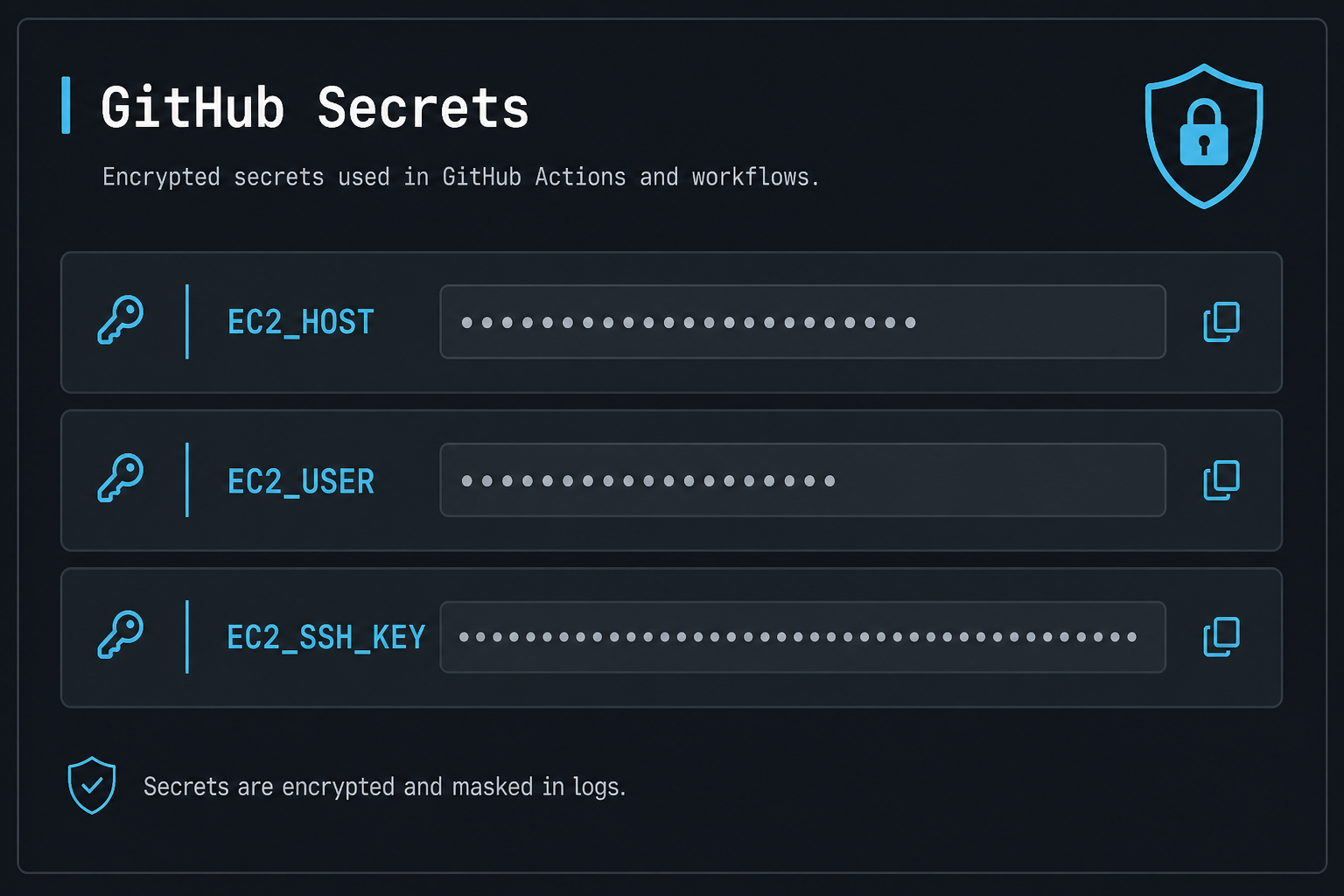
Repo – Settings – Secrets and variables – Actions:
| Secret | Value |
|---|---|
EC2_HOST |
Public IP or DNS |
EC2_USER |
ec2-user / ubuntu |
EC2_SSH_KEY |
Full private key PEM |
On the instance, append the matching public key to ~/.ssh/authorized_keys. If restart needs sudo, allow only:
ec2-user ALL=(root) NOPASSWD: /bin/systemctl restart api4) Smoke-check after deploy
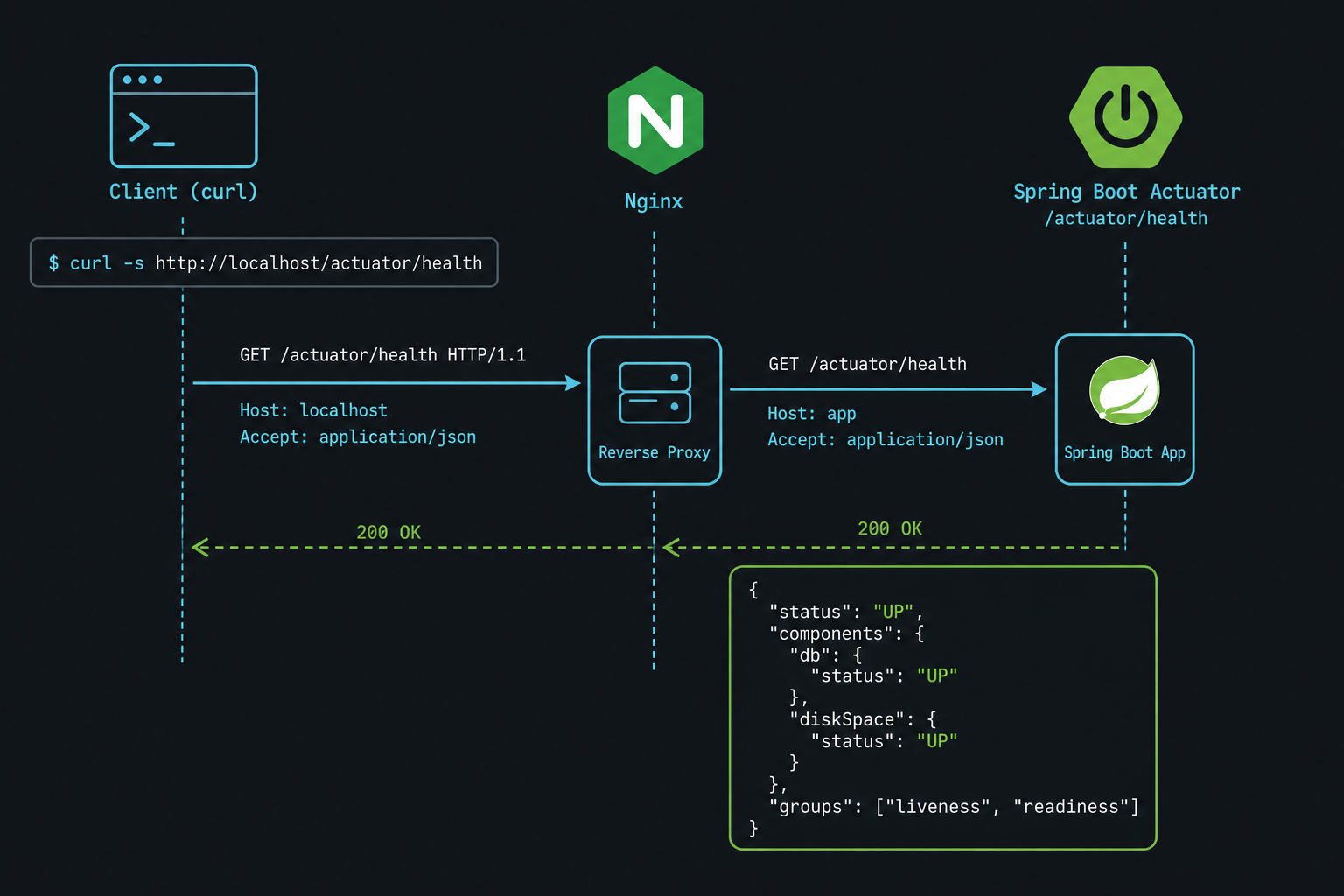
From your laptop:
curl -fsS https://api.example.com/actuator/healthIf Nginx fronts the app, hit the public URL, not localhost:8080.
Common failures
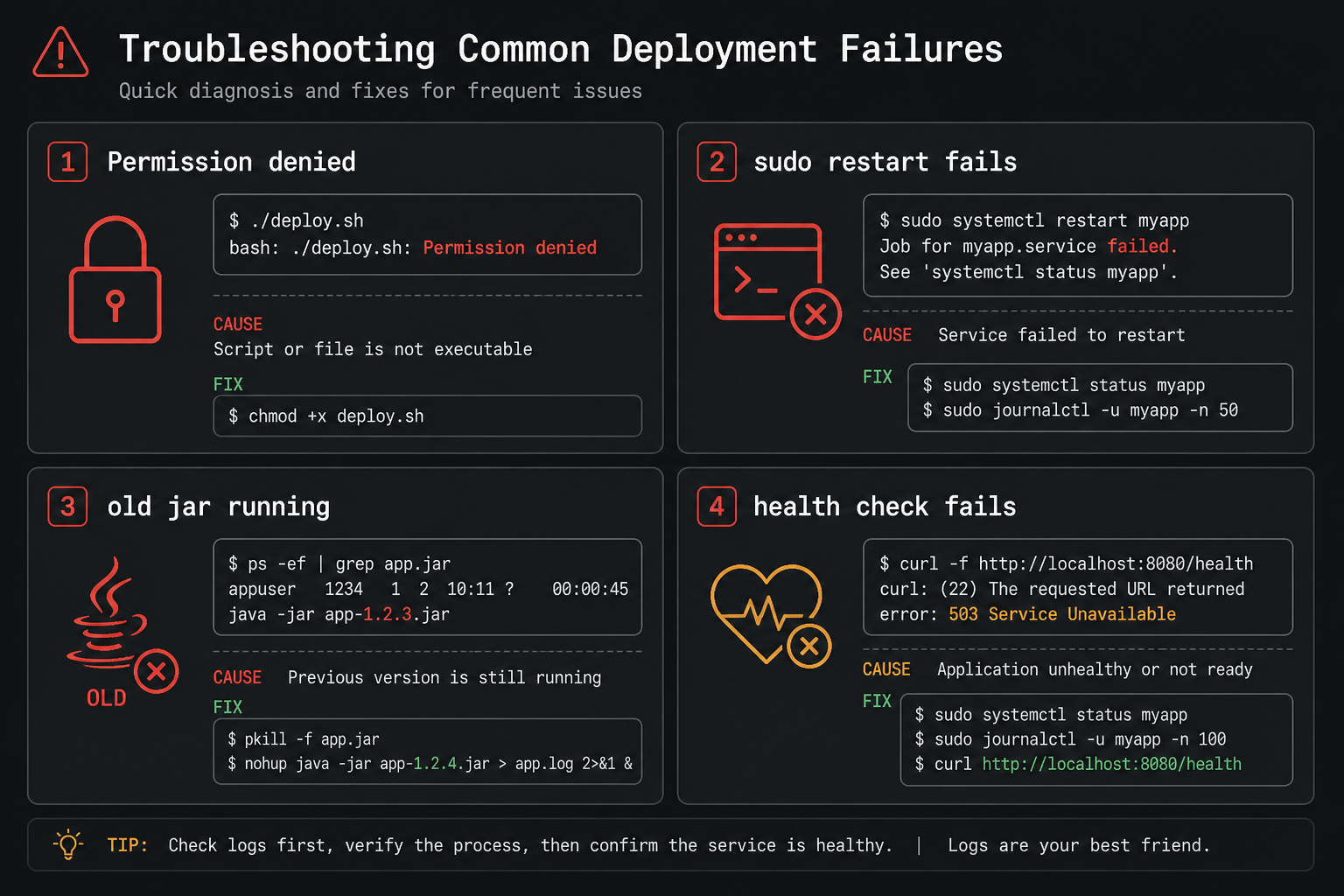
- Permission denied (publickey): wrong key, wrong user, or key not in
authorized_keys - scp works, restart fails: missing sudoers rule for
systemctl restart api - Old jar still running: confirm the unit points at
/opt/api/app.jar - Health fails after restart: check
journalctl -u api -n 100 --no-pager
Next step (optional)
SSH keys in GitHub Secrets work for a single box. For production hardening, move to GitHub OIDC + AWS SSM Run Command so you do not store long-lived AWS keys or open SSH for deploys. That is a separate post.




Leave a Reply