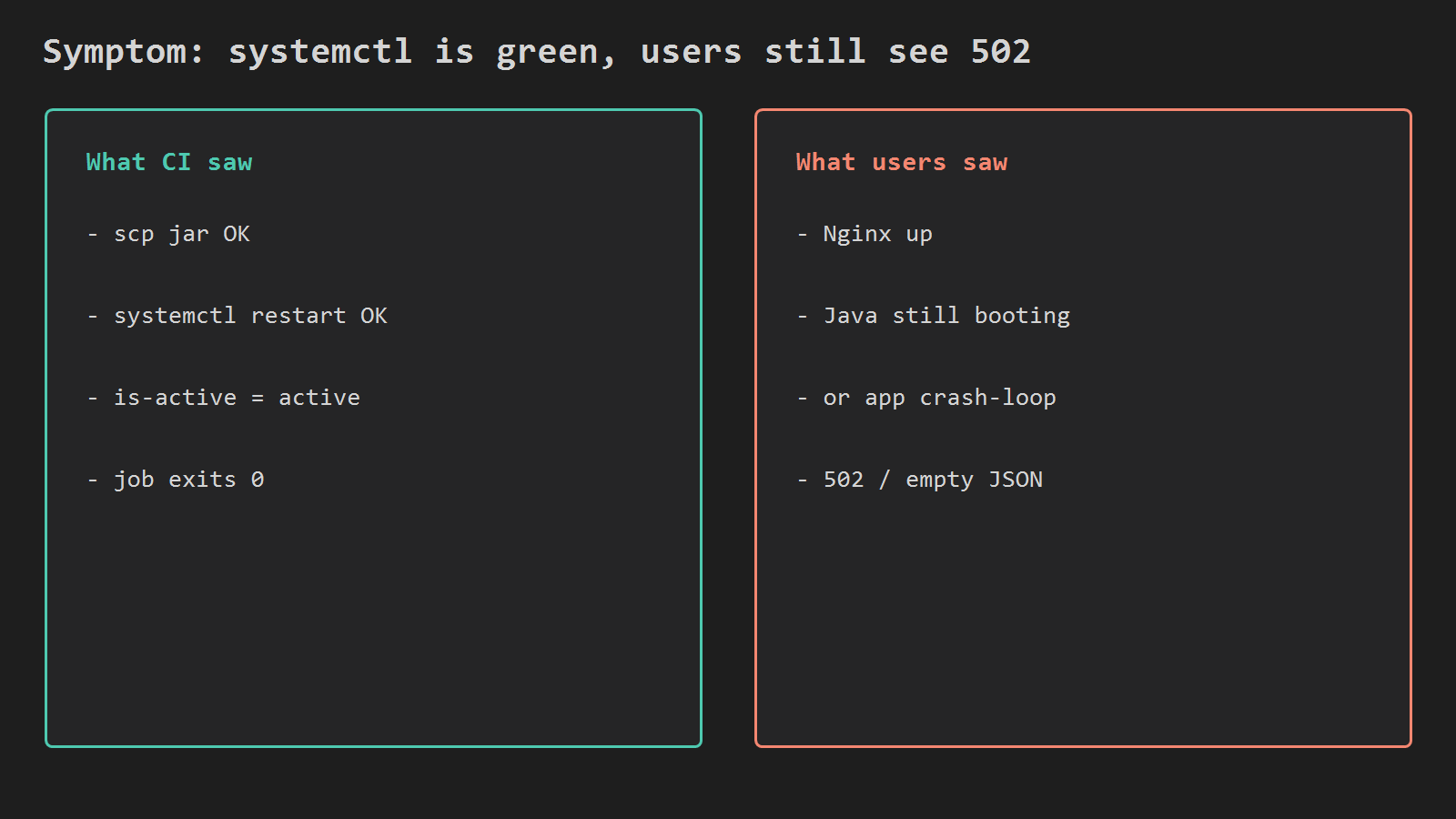
Your Actions job can copy a jar, run systemctl restart, see active, and still leave users on 502. systemd only proves the process started. It does not prove the app answers HTTP.
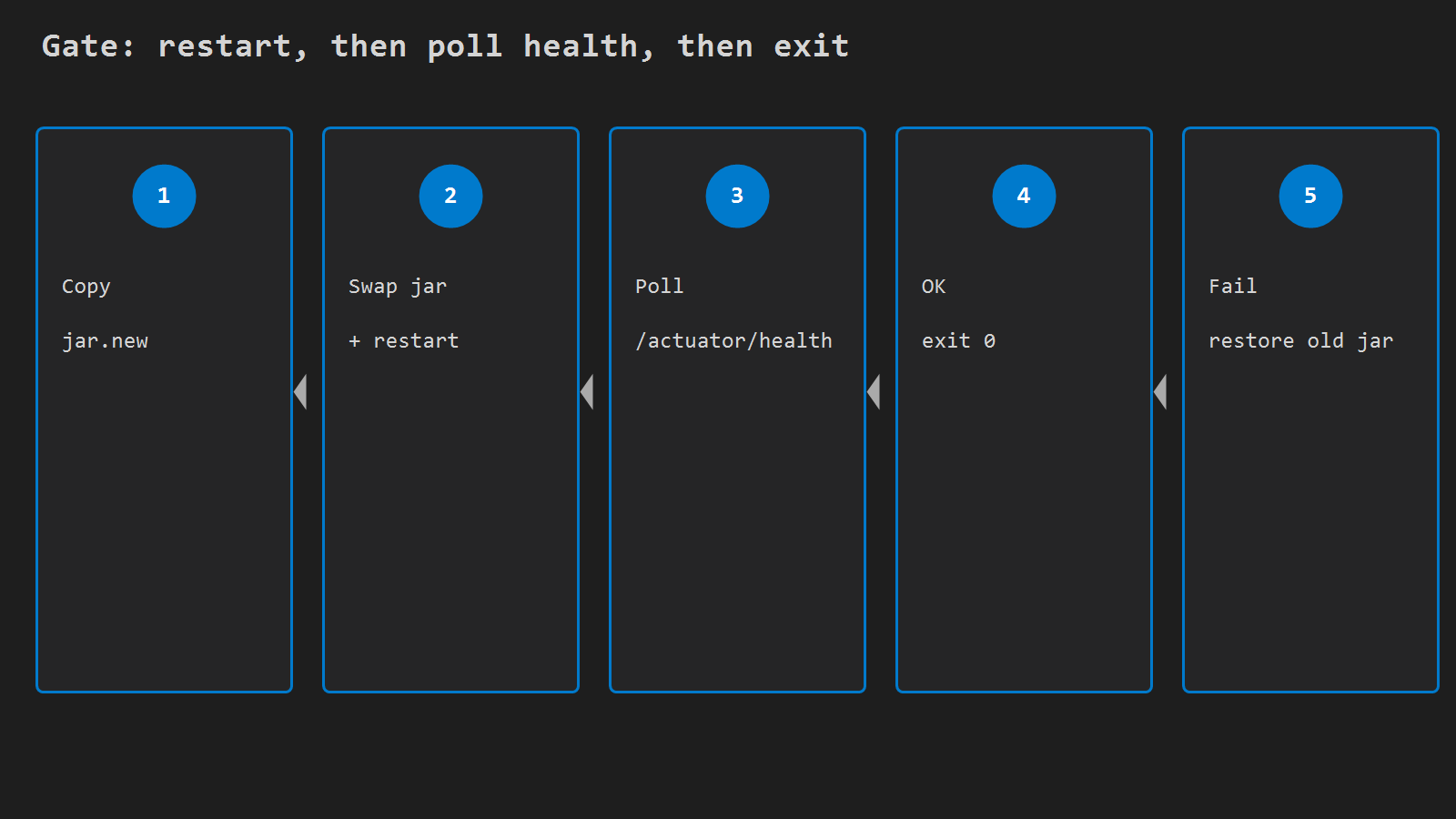
You do not need a platform rewrite for this. Add a health gate on the EC2 side of the deploy: keep a backup jar, swap and restart, poll until healthy, then exit. If health never comes back, restore the previous jar, restart again, and fail the job.
This follows Deploy Spring Boot from GitHub Actions to EC2. That post already restarts the unit and mentions a one-shot health curl. Here the health check is the gate – the job is not green until the app answers.
When you need this
You already have:
- Spring Boot behind Nginx on EC2
- a systemd unit (example:
api.service) that runs/opt/api/app.jar - GitHub Actions that scp a jar and runs
systemctl restart
You feel pain when:
- the Actions check is green
systemctl is-active apiprintsactive- browsers or mobile clients still get 502, empty JSON, or a stale error page
That gap is the topic. is-active is not a product health check.
1) Why is-active lies to CI
systemctl is-active api means the unit is not in a failed state. It does not mean:
- Spring finished startup
- the port is accepting connections
- Actuator (or your ping path) returns 200
- DB / Redis / MQ dependencies that your health indicator includes are up
Nginx can be fine the whole time. Upstream Java is still booting or crash-looping. Users see 502. CI already left.
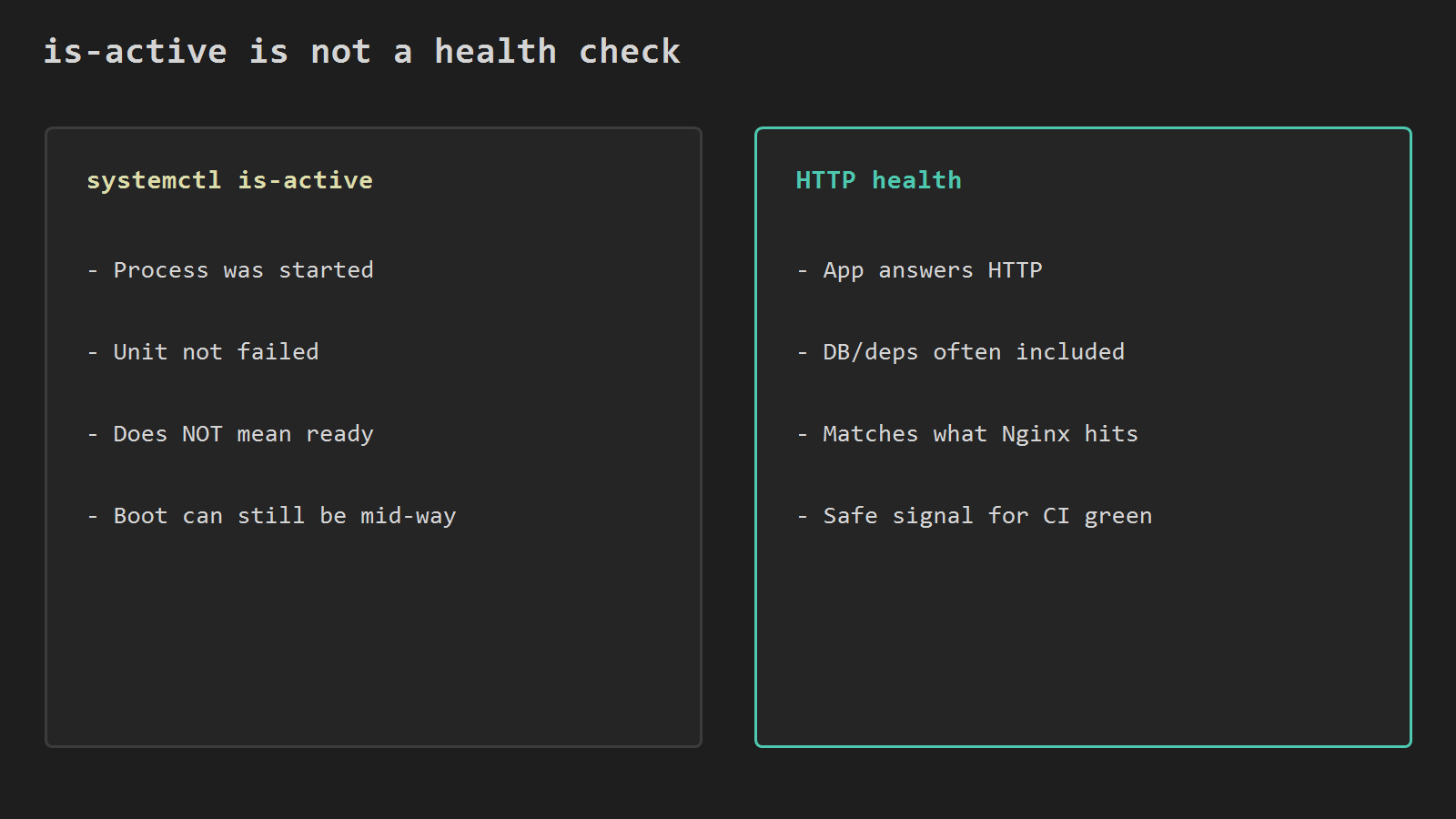
Prefer an HTTP check that matches what Nginx proxies to. On the instance:
curl -fsS http://127.0.0.1:8080/actuator/healthNo Actuator? Curl a real app path instead, for example:
curl -fsS http://127.0.0.1:8080/api/pingUse -f so non-2xx fails the command. Use -sS so you keep errors without a progress bar.
2) Keep a backup jar before you swap
Do not overwrite the only good jar and hope. Stage the new build, keep a bak, then swap.
On the instance, the deploy directory should look like:
/opt/api/
  app.jar          # what systemd runs
  app.jar.bak      # last known good (created by the script)
  app.jar.new      # arriving from scp
Minimal idea:
cp -f /opt/api/app.jar /opt/api/app.jar.bak
mv /opt/api/app.jar.new /opt/api/app.jar
sudo systemctl restart api
If health fails later, you can put bak back and restart without waiting for another Actions run to rebuild.
3) Poll health after restart, then exit
One sleep 3 is not a gate. Cold starts vary. Poll in a loop with a hard timeout.
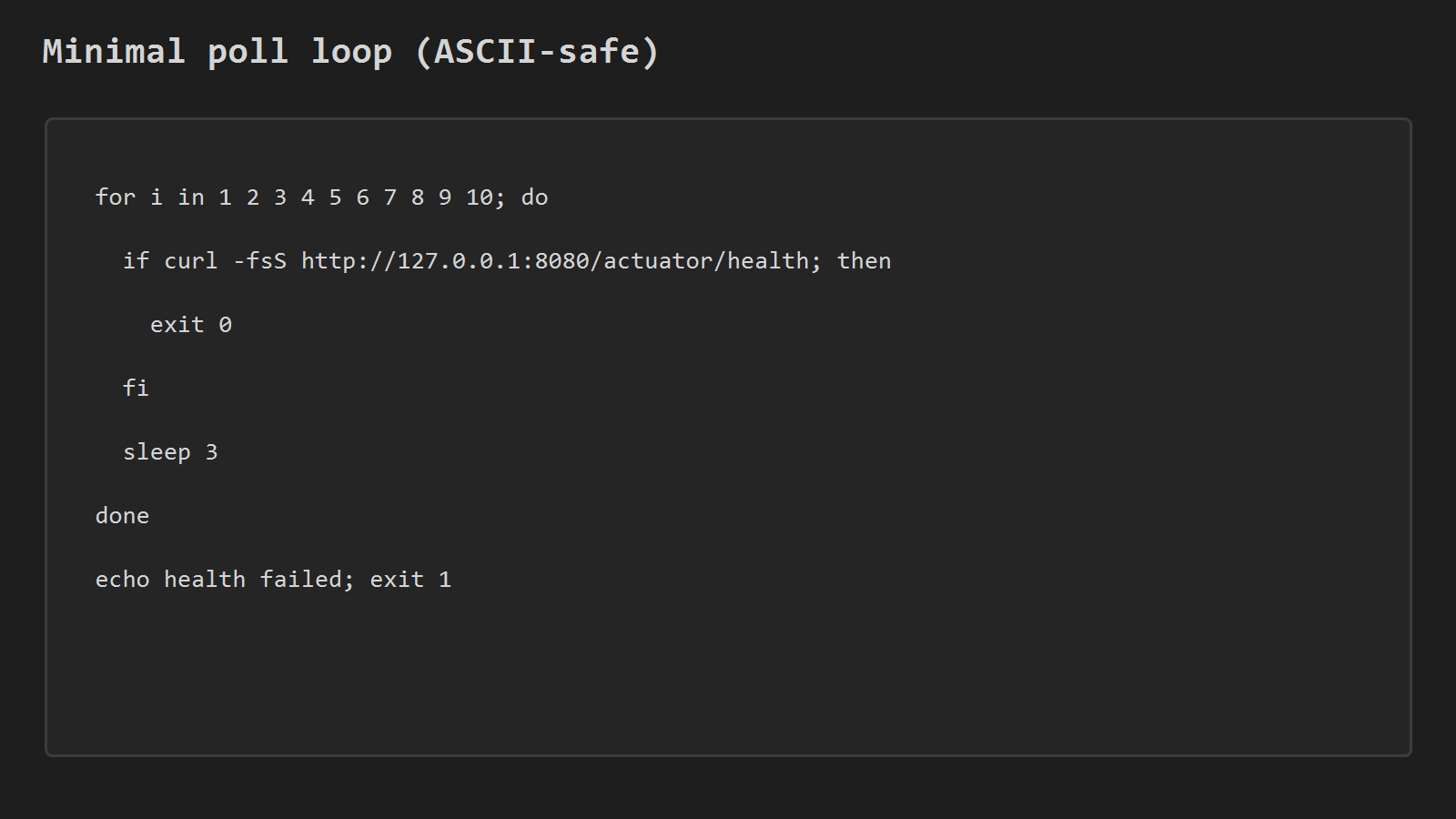
Example script you can paste into the SSH step (or into /opt/api/deploy.sh and call it from Actions):
set -euo pipefail

APP_DIR=/opt/api
UNIT=api
HEALTH_URL=http://127.0.0.1:8080/actuator/health
TRIES=10
SLEEP_SEC=3

cp -f "$APP_DIR/app.jar" "$APP_DIR/app.jar.bak"
mv "$APP_DIR/app.jar.new" "$APP_DIR/app.jar"
sudo systemctl restart "$UNIT"

i=1
while [ "$i" -le "$TRIES" ]; do
  if curl -fsS "$HEALTH_URL" >/dev/null; then
    echo "health ok on try $i"
    exit 0
  fi
  echo "health not ready ($i/$TRIES)"
  i=$((i + 1))
  sleep "$SLEEP_SEC"
done

echo "health failed - restoring bak"
cp -f "$APP_DIR/app.jar.bak" "$APP_DIR/app.jar"
sudo systemctl restart "$UNIT"
exit 1
Tune TRIES and SLEEP_SEC to your cold-start budget. Ten tries with 3 seconds is a starting point (~30s), not a law. If the JVM routinely needs a minute, raise the budget on purpose instead of pretending sleep 3 is enough.
4) Wire it into the GitHub Actions SSH step
Keep build and scp as in the earlier Actions post. Change only the restart step so it runs the gate.
- name: Deploy and health-gate
  run: |
    ssh -i ~/.ssh/deploy_key \
      "${{ secrets.EC2_USER }}@${{ secrets.EC2_HOST }}" \
      'bash -s' <<'EOS'
    set -euo pipefail
    APP_DIR=/opt/api
    UNIT=api
    HEALTH_URL=http://127.0.0.1:8080/actuator/health
    TRIES=10
    SLEEP_SEC=3

    cp -f "$APP_DIR/app.jar" "$APP_DIR/app.jar.bak"
    mv "$APP_DIR/app.jar.new" "$APP_DIR/app.jar"
    sudo systemctl restart "$UNIT"

    i=1
    while [ "$i" -le "$TRIES" ]; do
      if curl -fsS "$HEALTH_URL" >/dev/null; then
        echo "health ok on try $i"
        exit 0
      fi
      echo "health not ready ($i/$TRIES)"
      i=$((i + 1))
      sleep "$SLEEP_SEC"
    done

    echo "health failed - restoring bak"
    cp -f "$APP_DIR/app.jar.bak" "$APP_DIR/app.jar"
    sudo systemctl restart "$UNIT"
    exit 1
    EOS
If you already keep a deploy.sh on the box, scp the jar then:
ssh ... '/opt/api/deploy.sh'Prefer one script on the server when the shell grows. Prefer an inline heredoc when you want the gate visible in the workflow.
Sudoers still only needs restart (and daemon-reload if you change units). Example:
ec2-user ALL=(root) NOPASSWD: /bin/systemctl restart api5) Loopback vs public URL
On the instance, loopback is enough and avoids TLS and DNS during the gate:
http://127.0.0.1:8080/actuator/healthFrom a laptop or from Actions over the internet, hit the public URL through Nginx:
curl -fsS https://api.example.com/actuator/healthDo not mix the two without thinking. A public check proves Nginx + TLS + upstream together. A loopback check proves the Java process only. For "did this jar boot?", loopback on the SSH host is the direct signal. For "can the world reach us?", add a second curl to the public URL after the local gate passes.
6) Actuator notes that matter for the gate
If you use Spring Boot Actuator:
- expose health to the path you curl (management endpoint exposure)
- decide whether health is UP only when DB is up – that is usually what you want for a deploy gate
- do not require auth on the loopback health path used by the script, or give the script a way to call it
If health stays DOWN because a dependency is intentionally optional, either split indicators or curl a lighter ping path for the deploy gate.
7) Common failures
Health loops forever / always fails
- wrong port (app not on 8080)
- Actuator not on the classpath or not exposed
- security filter blocking
/actuator/health - app crash on boot:
journalctl -u api -n 100 --no-pager
CI green, users still broken
- you still exit 0 after
is-activeonly - you curl localhost from Actions (that is the runner, not EC2)
- you restored bak but forgot the second restart
Restore did not help
- bak was already a bad build
- unit
ExecStartpoints at a different path than the script - file permissions after
cpleft the jar unreadable for the service user
Timeout too short
- first health success at try 12, but
TRIES=10 - raise the budget or warm the JVM another way – do not shorten sleep and hope
8) What this post is not
This is not blue/green on two instances, not ALB target-group health, and not Kubernetes readiness. Those are better when you have more than one box. On a single EC2 + systemd setup, a bak jar plus an HTTP poll already stops the worst false greens.
Next optional step: move the same gate behind SSM Run Command or a proper deploy user so long-lived SSH keys are not the only path. The health rule stays the same either way – do not call the deploy done until the app answers.




Leave a Reply