When should you read this?
You already put Nginx in front of Spring Boot on EC2. Port 80 proxies to 127.0.0.1:8080. You have TLS files in hand (a certificate chain and a private key). What you need now is not a lecture on certificate authorities. You need to know which files go where, what the conf looks like, why chmod differs for the cert and the key, and which commands prove it works.
If you do not have pem files yet, get them from your CA first, then come back. This post starts at "files on disk."
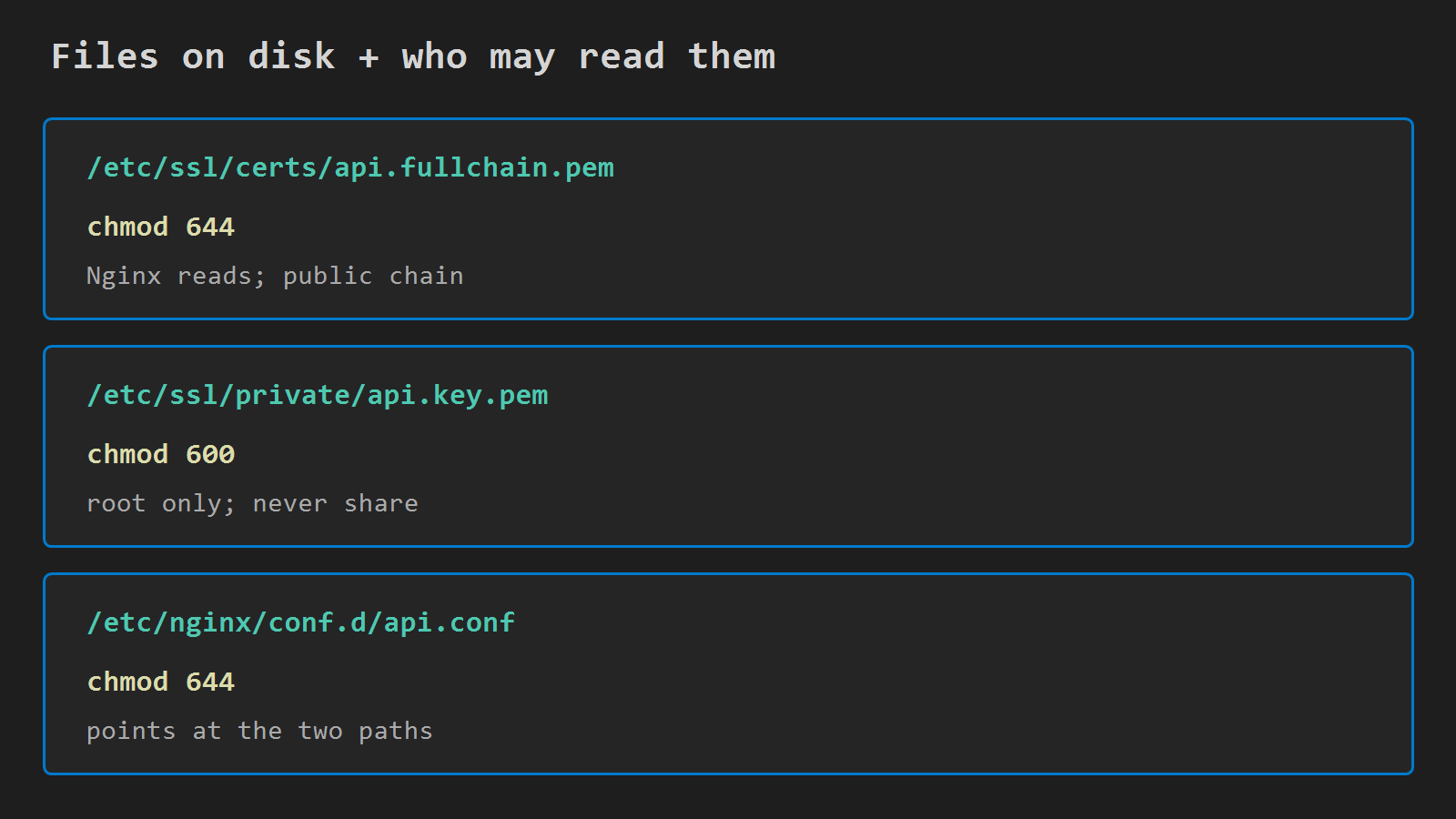
What you put on the disk
Use stable paths so conf never guesses:
| File | Path | Mode |
|---|---|---|
| Full chain certificate | /etc/ssl/certs/api.fullchain.pem |
644 |
| Private key | /etc/ssl/private/api.key.pem |
600 |
| Site config | /etc/nginx/conf.d/api.conf |
644 |
Confirm the main config still includes drop-in files (common default):
include /etc/nginx/conf.d/*.conf;Copy your issued files into those two /etc/ssl/... paths. Names can change; keep conf and disk in sync. The modes above are the target – next section explains why they differ.
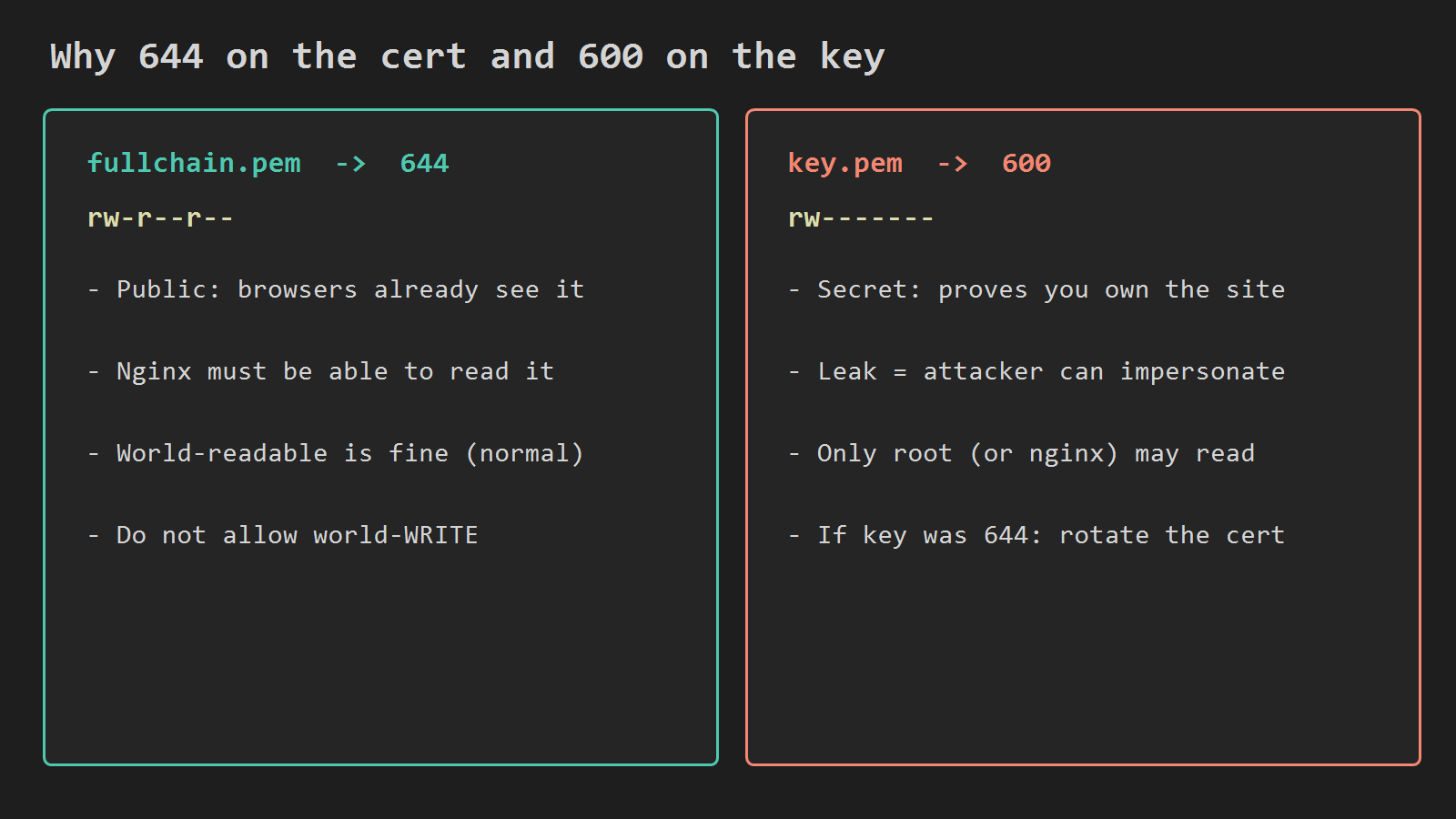
Why chmod 644 on the cert and 600 on the key
chmod is not decoration. It answers: who may read this file?
api.fullchain.pem -> 644 (rw-r--r--)
The full chain is what Nginx sends to every browser during the TLS handshake. It is public material. Clients already see it.
Nginx must read it. Making it world-readable is normal. Still keep write access limited to root so nobody else can swap the file under you.
sudo chmod 644 /etc/ssl/certs/api.fullchain.pemapi.key.pem -> 600 (rw-------)
The private key is how the server proves it owns the certificate. If another account on the box can read it, treat that as a leak: an attacker who copies the key can impersonate your hostname.
Only the owner (usually root) should read and write the key. Group and other get nothing.
sudo chmod 600 /etc/ssl/private/api.key.pemIf you ever find the key at 644, rotate the certificate. Do not "fix the mode and hope."
If Nginx cannot read the key (wrong owner, wrong mode, wrong path), HTTPS on :443 fails to come up cleanly.
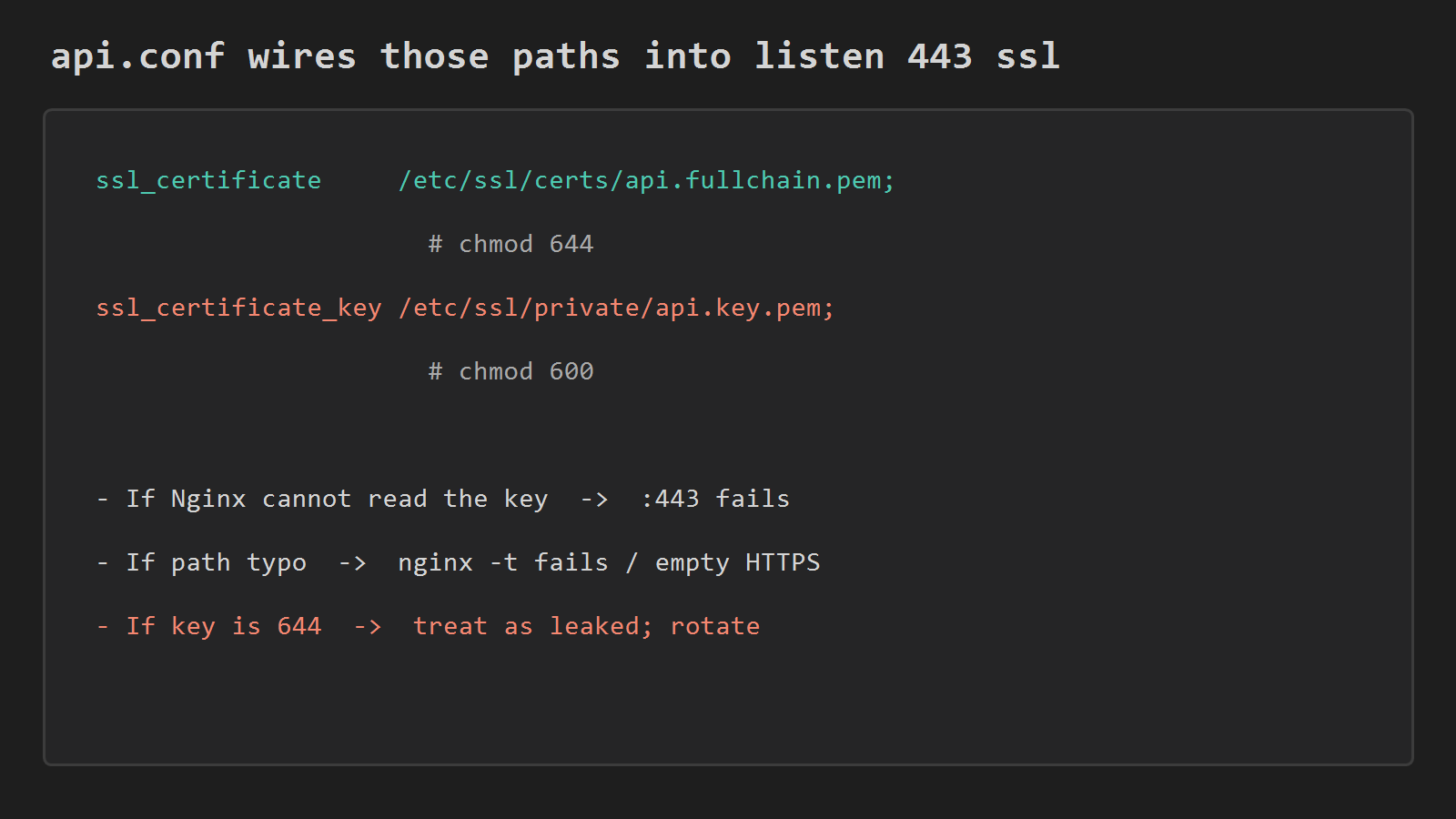
Wire the paths in api.conf
Create /etc/nginx/conf.d/api.conf.
HTTPS server block – attach the files and keep proxying to Spring on loopback:
server {
    listen 443 ssl;
    server_name api.example.com;

    ssl_certificate     /etc/ssl/certs/api.fullchain.pem;
    ssl_certificate_key /etc/ssl/private/api.key.pem;

    location / {
        proxy_pass http://127.0.0.1:8080;
        proxy_set_header Host $host;
        proxy_set_header X-Forwarded-Proto $scheme;
        proxy_set_header X-Forwarded-For $proxy_add_x_forwarded_for;
    }
}
HTTP server block – send everyone to HTTPS:
server {
    listen 80;
    server_name api.example.com;
    return 301 https://$host$request_uri;
}
Replace api.example.com with your real name. The server_name must match the name on the certificate.
TLS stops at Nginx. Spring keeps speaking plain HTTP on 127.0.0.1:8080. Do not open 8080 in the security group.
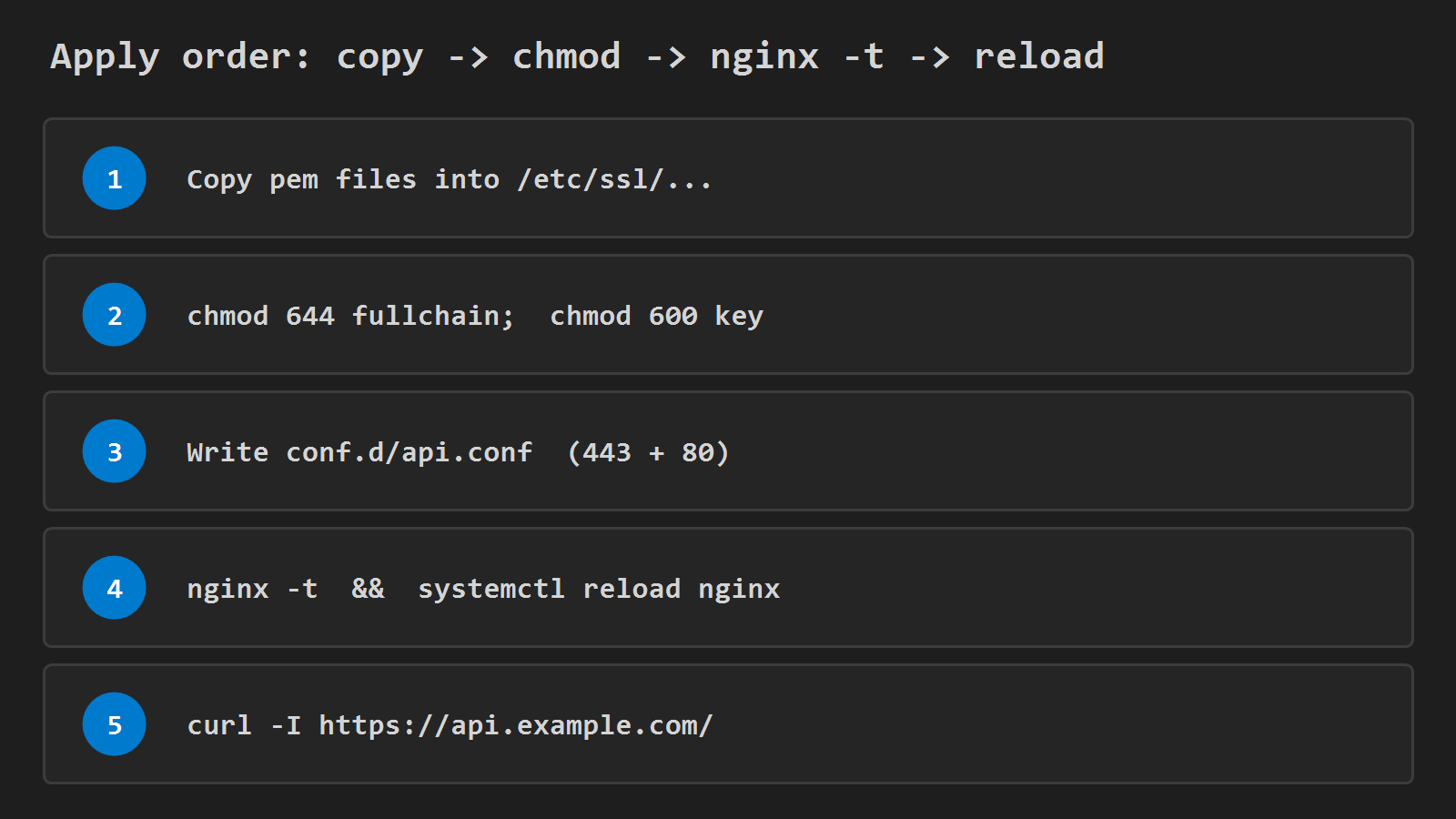
Apply and verify
Do it in this order: files on disk, modes set, conf written, then reload.
sudo chmod 644 /etc/ssl/certs/api.fullchain.pem
sudo chmod 600 /etc/ssl/private/api.key.pem
sudo nginx -t
sudo systemctl reload nginx
curl -I https://api.example.com/
nginx -t catches path typos and syntax errors before reload. curl -I should show a normal status (often 200 or an app redirect) without a self-signed warning.
Also open TCP 443 (and 80 if you keep the redirect) on the EC2 security group.
After TLS sits on Nginx, set Spring so redirects stay on https://:
server.forward-headers-strategy=framework(Use the equivalent for your Boot version if the property name differs.)
When it breaks
- Wrong path in conf:
nginx -tfails, or:443does nothing useful. - Key not readable: Nginx will not serve TLS correctly.
- Certificate without intermediates (leaf only): some mobile clients warn even if desktop looks fine. Prefer a full chain file.
- Security group missing
443: works on the instance, times out from the internet. - Missing
X-Forwarded-Proto: Spring may redirect users back tohttp://.
Related
This is the concrete follow-up to Put Nginx in Front of Spring Boot on EC2 – the part that starts after "put the certificate on Nginx, not on the JVM."




Leave a Reply