When should you read this?
You already pushed an image to ECR, run it on Fargate, and put HTTPS on an ALB. Deploys may still mean local commands: docker build, docker push, register-task-definition, update-service. That breaks when every merge should ship the same path without someone at a keyboard.
Part 4 of 4 (ECR -> Fargate -> ALB HTTPS -> Actions). This post ends when a green GitHub Actions run on main pushes a new image tag and the service behind https://api.example.com serves it.
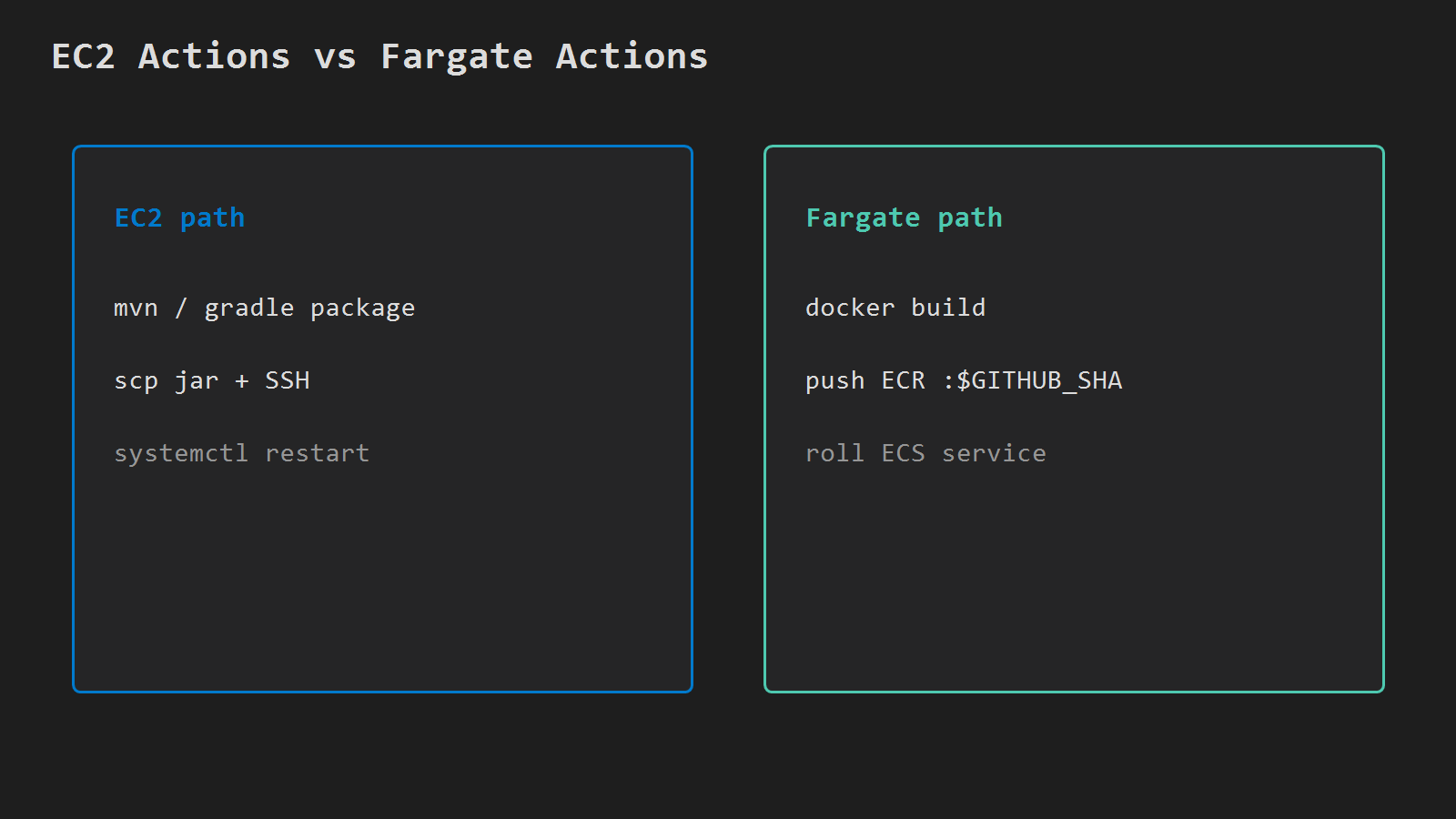
It is the Fargate twin of Deploy Spring Boot from GitHub Actions to EC2. That post copies a jar over SSH. Here the pipeline builds a container, pushes to ECR, and rolls the ECS service — no scp.
What you are building
push to main
  -> GitHub Actions
      -> docker build + push  ECR  api:<sha>
      -> new task definition revision (family api)
      -> ECS UpdateService (wait for stability)
  -> ALB :443  ->  new Fargate task :8080
Reuse cluster api, service api, repository api, region ap-northeast-2, and the ALB hostname from part 3. Tag with $GITHUB_SHA — not only latest.
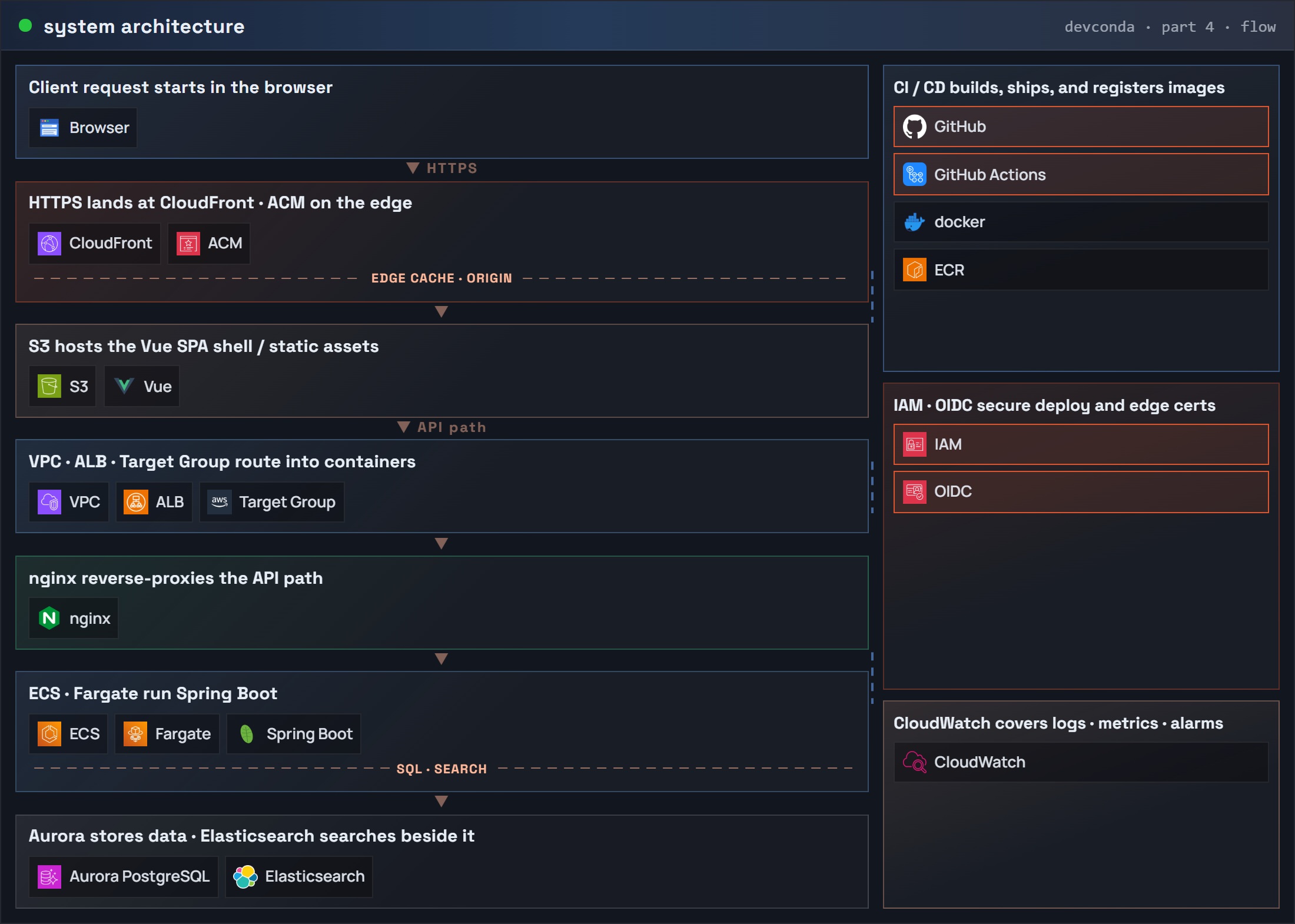
Final system after parts 1–4 (traffic on the ALB; deploys from Actions into ECR and the ECS service):
Part 4: system architecture (request flow) – GitHub / Actions / OIDC / IAM
EC2 Actions path (jar + SSH) versus this Fargate Actions path (image + ECR + service roll):
Before you start
- Parts 1–3 work by hand: ECR has a tag, the service is stable,
curl https://$DOMAIN/actuator/health(or/) succeeds. - The Spring Boot repo has the same Dockerfile as part 1 (fat jar →
app.jar, listen on8080). - A GitHub repo where you can add a workflow and Actions secrets (or OIDC).
ACCOUNT=$(aws sts get-caller-identity --query Account --output text)
REGION=ap-northeast-2
CLUSTER=api
SERVICE=api
ECR_REPO=api
DOMAIN=api.example.com
IAM for Actions
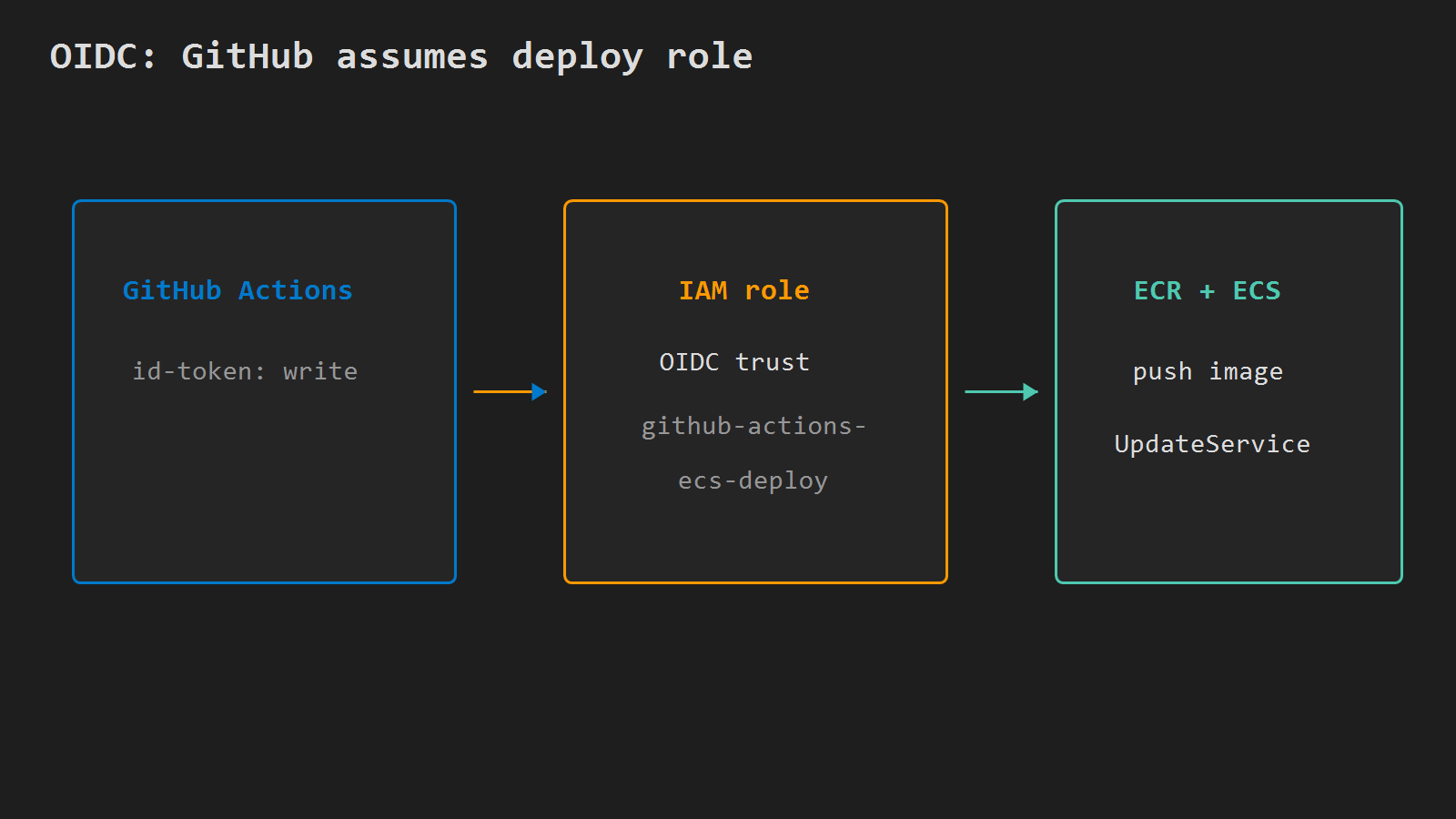
Prefer OIDC so you do not store long-lived access keys in GitHub. Create an IAM role that GitHub can assume, with rights to:
- ECR:
GetAuthorizationToken, push/pull on repositoryapi - ECS:
DescribeServices,DescribeTaskDefinition,RegisterTaskDefinition,UpdateService,DescribeTasks iam:PassRoleon the task execution role (ecsTaskExecutionRole)- Optional:
elasticloadbalancing:DescribeTargetHealthif you verify targets in the job
Trust policy (replace ACCOUNT and OWNER/REPO; optionally lock sub to repo:OWNER/REPO:ref:refs/heads/main):
{
  "Version": "2012-10-17",
  "Statement": [
    {
      "Effect": "Allow",
      "Principal": {
        "Federated": "arn:aws:iam::ACCOUNT:oidc-provider/token.actions.githubusercontent.com"
      },
      "Action": "sts:AssumeRoleWithWebIdentity",
      "Condition": {
        "StringEquals": {
          "token.actions.githubusercontent.com:aud": "sts.amazonaws.com"
        },
        "StringLike": {
          "token.actions.githubusercontent.com:sub": "repo:OWNER/REPO:*"
        }
      }
    }
  ]
}
Create the OIDC provider once per account if it is missing (token.actions.githubusercontent.com), create role github-actions-ecs-deploy, attach the permissions above, then:
ROLE_ARN=arn:aws:iam::$ACCOUNT:role/github-actions-ecs-deployIf you already use static keys for the EC2 deploy post, you can put AWS_ACCESS_KEY_ID / AWS_SECRET_ACCESS_KEY in repo secrets instead — same steps after configure-aws-credentials. Prefer OIDC for new setups.
Workflow file
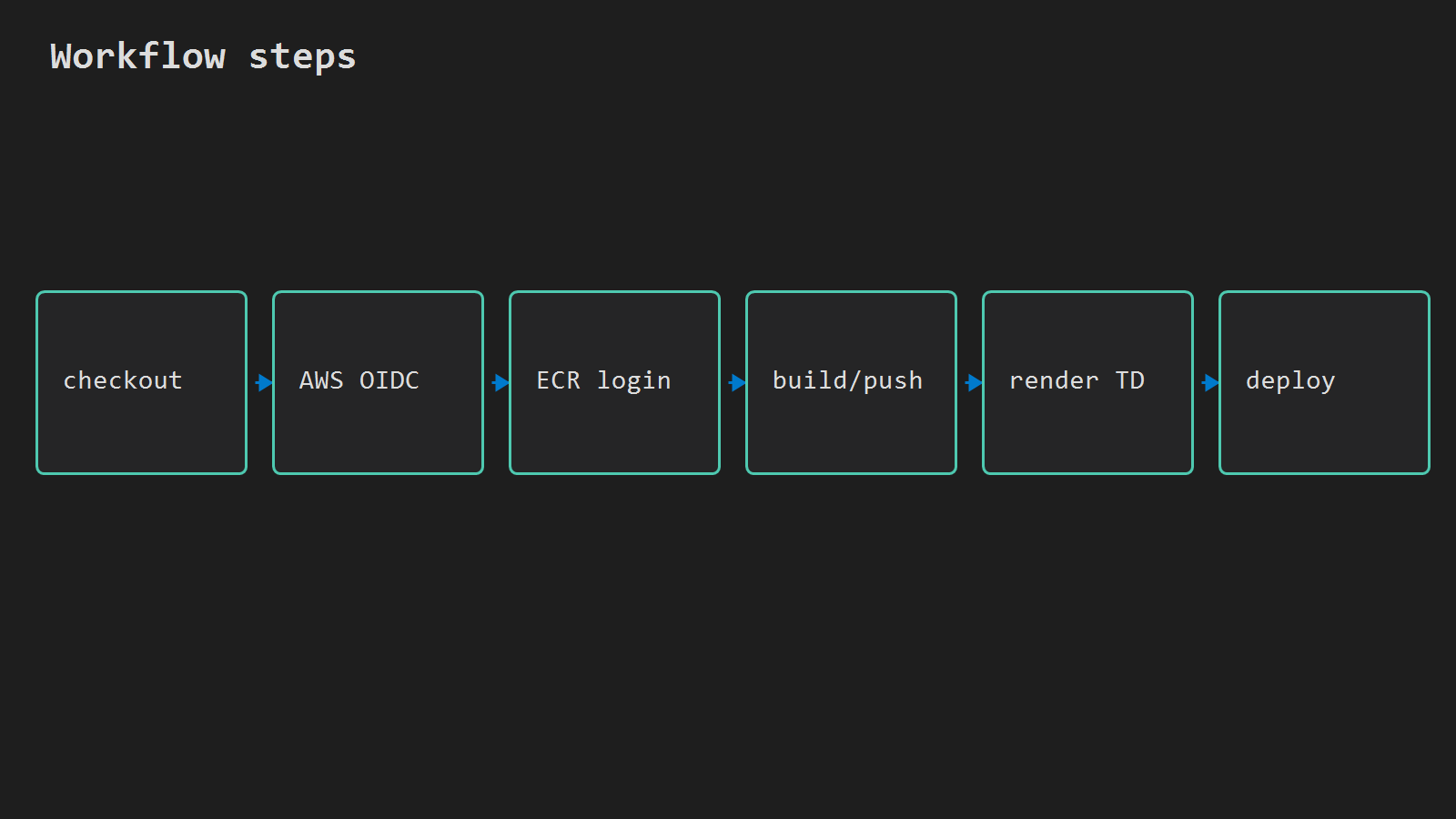
Add .github/workflows/deploy-fargate.yml:
name: Deploy to Fargate

on:
  push:
    branches: [main]

env:
  AWS_REGION: ap-northeast-2
  ECR_REPOSITORY: api
  ECS_CLUSTER: api
  ECS_SERVICE: api
  CONTAINER_NAME: api

permissions:
  id-token: write
  contents: read

jobs:
  deploy:
    runs-on: ubuntu-latest
    steps:
      - uses: actions/checkout@v4

      - name: Configure AWS credentials
        uses: aws-actions/configure-aws-credentials@v4
        with:
          role-to-assume: ${{ secrets.AWS_ROLE_ARN }}
          aws-region: ${{ env.AWS_REGION }}

      - name: Login to Amazon ECR
        id: login-ecr
        uses: aws-actions/amazon-ecr-login@v2

      - name: Build, tag, and push image
        id: build
        env:
          REGISTRY: ${{ steps.login-ecr.outputs.registry }}
          IMAGE_TAG: ${{ github.sha }}
        run: |
          docker build -t $REGISTRY/$ECR_REPOSITORY:$IMAGE_TAG .
          docker push $REGISTRY/$ECR_REPOSITORY:$IMAGE_TAG
          echo "image=$REGISTRY/$ECR_REPOSITORY:$IMAGE_TAG" >> $GITHUB_OUTPUT

      - name: Download current task definition
        run: |
          aws ecs describe-task-definition \
            --task-definition api \
            --query taskDefinition > task-definition.json

      - name: Render new image into task definition
        id: task-def
        uses: aws-actions/amazon-ecs-render-task-definition@v1
        with:
          task-definition: task-definition.json
          container-name: ${{ env.CONTAINER_NAME }}
          image: ${{ steps.build.outputs.image }}

      - name: Deploy to Amazon ECS
        uses: aws-actions/amazon-ecs-deploy-task-definition@v1
        with:
          task-definition: ${{ steps.task-def.outputs.task-definition }}
          service: ${{ env.ECS_SERVICE }}
          cluster: ${{ env.ECS_CLUSTER }}
          wait-for-service-stability: true
Store AWS_ROLE_ARN as a GitHub Actions secret. CONTAINER_NAME must match the container name in the task definition (api in parts 2–3).
describe-task-definition returns read-only fields (taskDefinitionArn, revision, status, …) that ECS rejects on register. The official render + deploy actions strip those. If you register by hand, delete those keys first.
What rolls in ECS
amazon-ecs-deploy-task-definition registers a new revision of family api with the new image URI, then updates the service. With wait-for-service-stability: true, the job waits until the new task is healthy under the ALB target group (same health path as part 3).
If the new task fails health checks, ECS keeps or returns to the previous revision depending on deployment configuration. Check CloudWatch /ecs/api and target health next.
aws ecs describe-services \
  --cluster $CLUSTER \
  --services $SERVICE \
  --region $REGION \
  --query 'services[0].{td:taskDefinition,running:runningCount,desired:desiredCount}' \
  --output table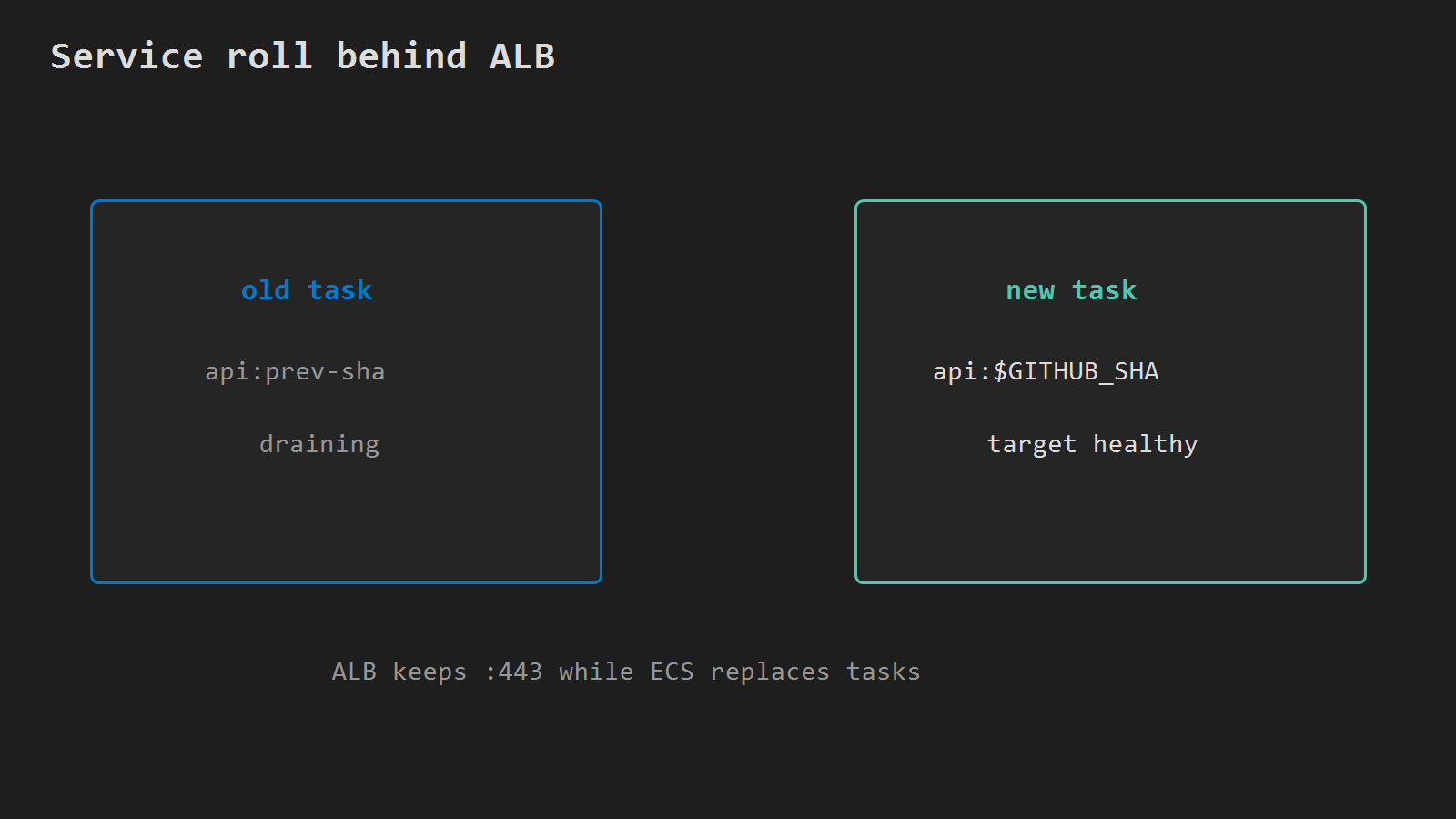
Verify
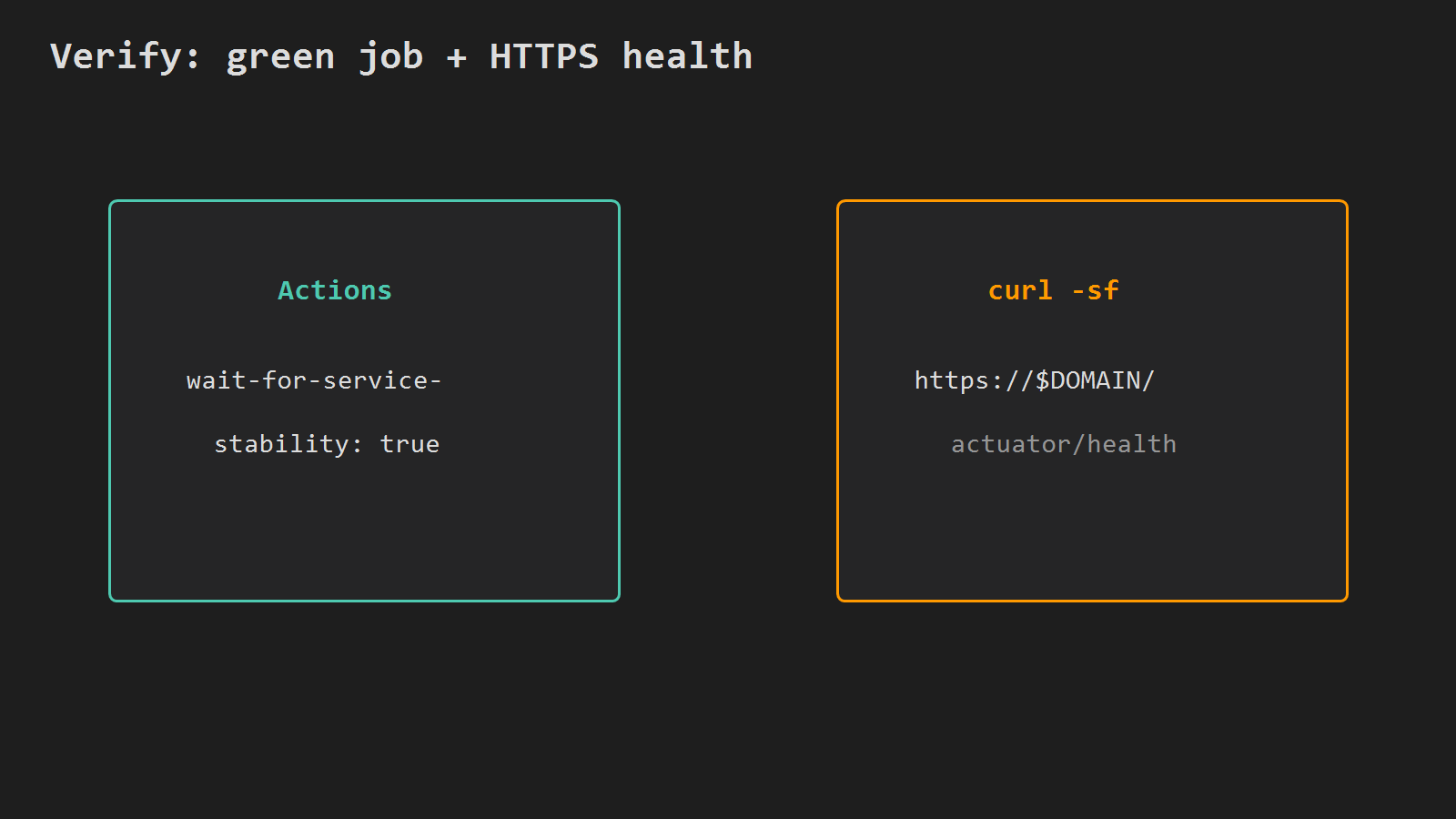
curl -sf "https://$DOMAIN/actuator/health" || curl -sf "https://$DOMAIN/"The task definition does not include the container named api means CONTAINER_NAME does not match. CannotPullContainerError after push usually means the execution role or image URI is wrong — same as part 2, now visible in the Actions log. wait-for-service-stability timeout → unhealthy targets or Spring crash on boot; open /ecs/api and describe-target-health.
Series close
Parts 1–4 end here: jar → ECR → Fargate → ALB HTTPS → Actions roll on every push to main.
Minimal checklist
- OIDC role (or keys) can push to ECR
apiand update ECS serviceapi. - Dockerfile builds the same fat jar path as part 1.
- Workflow pushes
$REGISTRY/api:$GITHUB_SHAand deploys withwait-for-service-stability: true. CONTAINER_NAMEmatches the task definition container name.- After a green run,
curl https://$DOMAIN/actuator/health(or/) succeeds.
After that, every push to main ships a new image through ECR to Fargate behind the ALB — without a local docker push.




Leave a Reply