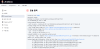
Following the post about making a GitHub repository private, I checked whether Jenkins builds still worked. Jenkins could no longer clone the repo.
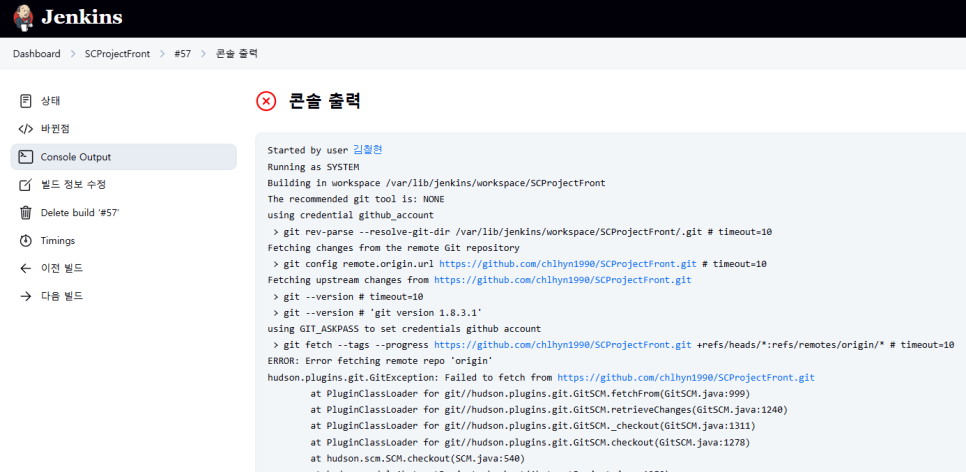
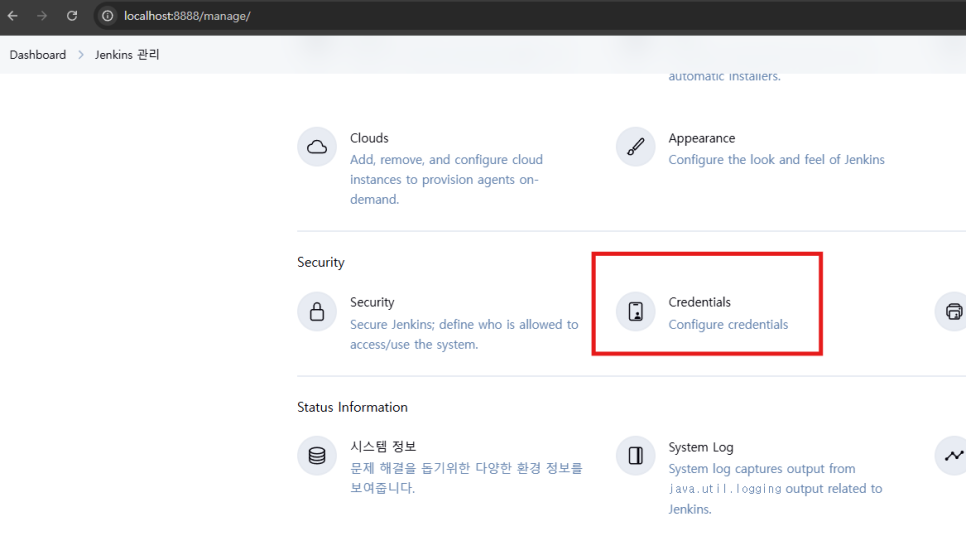
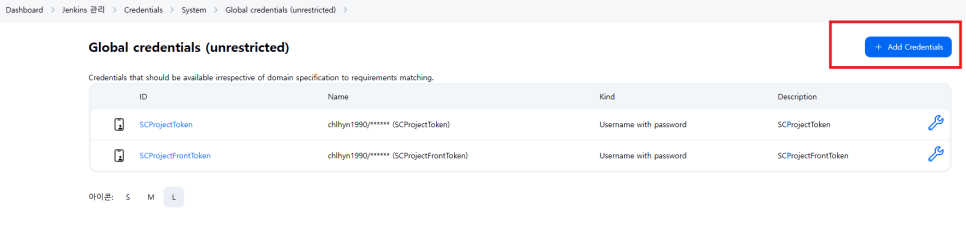
Click Manage Jenkins.
Click Credentials.
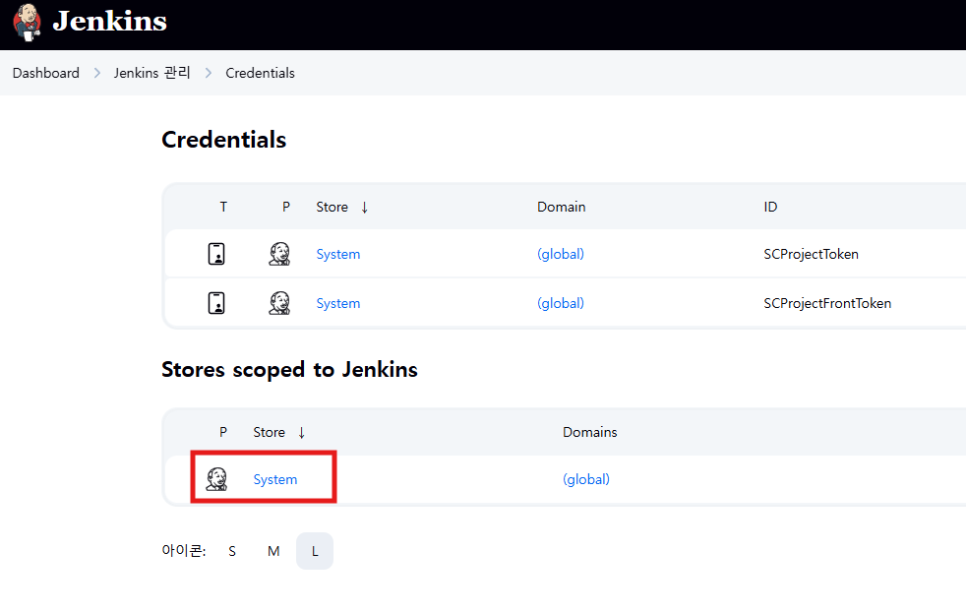
Under Stores scoped to Jenkins, click System.
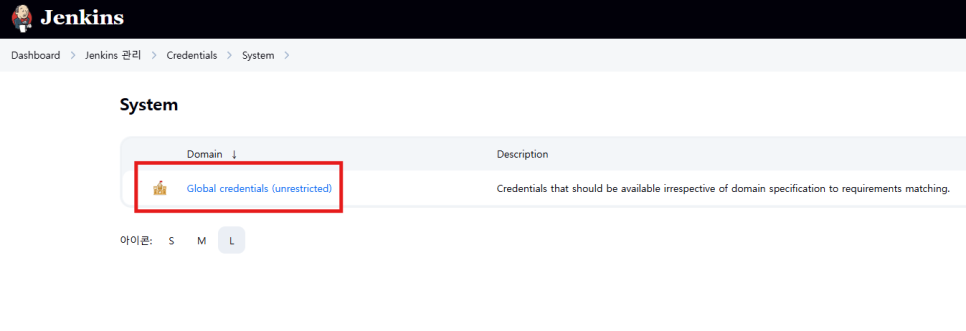
Click Global credentials.
Click Add Credentials, then switch briefly to GitHub.
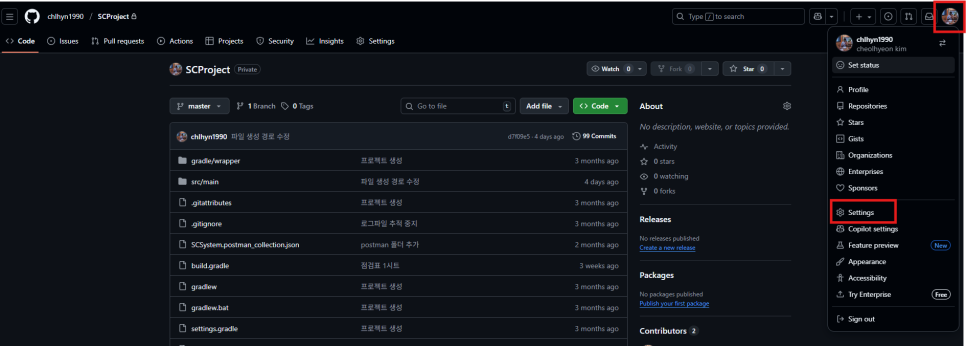
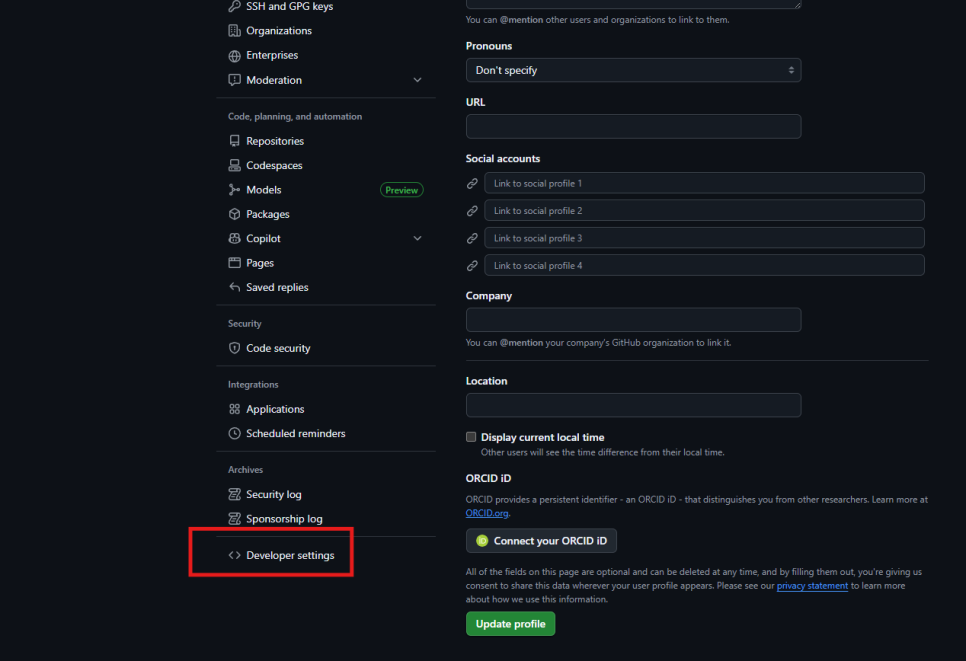
Open your profile menu in the top right and click Settings.
Scroll down and click Developer settings.
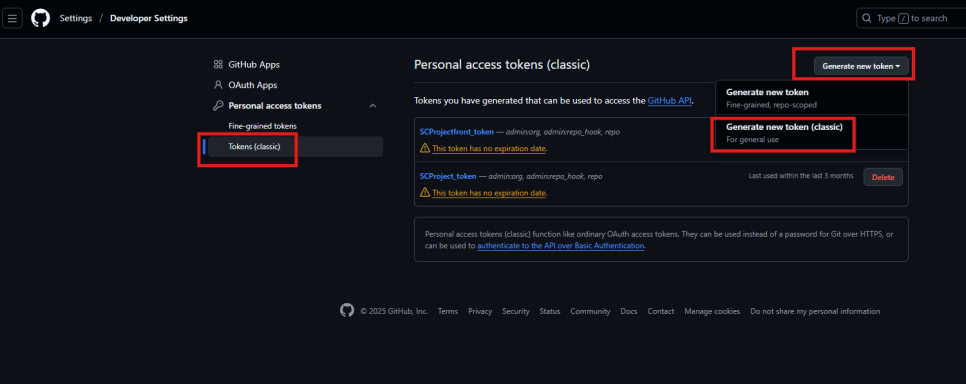
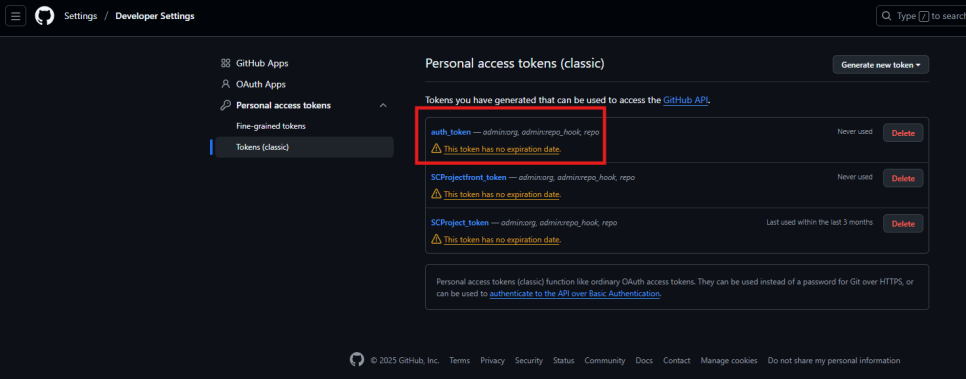
1. Tokens (classic)
2. Generate new token
3. Generate new token (classic)
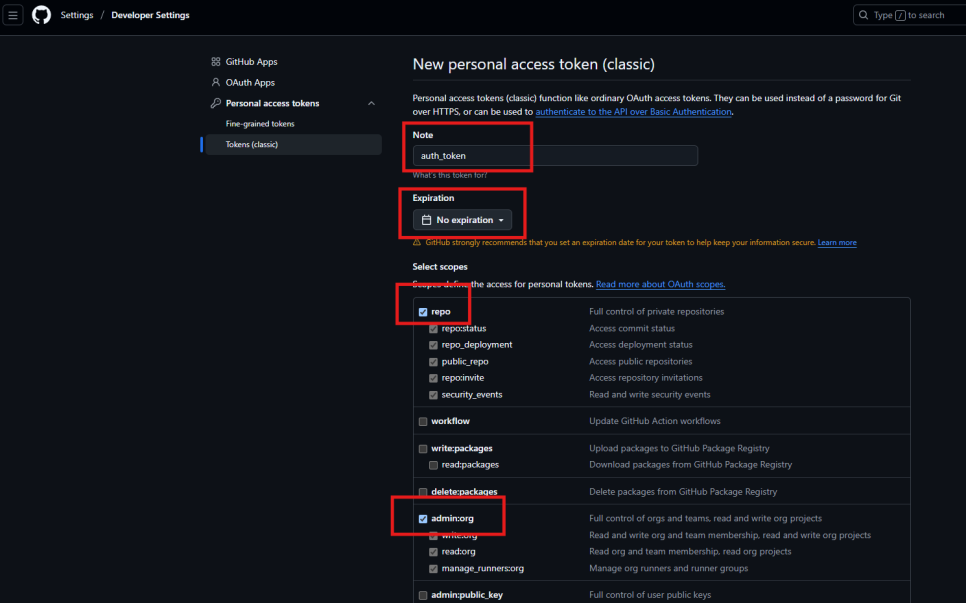
Enter a name in Note, set expiration to no expiration, and select repo and admin:org.
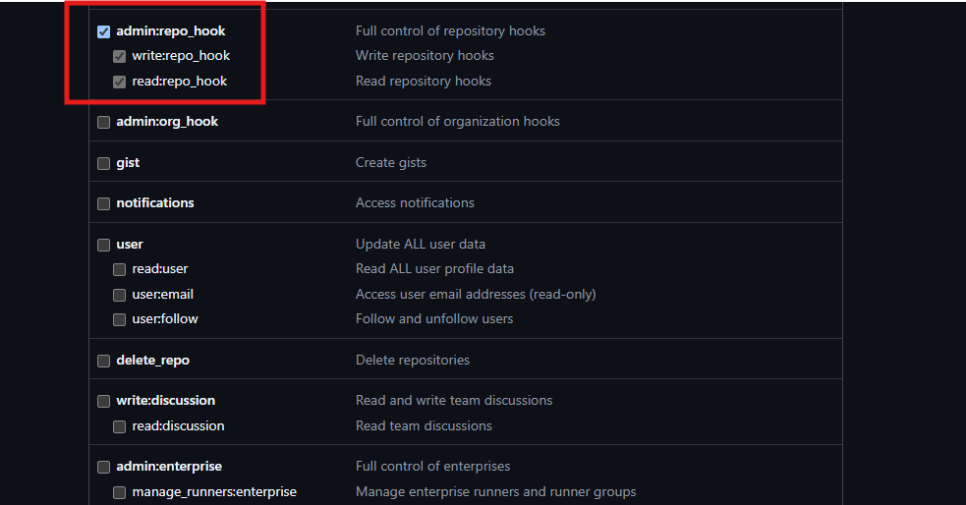
Also select admin:repo_hook.
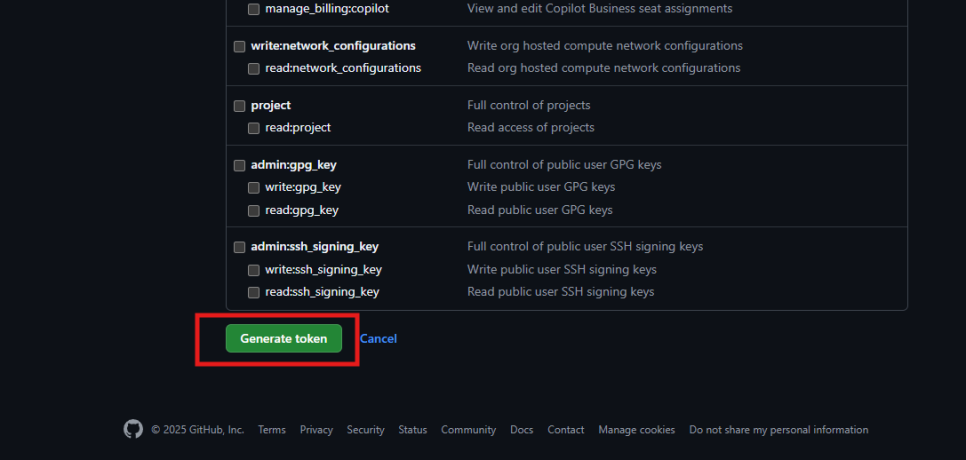
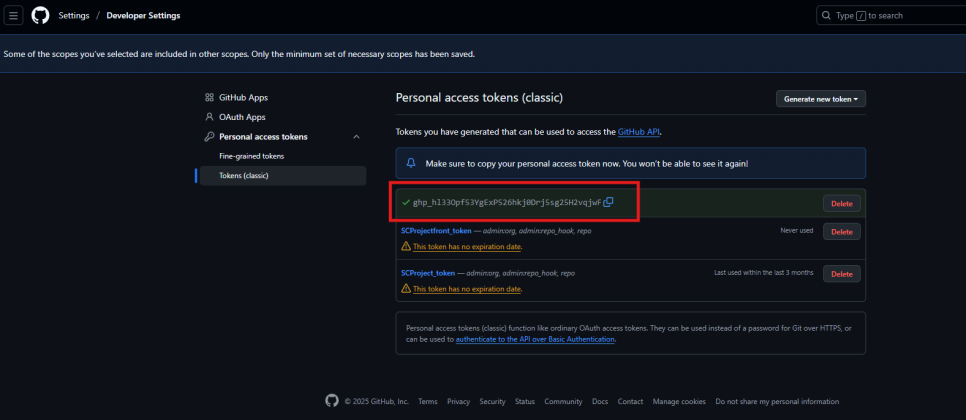
Click Generate token.
Copy the token shown on that screen.
Be careful: if you refresh or leave and return to the page, the key is gone.
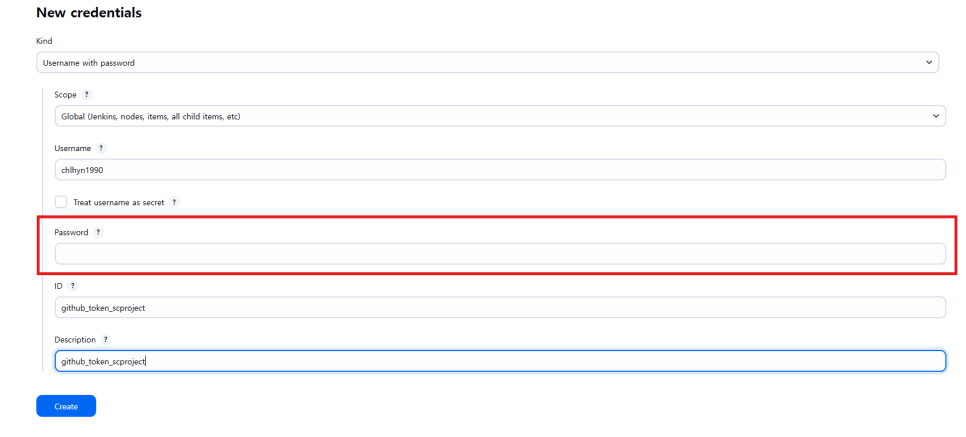
Back in Jenkins, set:
- Kind: Username with password
- Username: your GitHub account name
- Password: the token you copied
- ID / Description: any labels that help you identify it

Then click Create.
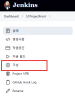
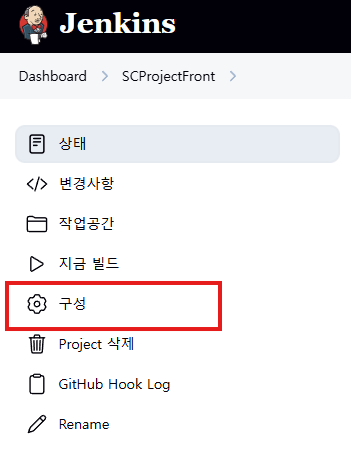
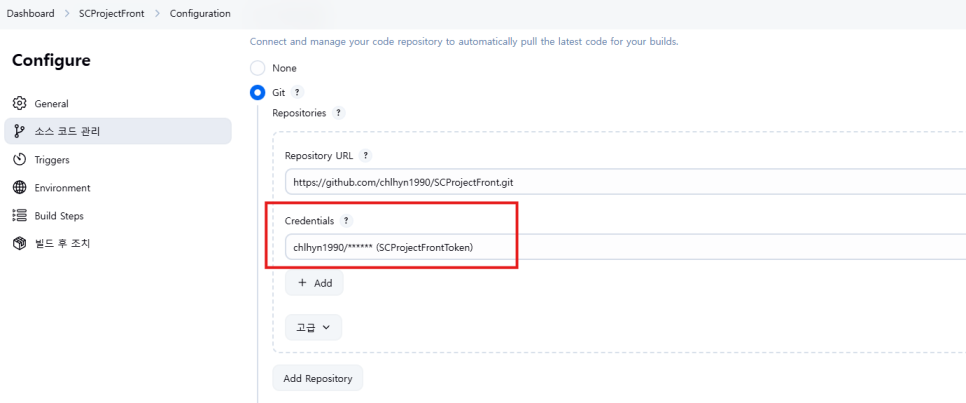
Open the job configuration, select the credential you created, and save.
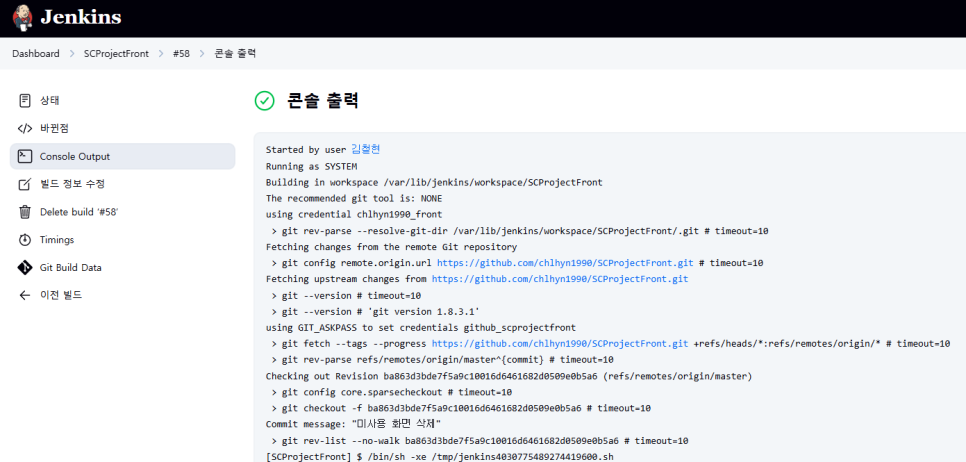
Run a build and it succeeds.

Leave a Reply