Since 2019, free GitHub users can use private repositories. I only found that out recently, so I changed the visibility and wrote down the steps.
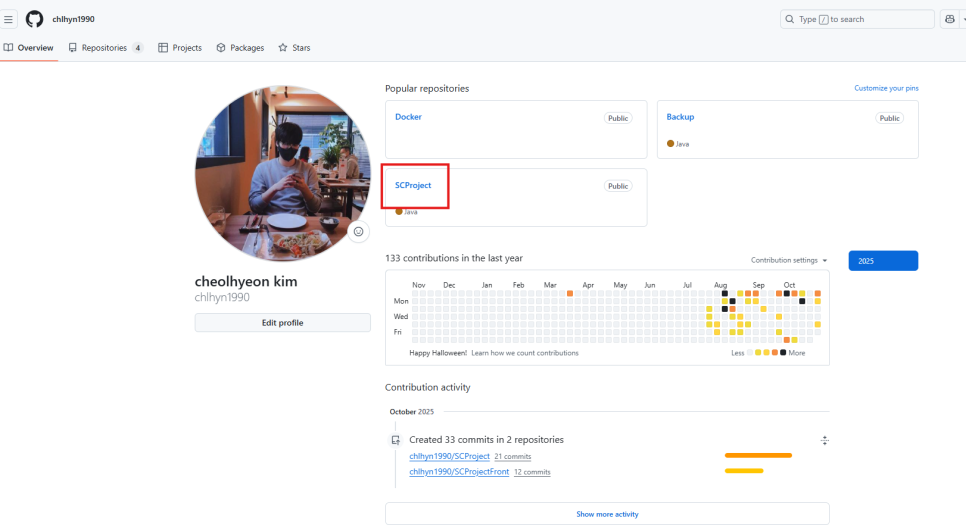
Open the public project you want to change.

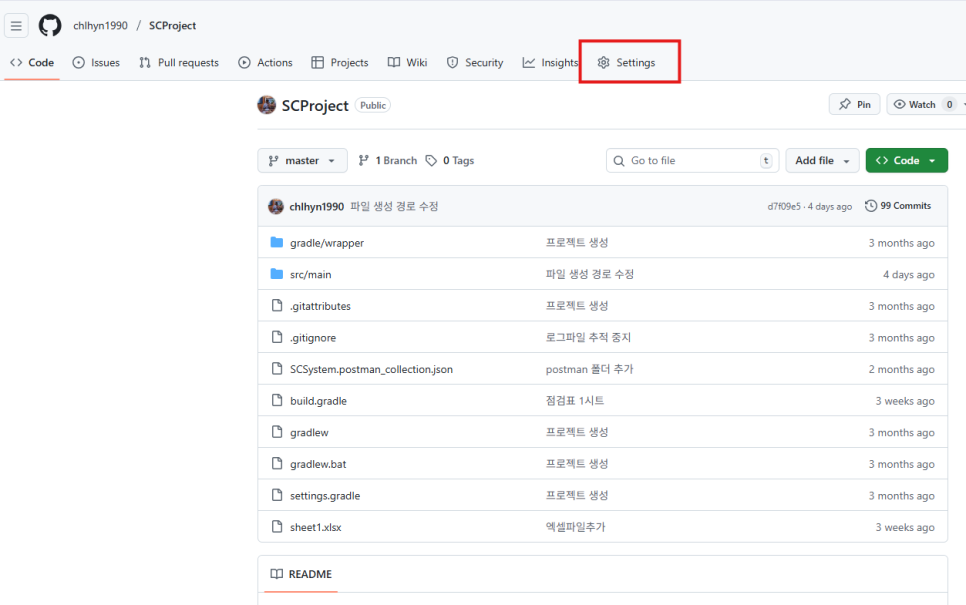
Click Settings.
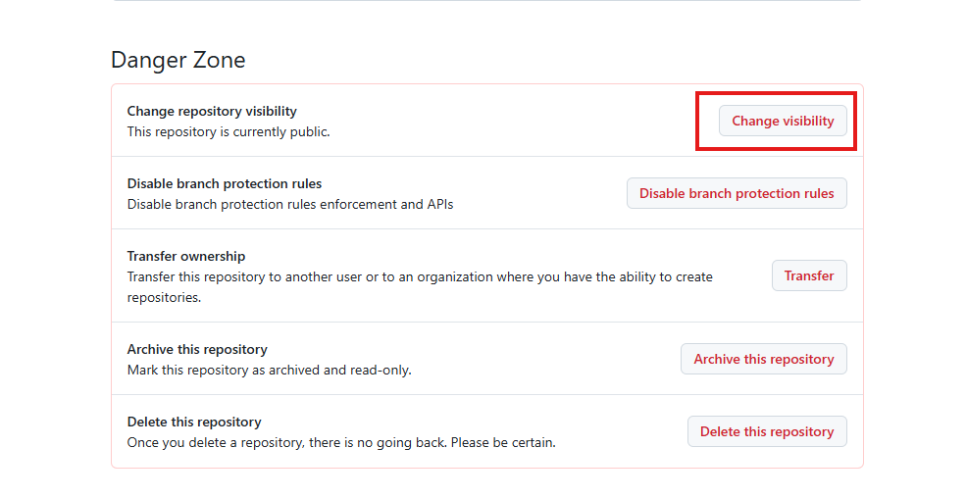
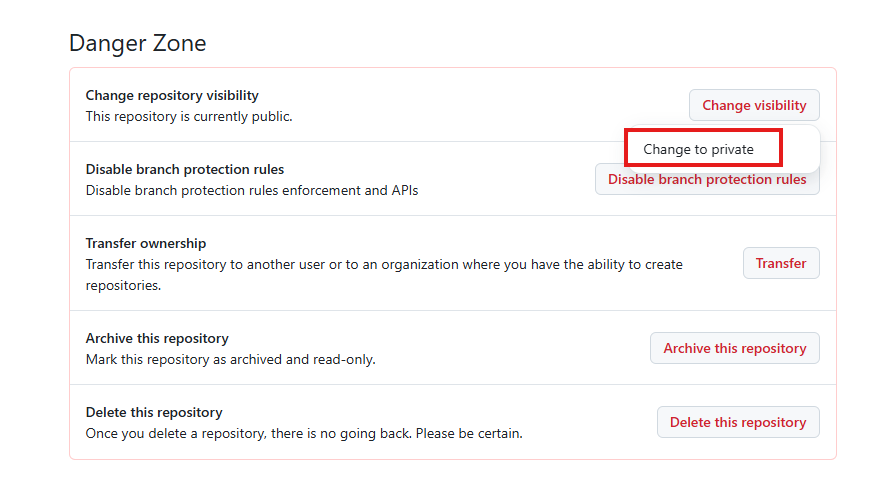
Scroll to the bottom and click Change visibility.
Click Change to private.
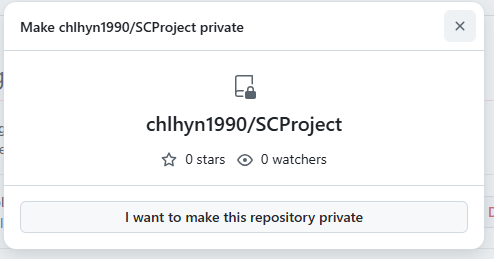
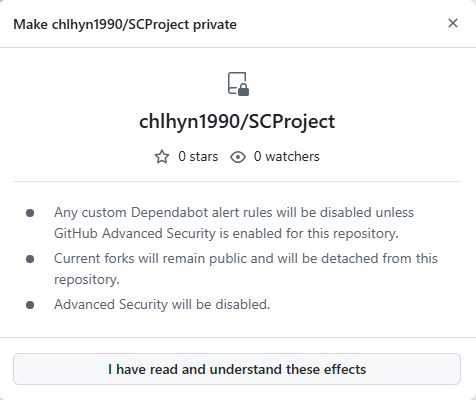
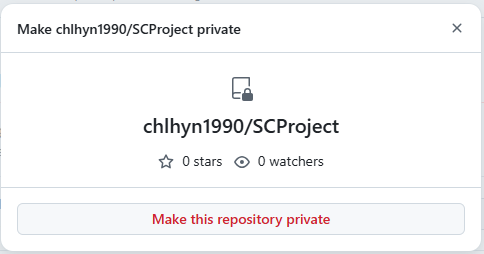
Confirm the buttons in the modal dialogs that appear, and the visibility changes.

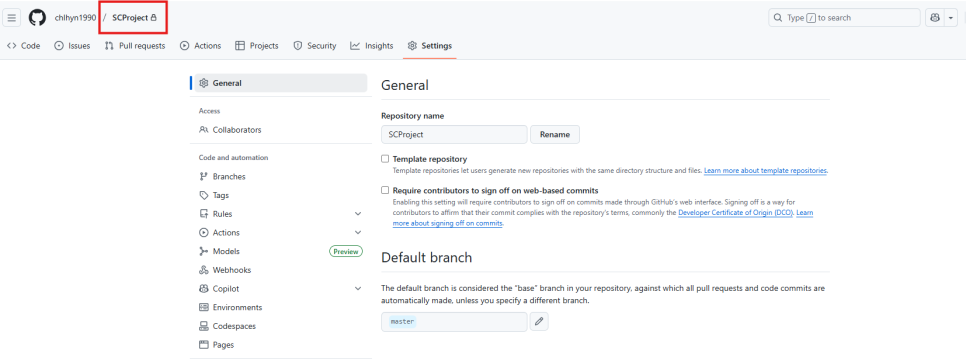
A lock icon that was not there before now appears.
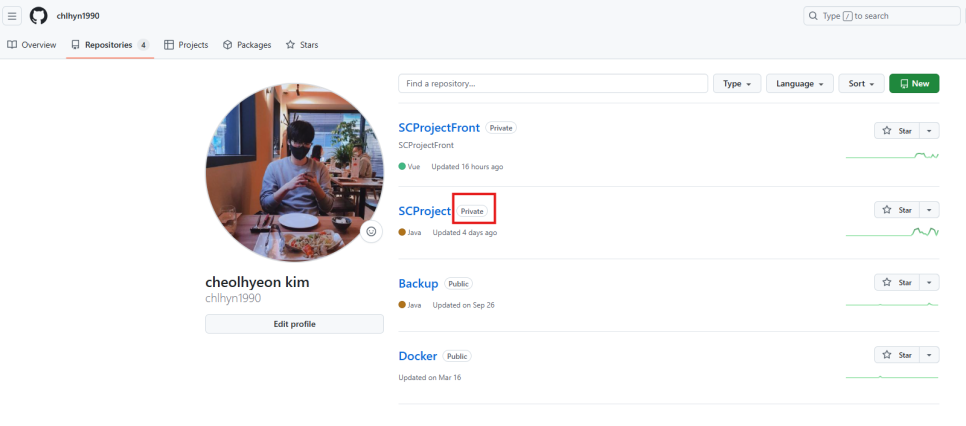
On the repositories tab you can also confirm it is marked private.
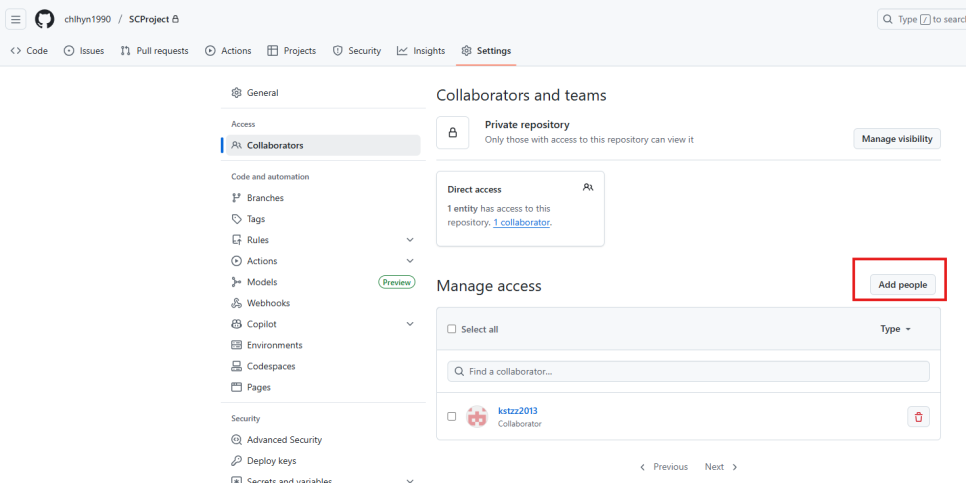
Share with collaborators
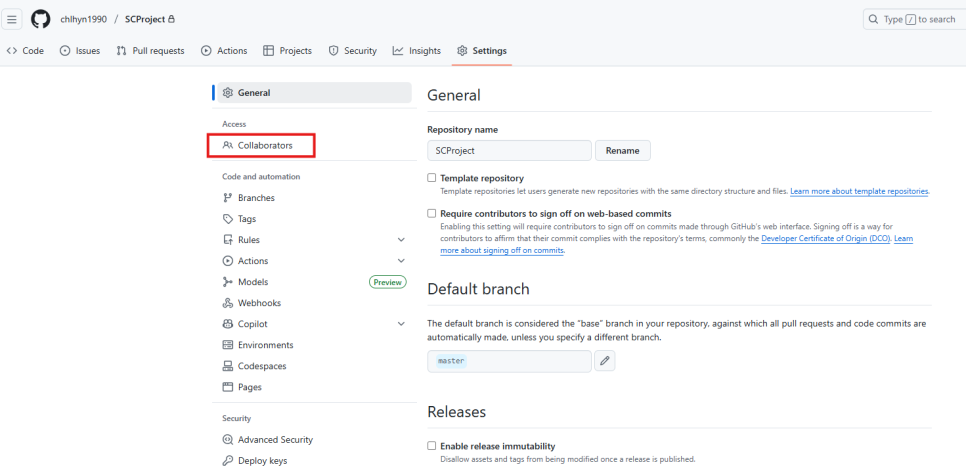
In Settings, click Collaborators.

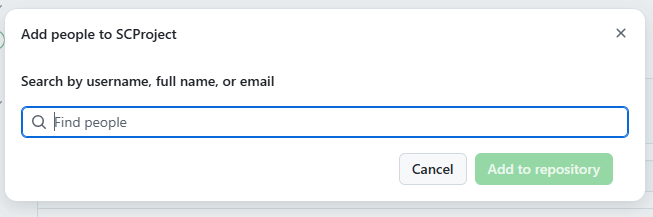
Click Add people.
Enter a username or email, select the person, and they are added so you can work together.

Changing private back to public uses the same flow.





Leave a Reply