When should you read this?
Your app still searches like this:
SELECT id, title FROM posts
WHERE title LIKE '%nginx%' OR body LIKE '%nginx%'
ORDER BY published_at DESC
LIMIT 20;
A few hundred rows hide the cost. Tens of thousands – or the same word across posts and Nginx logs – and the query blows up. EXPLAIN shows a full pass over the text columns. An index on published_at does not help: a leading % blocks the B-tree.
Keep primary-key lookups in MySQL. This post is for text search by words in title/body when LIKE '%...%' is no longer cheap. Before EC2 or Spring wiring, prove the path on your laptop with curl.
It follows the one-box EC2 arc (Nginx + Spring, Actions deploy, journalctl after a failed health gate). Those posts debug a single host. Here the next step is search when one SQL LIKE is not enough.
One job: replace that LIKE with localhost _search.
What you are building
Leave MySQL as the source of truth. Export a few rows into an NDJSON file (one JSON object per line), load them into a local Elasticsearch index, and run one _search. You will reuse the same curl shape on EC2 later.
MySQL posts
    -> posts.ndjson   (one JSON object per line)
Docker ES :9200 / index devconda-posts
    -> _search
Ranked hits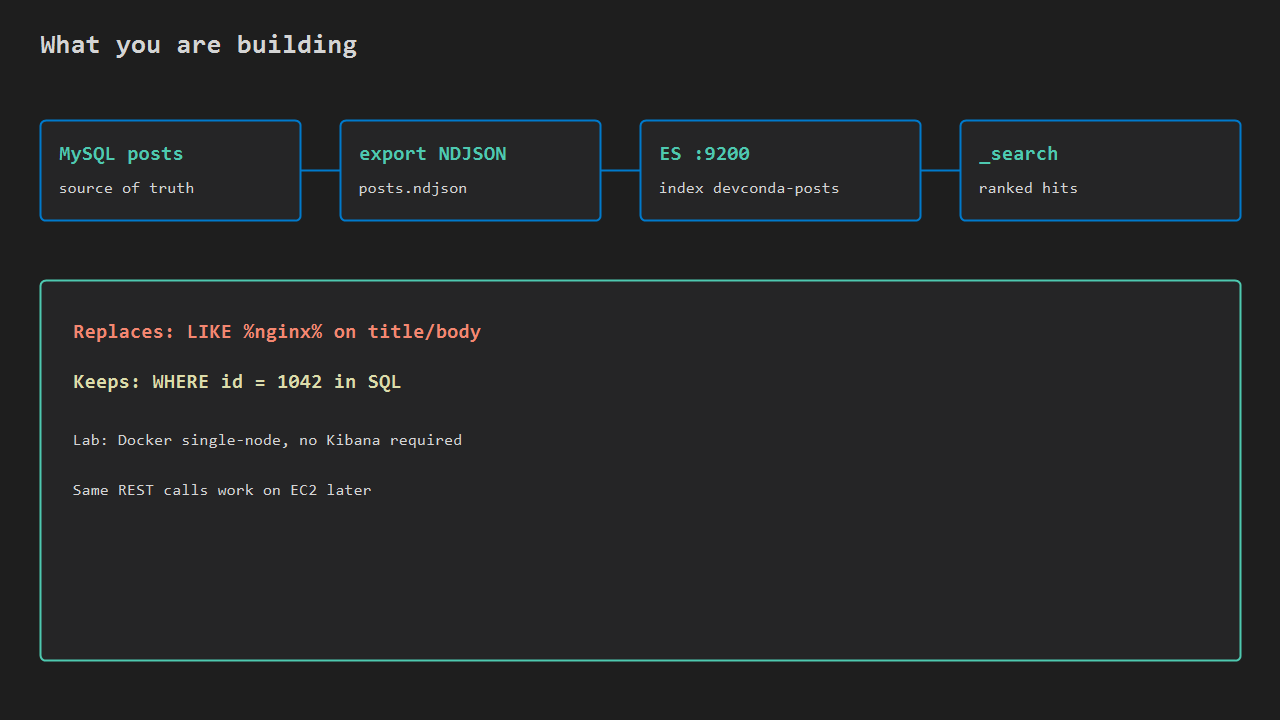
Start Elasticsearch and create the index
Docker, about 2 GB free RAM, single node, security off – laptop lab only:
docker run -d --name es-like-lab \
  -p 9200:9200 -p 9300:9300 \
  -e discovery.type=single-node \
  -e xpack.security.enabled=false \
  -e "ES_JAVA_OPTS=-Xms512m -Xmx512m" \
  docker.elastic.co/elasticsearch/elasticsearch:8.15.0

curl -s http://127.0.0.1:9200
Cluster JSON with the "You Know, for Search" tagline means ES is up. If the container dies, free RAM or raise heap. On Linux, a low vm.max_map_count shows up in the logs – fix it with sysctl.
Create the index once so title and body are analyzed text:
curl -s -X PUT "http://127.0.0.1:9200/devconda-posts" \
  -H 'Content-Type: application/json' \
  -d '{
    "mappings": {
      "properties": {
        "title": { "type": "text" },
        "body":  { "type": "text" },
        "published_at": { "type": "date" }
      }
    }
  }'
If you get resource_already_exists_exception, delete that index or pick another name.
Bulk NDJSON, then search
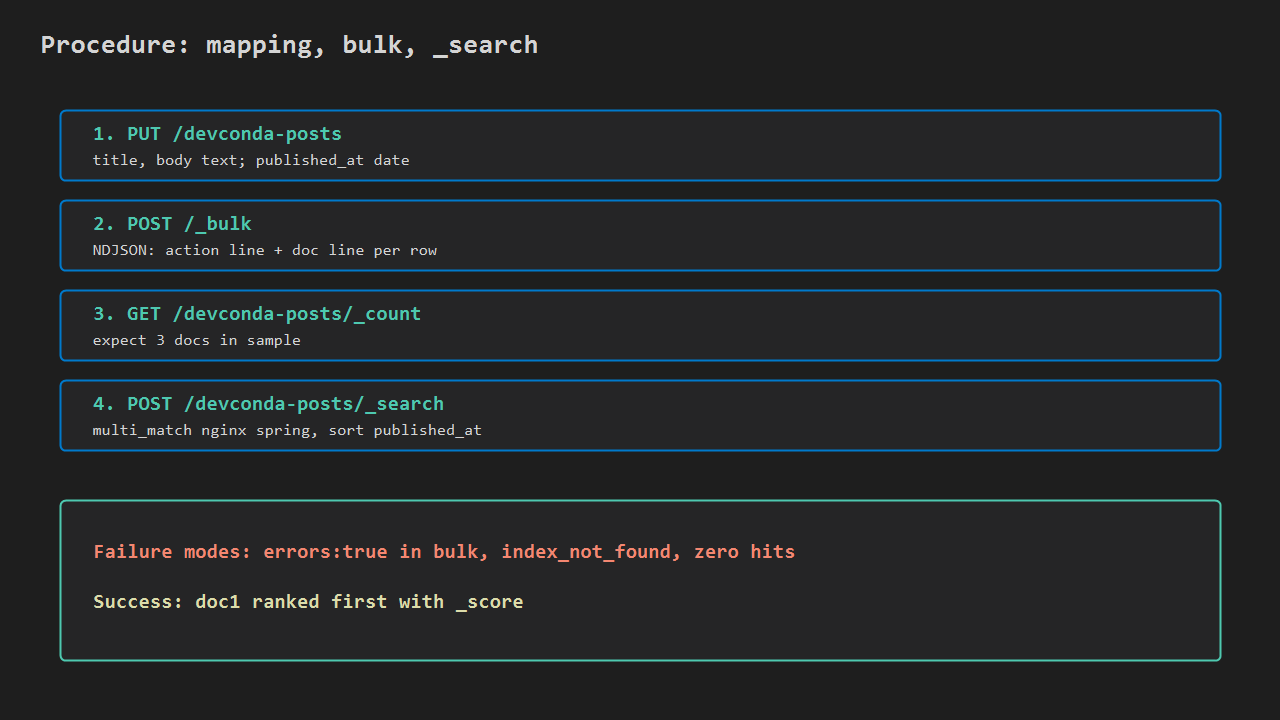
Export a few MySQL rows, or use this sample posts.ndjson. NDJSON means one JSON object per line. For _bulk, each pair is an action line, then a document line – every line ends with a newline:
{"index":{"_index":"devconda-posts","_id":"1"}}
{"title":"Put Nginx in Front of Spring Boot on EC2","body":"Reverse proxy TLS and upstream to port 8080","published_at":"2026-08-18T12:00:00Z"}
{"index":{"_index":"devconda-posts","_id":"2"}}
{"title":"Deploy Spring Boot from GitHub Actions to EC2","body":"SSH deploy jar and restart systemd","published_at":"2026-08-25T10:29:00Z"}
{"index":{"_index":"devconda-posts","_id":"3"}}
{"title":"Read journalctl After a Failed Health Gate","body":"When curl health check fails after deploy, read nginx and app logs","published_at":"2026-08-30T20:09:00Z"}
curl -s -X POST "http://127.0.0.1:9200/_bulk" \
-H 'Content-Type: application/x-ndjson' \
--data-binary @posts.ndjson
curl -s "http://127.0.0.1:9200/devconda-posts/_count"You want "errors":false and a count that matches your rows. Failed bulk is usually a missing newline in the NDJSON – fix that before chasing mapping errors.
This call replaces LIKE '%nginx%'. No sort here: default order is by relevance (_score). title^2 doubles the weight of title matches:
curl -s "http://127.0.0.1:9200/devconda-posts/_search" \
  -H 'Content-Type: application/json' \
  -d '{
    "size": 20,
    "query": {
      "multi_match": {
        "query": "nginx spring",
        "fields": ["title^2", "body"]
      }
    }
  }'
The Nginx + Spring post should sit at the top with the highest _score. On a tiny sample the result looks a lot like SQL. As the table grows, _search stays cheap and LIKE '%…%' does not.
Optional sanity check:
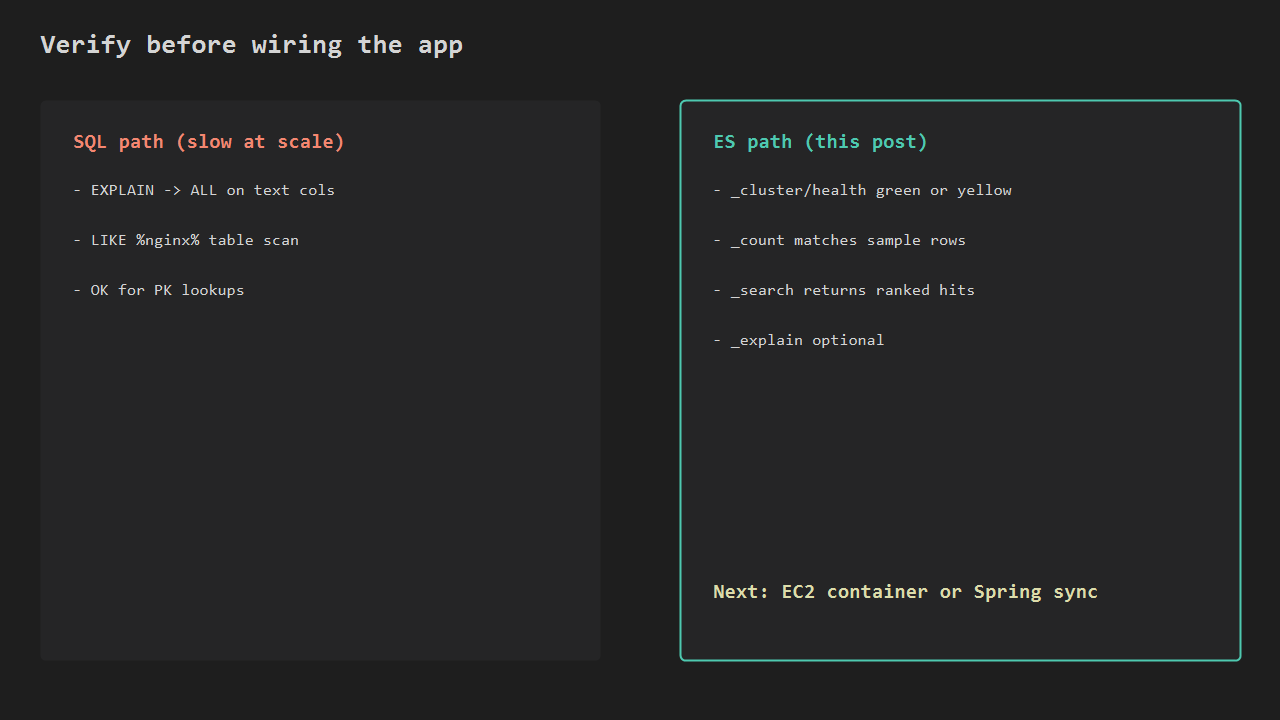
curl -s "http://127.0.0.1:9200/_cluster/health?pretty"yellow on a single node is normal (no replica). When _search returns the ranked hit you expect, the contract is proven. Keep the NDJSON and curl as notes; tear down with docker rm -f es-like-lab when you are done. EC2 install and Spring wiring come after this.
Checklist
- Confirm
LIKE '%…%'is the pain; id lookups stay on MySQL. - Docker ES answers on
:9200. - Index
devconda-postswithtexttitle/body. - Bulk succeeds;
_countmatches the sample. multi_match_searchfornginx springranks the Nginx post first.- Only then plan EC2 or app sync.




Leave a Reply