Your Vue build is on S3. CloudFront sits in front. That is the setup in Part 1 and the OAC lockdown post.
Everything works until someone refreshes a client route.
The symptom
https://example.com/loads fine.- Click around the SPA ??routes work.
- Refresh on
https://example.com/about??blank page, or 403 Forbidden.
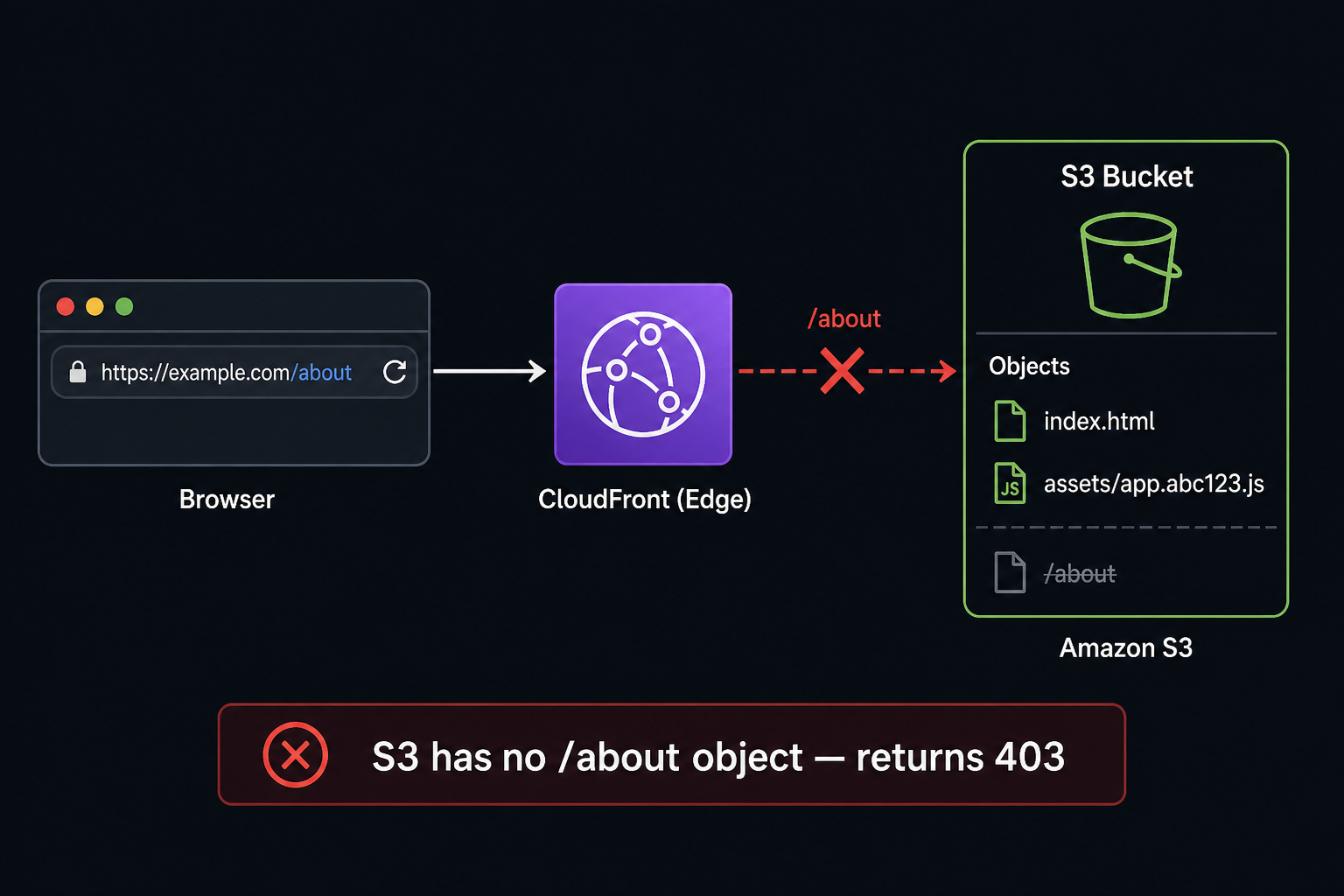
This is not a broken build. S3 never had an about object.
When do real users hit this?
Regular users rarely type a wrong URL in the address bar. The bug still shows up in normal use:
| Situation | Example |
|---|---|
| Refresh | User opens /settings in the app, then presses F5 or pull-to-refresh on mobile |
| Bookmark | User bookmarks /dashboard after navigating there once |
| Shared link | User copies the URL from the address bar and sends it (chat, email, Slack) |
| External link | Notification, email, or ad points to example.com/event |
The route is valid for Vue Router but not an S3 object. In-app clicks work because JavaScript handles routing first. A refresh or a cold open asks S3 (via CloudFront) for that path before Vue runs.
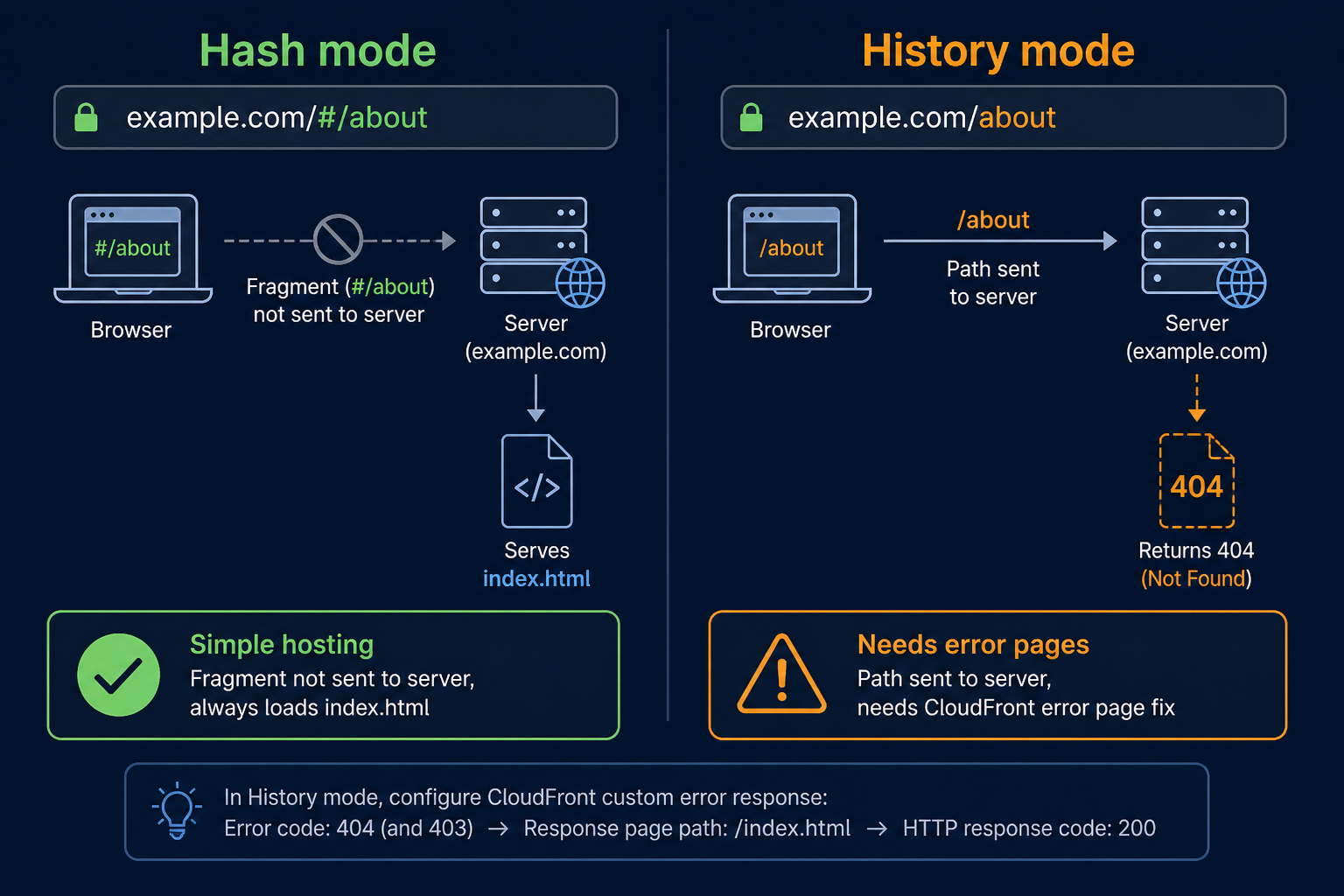
Hash mode (#/about) sends only / to the server, so this often does not appear. History mode (/about) needs the CloudFront error page fix below.
Why S3 returns 403
S3 is object storage. A request for /about means ??ive me the object whose key is about.??/p>
Your bucket has:
index.htmlassets/index-a1b2c3.jsassets/style-9f8e.css
No about file. CloudFront asks S3. S3 says no. The browser never downloads index.html, so Vue Router never starts.
Hash mode vs history mode
Hash mode (https://example.com/#/about): the fragment after # is not sent to the server. The server only sees / or /index.html. Deep links often work without extra CloudFront rules.
History mode (https://example.com/about): the full path hits CloudFront. You need a fix on the CDN side.
Fix: custom error responses
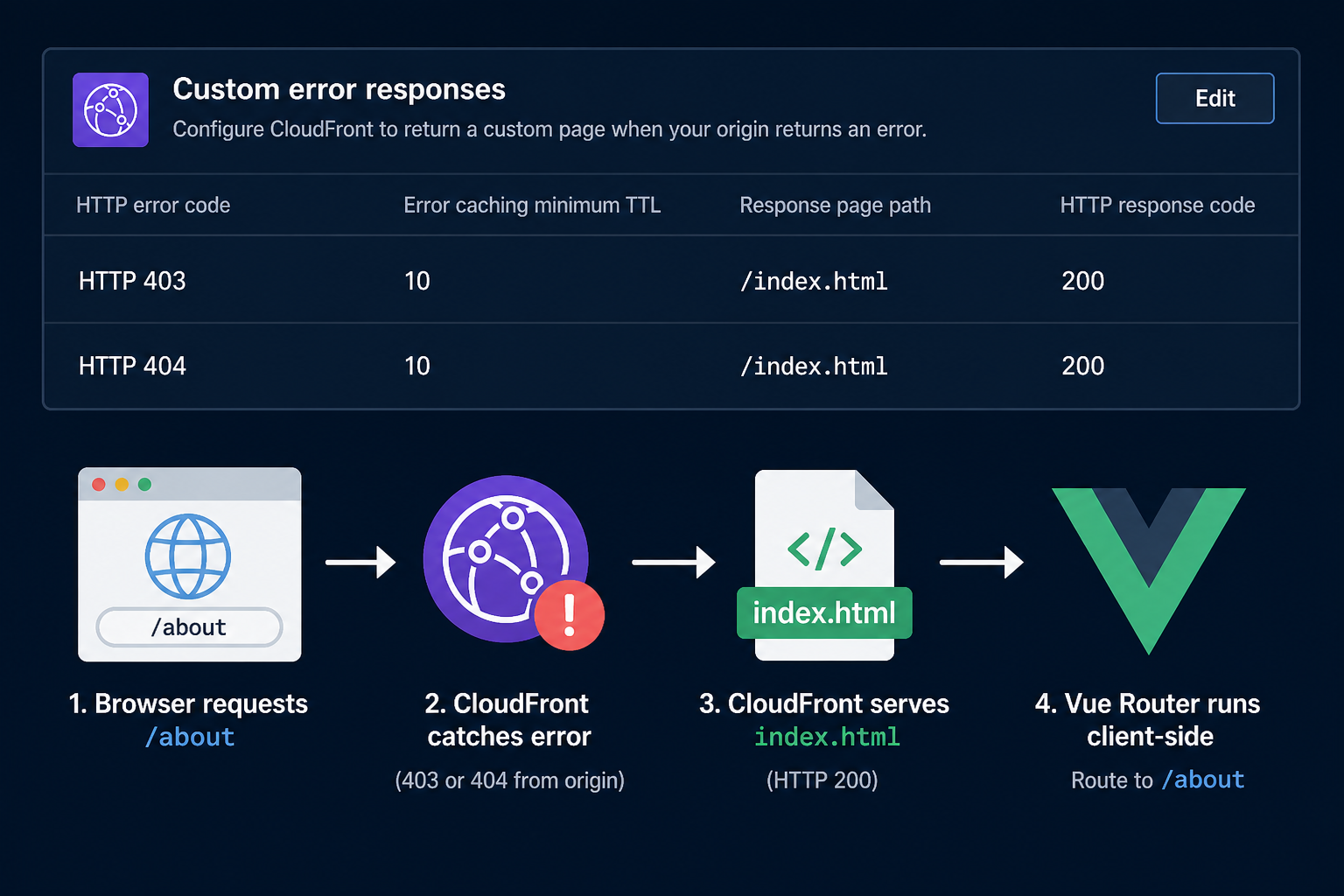
In the CloudFront console:
- Open your distribution.
- Go to Error pages.
- Create custom error response ??twice:
| Setting | Value |
|---|---|
| HTTP error code | 403 (then repeat for 404) |
| Customize error response | Yes |
| Response page path | /index.html |
| HTTP response code | 200 |
CloudFront catches the origin error, serves index.html, and returns 200. The browser loads the SPA. Vue Router reads /about from the address bar.
Why both 403 and 404?
Depending on bucket policy, OAC, and region, a missing key may come back as 403 or 404. Add both rules so refresh works everywhere.
Why HTTP 200?
If CloudFront forwards 403 to the browser, the user still sees an error page. The SPA needs a successful HTML response so the JS bundle runs.
Verify
curl -I https://example.com/about
# Expect: HTTP/2 200 (after error page mapping)
Also test in the browser:
- Navigate to an inner route.
- Hard refresh (Ctrl+F5).
- Confirm the same view loads.
Direct S3 URLs should still be blocked when OAC is enabled ??that is correct.
Related posts
- Deploy Vue and Spring Boot on AWS (Part 1) ??put the build on S3 behind CloudFront.
- Lock Down the Vue S3 Bucket with CloudFront OAC ??private bucket; error pages are still required for history mode.
- Part 2: Stop Invalidating /* ??cache split after deploy; separate concern from deep links.
What this does not fix
- API calls to
api.example.com??that is a different origin. - Wrong
Default root objectalone ??that only helps/, not/about. - Server-side routing on EC2 or Spring ??use Nginx or your framework, not CloudFront error pages.




Leave a Reply