When should you read this?
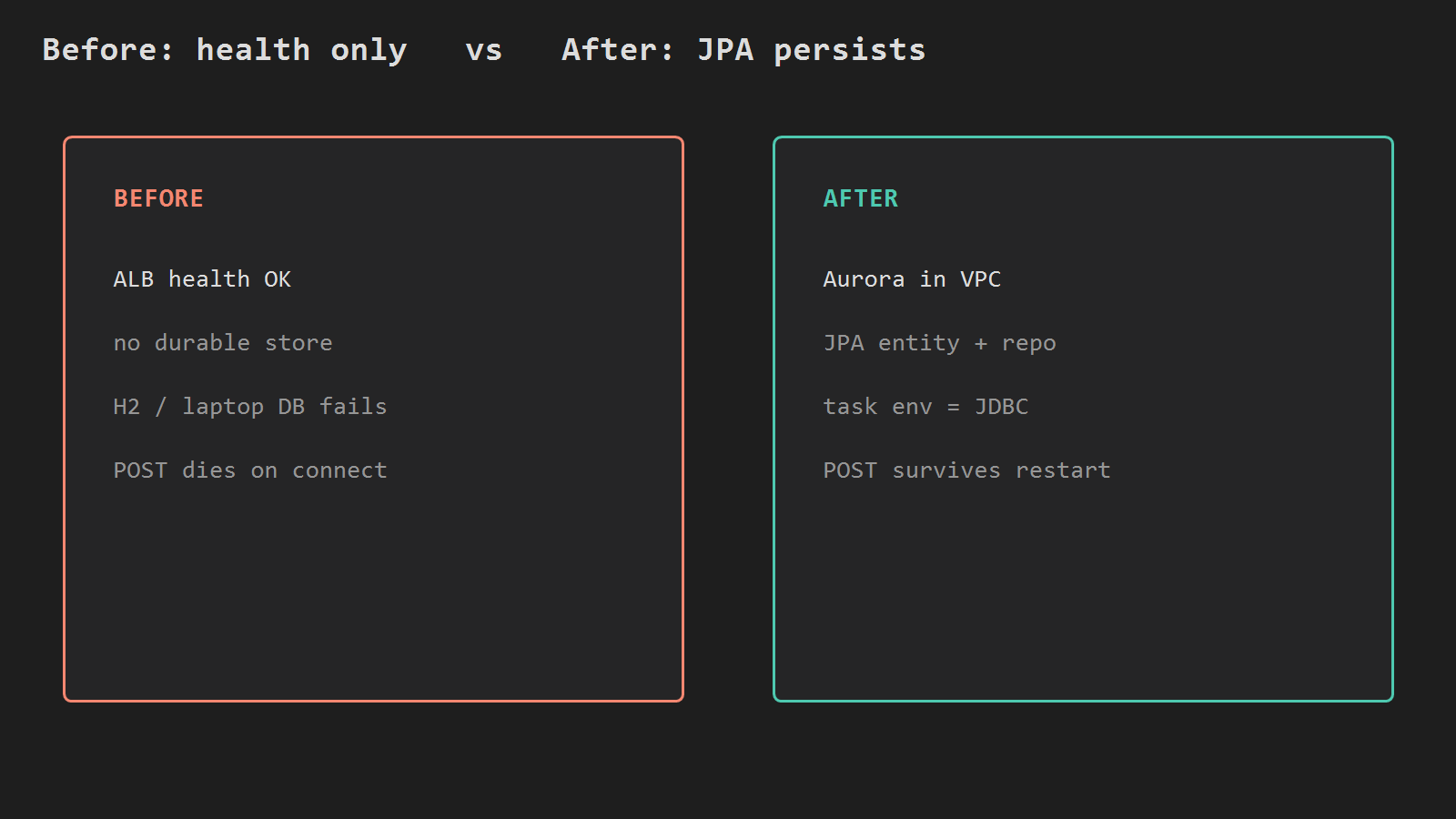
You already run Spring Boot on ECS Fargate, put ALB HTTPS in front, and roll deploys from GitHub Actions. Health through https://api.example.com works. The next failure is persistence: POST still dies with connection refused, or the jar still points at H2 / a laptop MySQL that the task cannot reach.
Those Fargate posts ship and expose one API. Here the next step is a PostgreSQL database the task can reach, wired through Spring Data JPA.
Use Amazon Aurora PostgreSQL with Aurora Serverless (Serverless v2 capacity) so capacity scales with load instead of a fixed db.t* size for this lab.
What you are building
Same account / region / VPC / task security group as parts 2-4. Database stays private. Only the task SG may open TCP 5432.
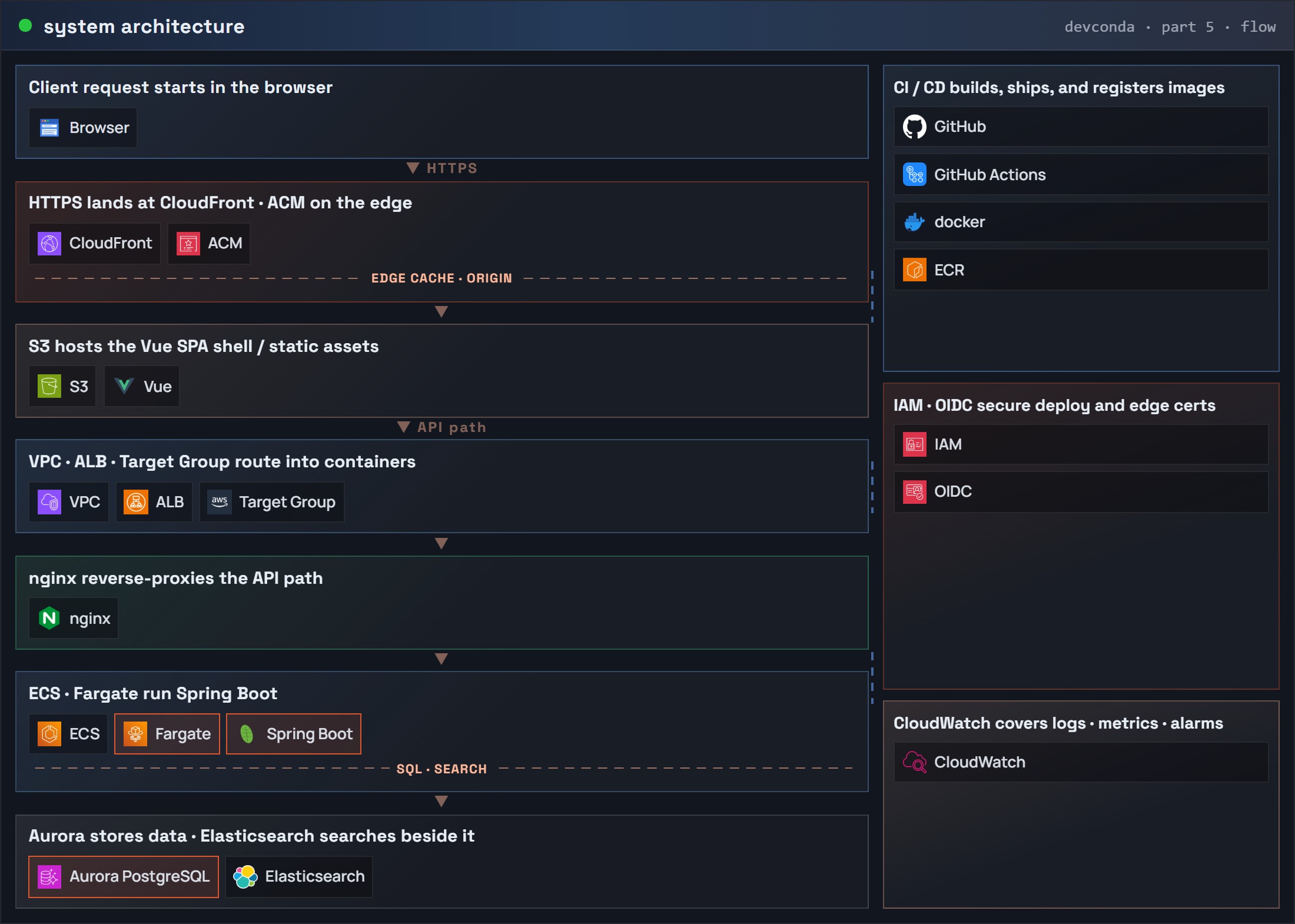
Final system with Aurora (CYD-style layered system architecture – Application JPA and Data highlighted):
Part 5: system architecture (request flow) – Spring Boot / Fargate / Aurora
Before: health only. After: one JPA write path that survives a task restart.
Network and security groups
Reuse the VPC and Fargate task SG from the ALB post. Create a DB SG that accepts 5432 only from that task SG.
REGION=ap-northeast-2
# Same VPC as the Fargate service (parts 2-3)
VPC_ID=vpc-xxxxxxxx
# Fargate task security group from parts 2-3
TASK_SG=sg-yyyyyyyy

# Create DB SG; capture GroupId for later authorize / create-db-cluster
DB_SG=$(aws ec2 create-security-group \
  --group-name api-aurora-sg \
  --description "Aurora PG from Fargate tasks only" \
  --vpc-id $VPC_ID \
  --region $REGION \
  --query GroupId --output text)

# Allow TCP 5432 only from the task SG (not 0.0.0.0/0)
aws ec2 authorize-security-group-ingress \
  --group-id $DB_SG \
  --protocol tcp --port 5432 \
  --source-group $TASK_SG \
  --region $REGION
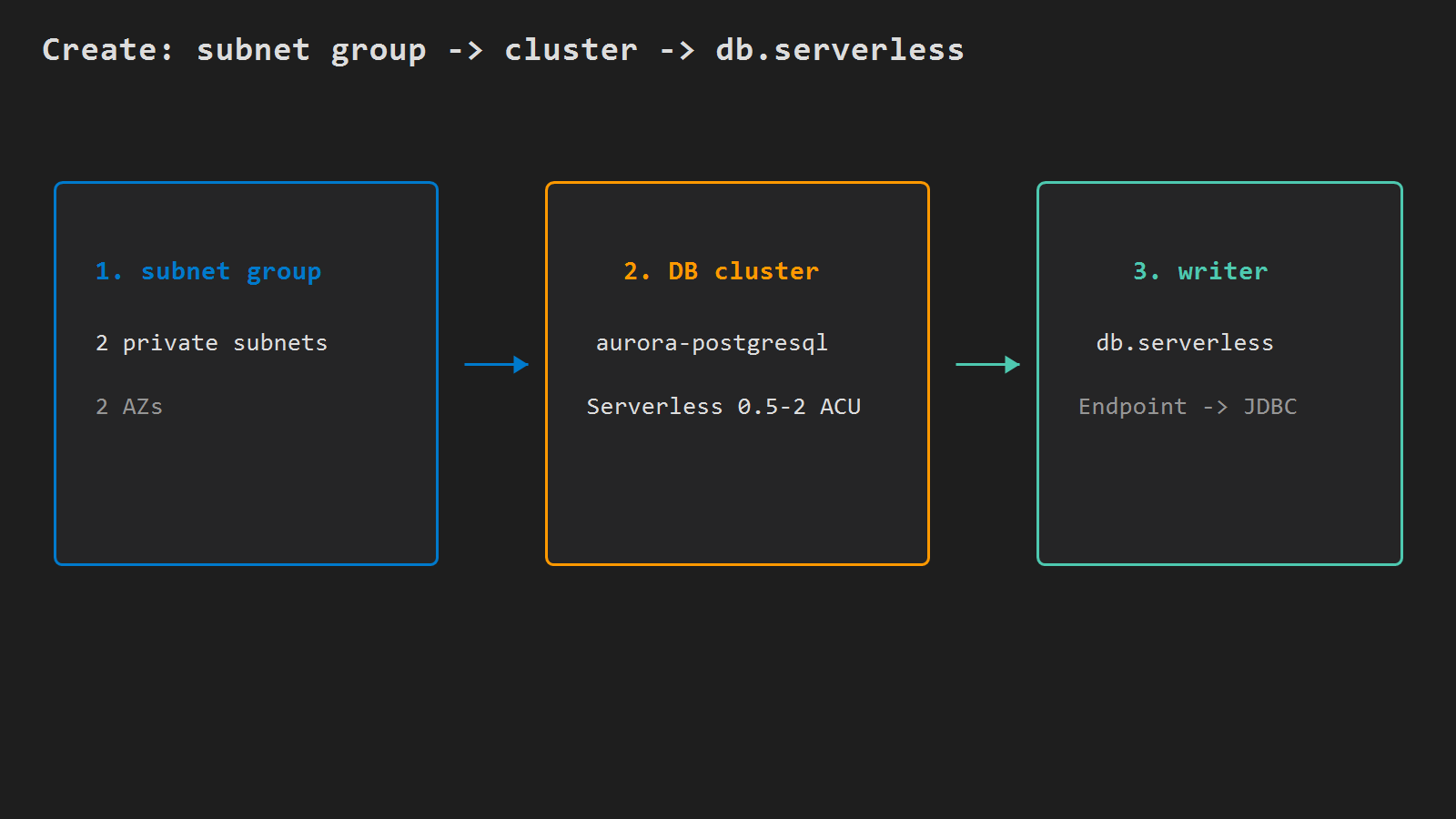
Put the cluster in two private subnets (different AZs). Publicly accessible stays off.
# Replace subnet-aaa / subnet-bbb with two private subnet IDs in $VPC_ID (different AZs)
aws rds create-db-subnet-group \
  --db-subnet-group-name api-aurora-subnets \
  --db-subnet-group-description "Aurora for api Fargate" \
  --subnet-ids subnet-aaa subnet-bbb \
  --region $REGION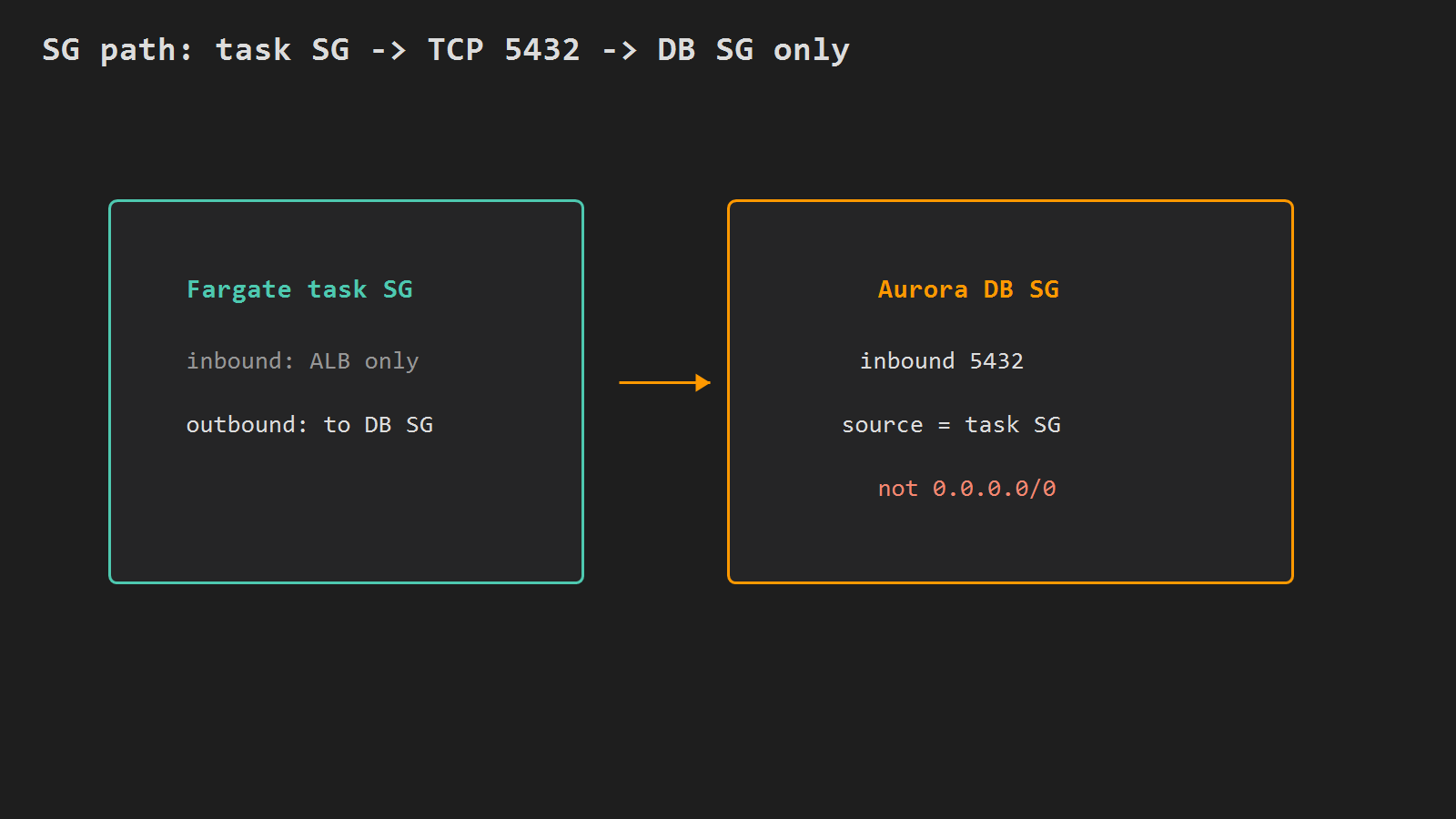
Create Aurora PostgreSQL Serverless
Create the cluster with Serverless v2 scaling, then add a db.serverless writer. Pick a strong master password and keep it out of git.
# Set once in this shell; do not commit the password
DB_PASS='ReplaceWithALongSecret'

# Aurora PostgreSQL cluster with Serverless v2 capacity range
aws rds create-db-cluster \
  --db-cluster-identifier api-aurora \
  --engine aurora-postgresql \
  --engine-version 16.4 \
  --master-username apimaster \
  --master-user-password "$DB_PASS" \
  --database-name api \
  --db-subnet-group-name api-aurora-subnets \
  --vpc-security-group-ids $DB_SG \
  --serverless-v2-scaling-configuration MinCapacity=0.5,MaxCapacity=2 \
  --storage-encrypted \
  --region $REGION

# Writer instance: db.serverless class (required for Aurora Serverless v2)
aws rds create-db-instance \
  --db-instance-identifier api-aurora-writer \
  --db-cluster-identifier api-aurora \
  --engine aurora-postgresql \
  --db-instance-class db.serverless \
  --region $REGION
Wait until the cluster is available, then read the writer endpoint:
# Block until the writer instance reports available
aws rds wait db-instance-available \
  --db-instance-identifier api-aurora-writer \
  --region $REGION

# Cluster writer endpoint -> host part of the JDBC URL
DB_HOST=$(aws rds describe-db-clusters \
  --db-cluster-identifier api-aurora \
  --region $REGION \
  --query 'DBClusters[0].Endpoint' --output text)

# Print the JDBC URL Spring will use (database name api)
echo "jdbc:postgresql://${DB_HOST}:5432/api"
MinCapacity=0.5 keeps a small floor for this lab so the first JDBC connect is not stuck behind a long auto-pause resume. Raise MaxCapacity later if the workload needs it.
Spring Boot: JPA dependencies and config
Add Data JPA and the PostgreSQL driver (Gradle example):
dependencies {
  // JPA + EntityManager; required for @Entity / JpaRepository
  implementation 'org.springframework.boot:spring-boot-starter-data-jpa'
  // PostgreSQL JDBC driver (Aurora speaks the PostgreSQL wire protocol)
  runtimeOnly 'org.postgresql:postgresql'
}
Keep secrets out of the image. Read JDBC settings from the environment (task definition):
# Task definition env SPRING_DATASOURCE_* -> datasource
spring.datasource.url=${SPRING_DATASOURCE_URL}
spring.datasource.username=${SPRING_DATASOURCE_USERNAME}
spring.datasource.password=${SPRING_DATASOURCE_PASSWORD}
# Lab only: create/update schema from entities on boot
spring.jpa.hibernate.ddl-auto=update
# Avoid open session for the whole HTTP request
spring.jpa.open-in-view=false
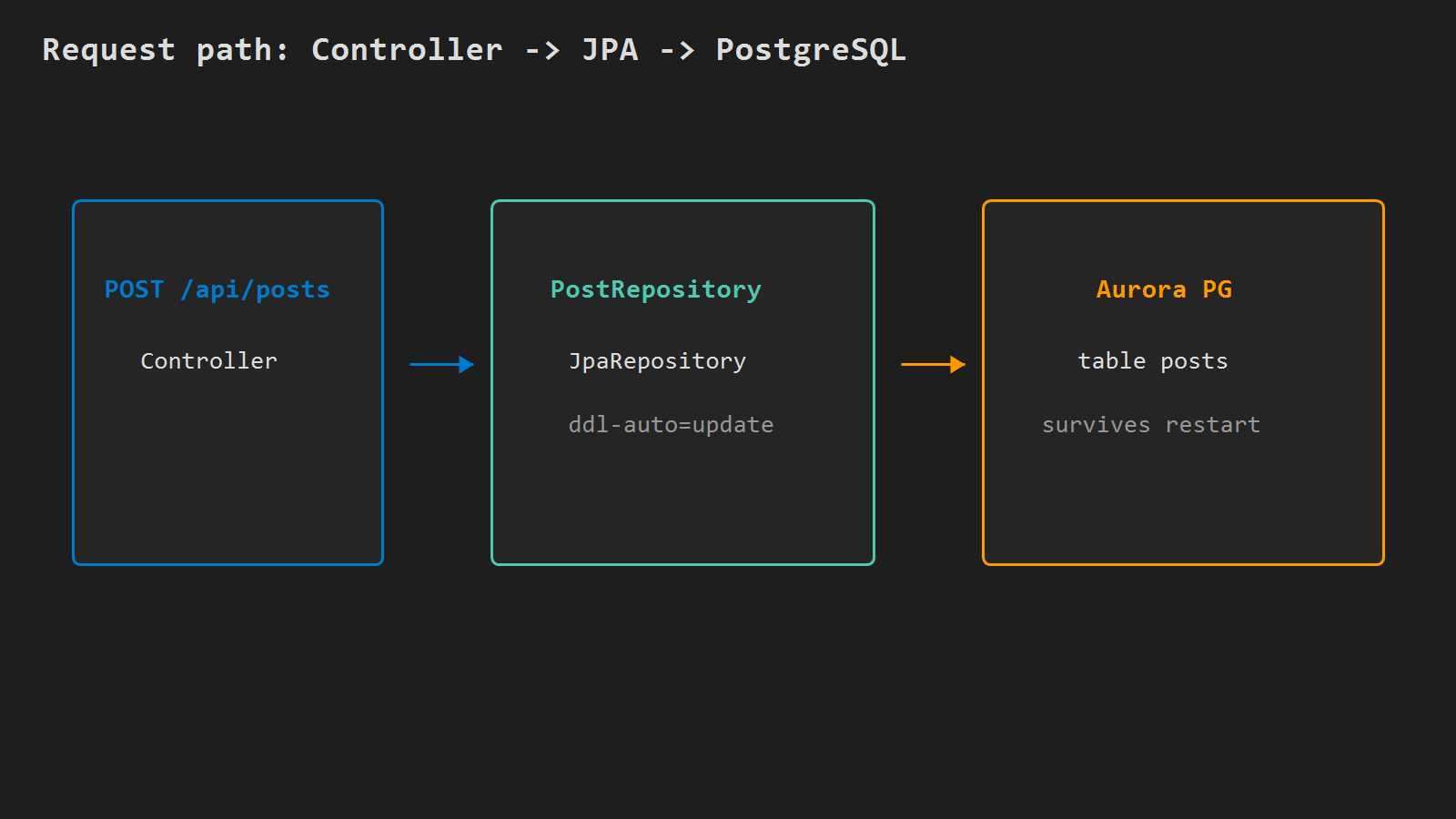
Minimal entity + repository + one write API:
@Entity
@Table(name = "posts")
public class Post {
  @Id
  @GeneratedValue(strategy = GenerationType.IDENTITY) // Aurora PG serial / identity
  private Long id;
  @Column(nullable = false)
  private String title;
  // getters/setters
}

// Spring Data: save / findById without boilerplate SQL
public interface PostRepository extends JpaRepository<Post, Long> {}

@RestController
@RequestMapping("/api/posts")
public class PostController {
  private final PostRepository posts;
  public PostController(PostRepository posts) { this.posts = posts; }

  // Persist one row; returns the entity with generated id
  @PostMapping
  public Post create(@RequestBody Post body) {
    return posts.save(body);
  }

  // Load by primary key (404/exception if missing)
  @GetMapping("/{id}")
  public Post get(@PathVariable Long id) {
    return posts.findById(id).orElseThrow();
  }
}
Rebuild the image, push a new ECR tag, and roll the service the same way as part 4 – or register a new task revision by hand for a one-off test.
Task definition: inject JDBC env
On the api container, set:
| Name | Value |
|---|---|
SPRING_DATASOURCE_URL | jdbc:postgresql://$DB_HOST:5432/api |
SPRING_DATASOURCE_USERNAME | apimaster |
SPRING_DATASOURCE_PASSWORD | the master password you set |
Execution role still pulls ECR and writes logs. No extra task role is required for plain JDBC password auth.
Force a new deployment and wait for stability. If the task flaps, open CloudWatch /ecs/api: Connection refused usually means wrong subnet path or SG; password authentication failed means env mismatch; relation "posts" does not exist means the app never reached a successful JPA start with ddl-auto=update.
Verify
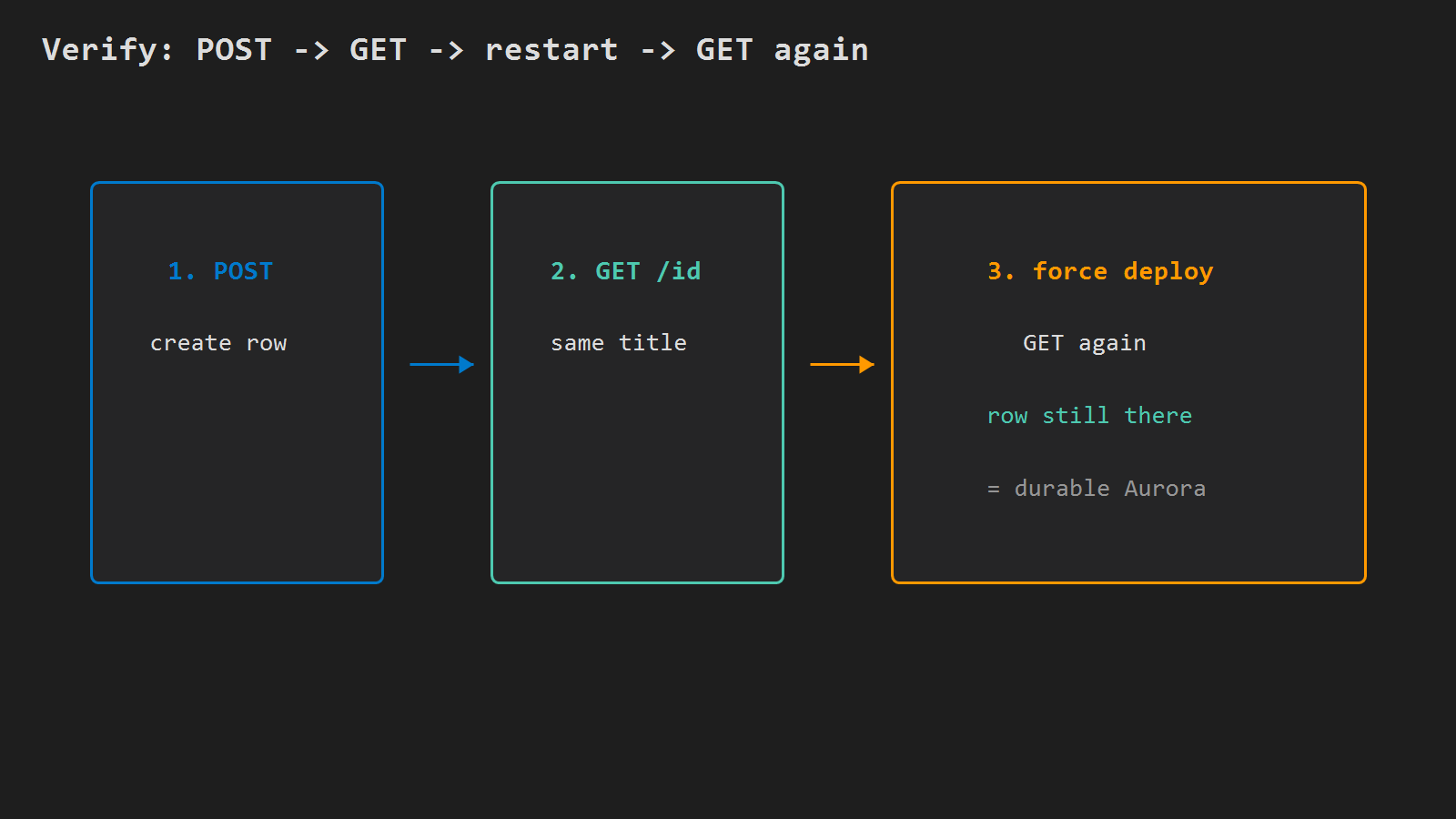
# Create one row through ALB -> Fargate -> JPA -> Aurora
curl -sf -X POST "https://api.example.com/api/posts" \
  -H "Content-Type: application/json" \
  -d '{"title":"aurora jpa smoke"}'

# Read the same id back (expect matching title)
curl -sf "https://api.example.com/api/posts/1"
Restart the service once and GET the same id again. If the row is gone, you were still on an in-memory DB or a different schema.
Minimal checklist
- DB SG allows
5432only from the Fargate task SG; Aurora not public. - Cluster
api-aurora+db.serverlesswriter; note$DB_HOST. - Image has
spring-boot-starter-data-jpa+ PostgreSQL driver (Gradle) and a small entity/repo API. - Task env sets
SPRING_DATASOURCE_*to that cluster (password not in git). POSTthenGETthrough the ALB works after a task restart.
After that, the Fargate API persists through Aurora PostgreSQL Serverless with Spring Data JPA – same VPC path you opened on day one of the series.




Leave a Reply