Background
Around 2017 I worked at a shopping mall company that had to pass “KTC security certification.” Card swipe payments were still common, and the audit existed so that IC chips would be required and so that payment software could be checked to ensure personal data (card numbers) was properly cleared. Any business using credit card terminals had to go through it.
Audit items
- Encrypt sensitive data that can identify a person (phone, card number, etc.) when storing in the DB
- Encrypt each hop when software components communicate (we used a relay server and KISA SEED encryption)
- Do not log messages that contain sensitive data, or mask them with *
- Explicitly clear memory for every variable that held sensitive data after use
- For applications, verify integrity at deploy/update time
Below is the code for item 5. Filed under Java for convenience, but I do not expect to use C# again, so I put it here.
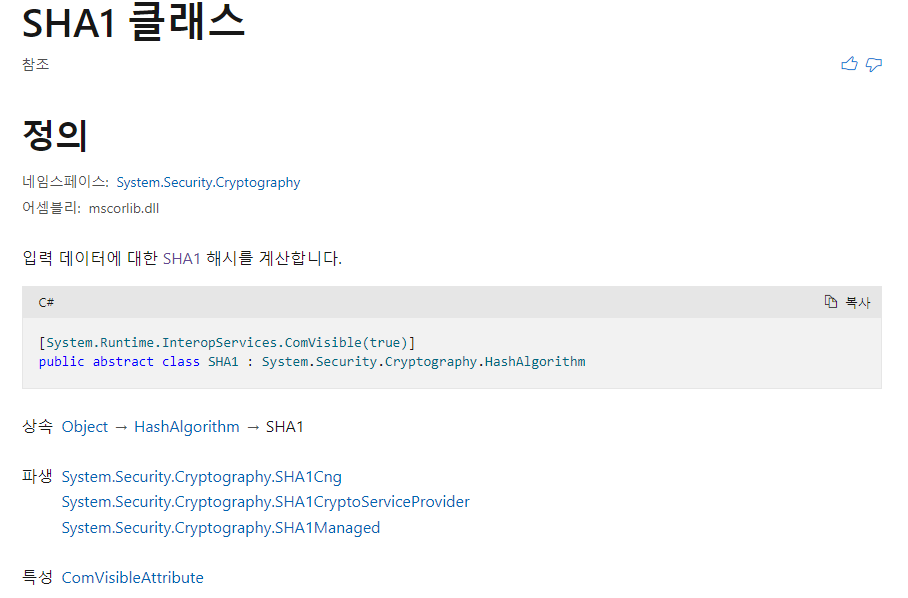
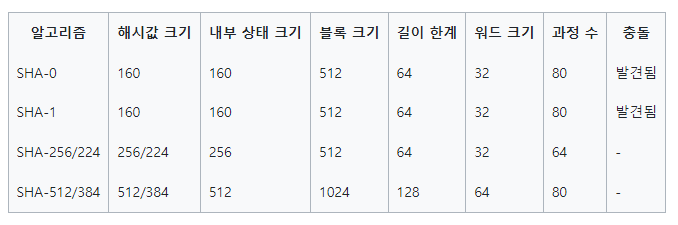
SHA hash algorithm choice
The environment was Windows Embedded with .NET Framework 3.5. I wanted collision-resistant SHA-256, but it was not supported, so we used SHA-1 from the modules available then. Updating crypto modules for SHA-256 would have been correct; looking back I regret we did not.

// When an update file name is MainProgram, enter this path
if (tmpFile.Equals("MainProgram.exe"))
{
    // Declare SHA-1
    SHA1 mySHA1 = SHA1.Create();

    // Read the file
    FileStream target = File.OpenRead(ProgramPath + "MainProgram.exe");

    // Store the downloaded file hash in a byte[]
    byte[] byteTarget = mySHA1.ComputeHash(target);

    // Convert hash to string
    string strTargetHash = GetStringFromHash(byteTarget);

    // Close the file
    target.Close();

    // Read the text file that stores hashes for the 8 update files
    StreamReader hashValue = new StreamReader(ProgramPath + "hash_values.bb");

    // Variable for the stored hash
    string strHash = string.Empty;
    for (int i = 0; i < 8; i++)
    {
        // MainProgram hash is the 8th of the 8 hashes
        if (i == 7)
            // Store the hash
            strHash = hashValue.ReadLine();
        else
            hashValue.ReadLine();
    }

    // Close the file
    hashValue.Close();

    // Compare downloaded file hash with the value in the text file
    if (!strTargetHash.Equals(strHash))
    {
        // On mismatch, show a message and delete the file
        MessageBox.Show("Integrity check failed - MainProgram.exe");
        File.Delete(ProgramPath + "MainProgram.exe");
    }
}

private static string GetStringFromHash(byte[] hash)
{
    StringBuilder result = new StringBuilder();
    for (int i = 0; i < hash.Length; i++)
    {
        // Convert byte[] to hex string
        result.Append(hash[i].ToString("X2"));
    }
    return result.ToString();
}
This was flagged suddenly in a pre-audit about a week before the real review, so I was rattled at the time. I kept the code and posted it here out of attachment to that work.
for (int i = 0; i < 8; i++)
{
    // MainProgram hash is the 8th of the 8 hashes
    if (i == 7)
        // Store the hash
        strHash = hashValue.ReadLine();
    else
        hashValue.ReadLine();
}
Storing a ReadLine count in a variable and looping i < count would avoid hardcoding and improve maintainability. With fewer than about ten comparison targets, though, I judged the hardcoded loop more efficient for performance.
Leave a Reply