It has been a while since I posted an environment setup note. Our company still develops on JDK 1.7; Eclipse can run on 1.8, but this project sticks to 1.7.
Trying to build an open-source project we wanted to try produced this error in Eclipse:
[INFO] ------------------------------------------------------------------------
[ERROR] Plugin org.apache.maven.plugins:maven-clean-plugin:2.5 or one of its dependencies could not be resolved: Failed to read artifact descriptor for org.apache.maven.plugins:maven-clean-plugin:jar:2.5: Could not transfer artifact org.apache.maven.plugins:maven-clean-plugin:pom:2.5 from/to central (https://repo.maven.apache.org/maven2): Cannot access https://repo.maven.apache.org/maven2 with type default using the available connector factories: BasicRepositoryConnectorFactory: Cannot access https://repo.maven.apache.org/maven2 using the registered transporter factories: WagonTransporterFactory: java.util.NoSuchElementException
[ERROR] role: org.apache.maven.wagon.Wagon
[ERROR] roleHint: https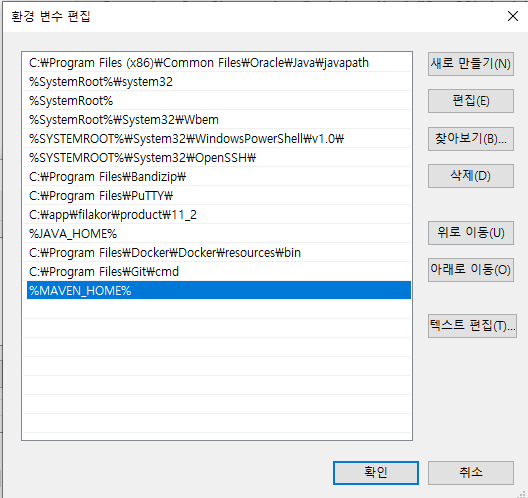
Central now only supports TLSv1.2, so people say to upgrade. Using legacy Java is the real problem. The workaround is to install Maven separately and build from the command line.
https://blogsarchive.apache.org/maven/entry/notice-java-6-and-7
Install Maven for JDK 7
Download from:
https://maven.apache.org/download.cgi
Search the page for “7”; Maven 3.8.x works. Newer versions error when you run mvn on JDK 7. Download the ZIP, extract it, set system variable MAVEN_HOME, and add C:\dev\apache-maven-3.8.8\bin to Path.
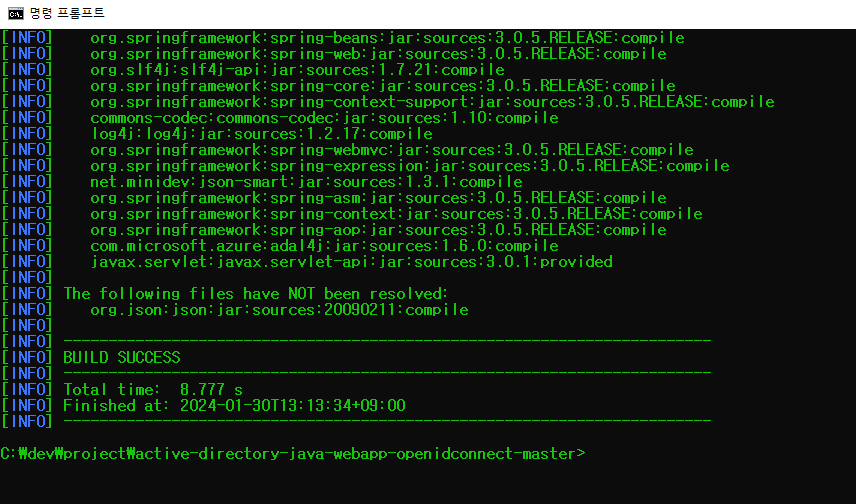
Change to the project directory (where pom.xml is) and run:
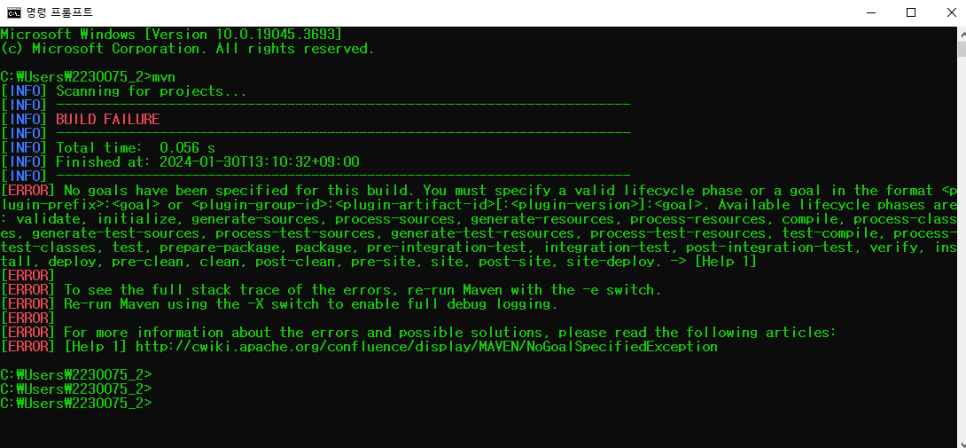
mvn clean install package -Dhttps.protocols=TLSv1.2After a successful CLI build, Eclipse builds worked too. From there, deploy to the WAS from Eclipse and run.
Leave a Reply