A practical write-up of how I deployed CYD (Create Your Demand) to production.
- Site: https://cyd.io.kr
- API: https://api.cyd.io.kr
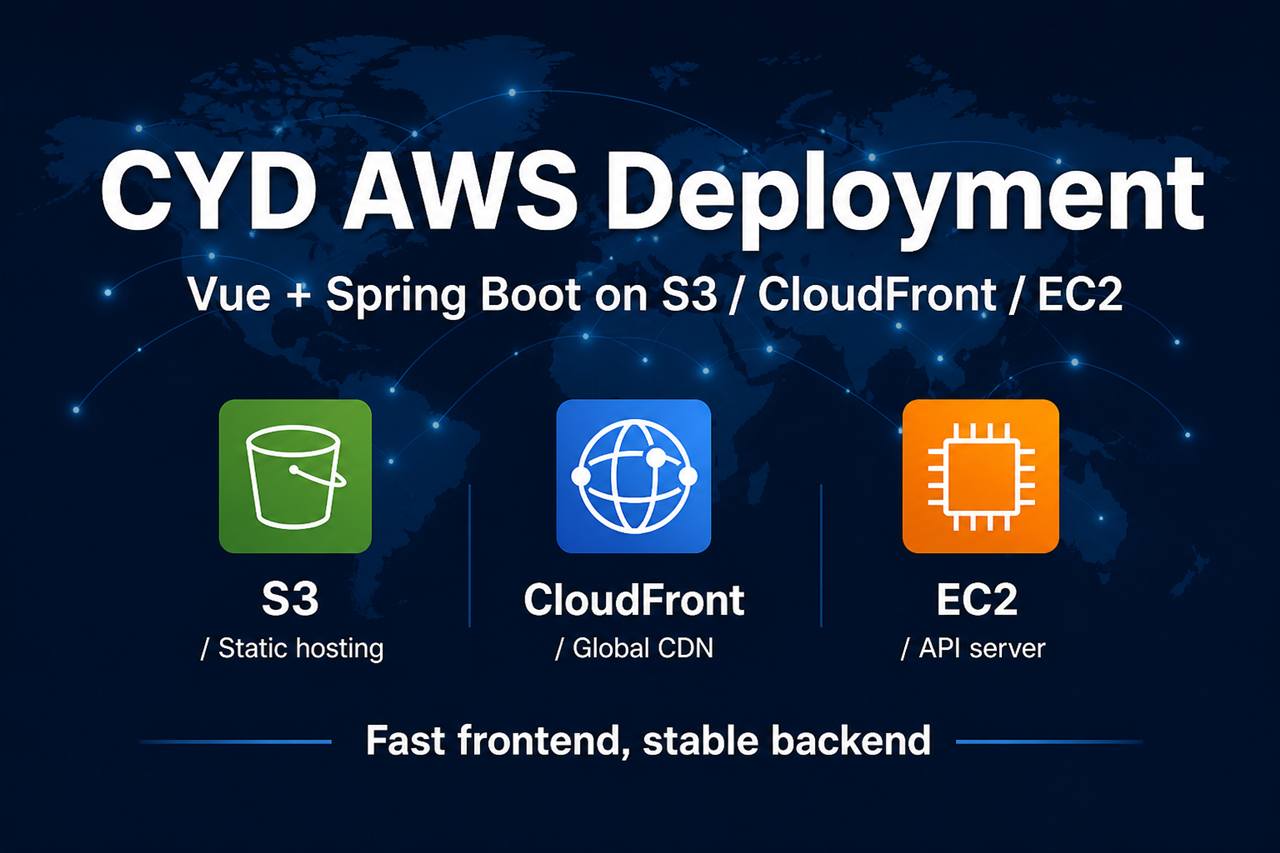
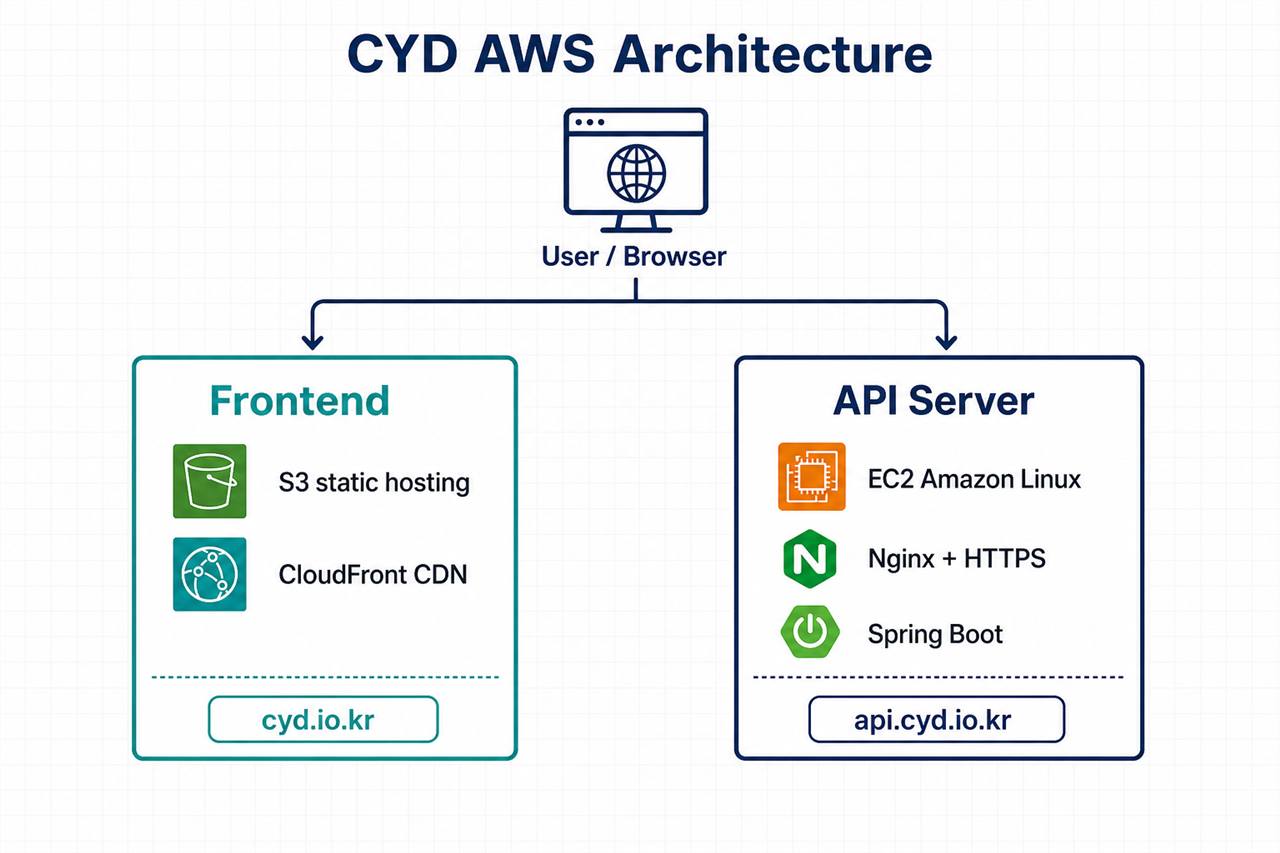
- Stack: Vue front on S3 + CloudFront, Spring Boot API on EC2 (Amazon Linux 2023, Seoul)
Final architecture
| Layer | Choice |
|---|---|
| Frontend | S3 (static) + CloudFront + Cafe24 DNS |
| API | EC2 + Nginx + Let’s Encrypt + systemd |
| Regions | Front CDN global / API in ap-northeast-2 |
Traffic flow
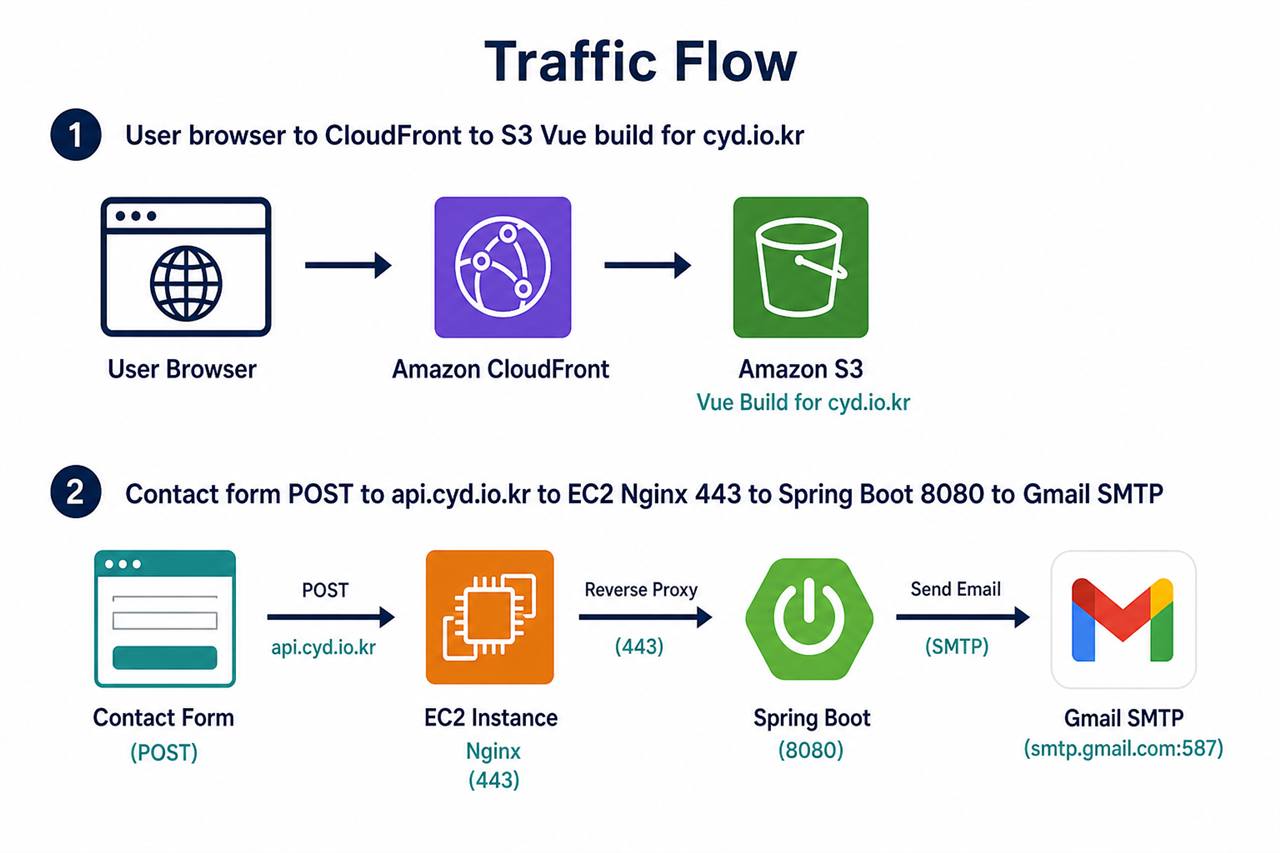
- Visitors hit
https://cyd.io.kr→ CloudFront → S3 (Vue build). - Contact form POST goes to
https://api.cyd.io.kr/api/contact→ DNS CNAME → EC2 → Nginx :443 → Spring Boot 127.0.0.1:8080 → Gmail SMTP.
Why split front and API?
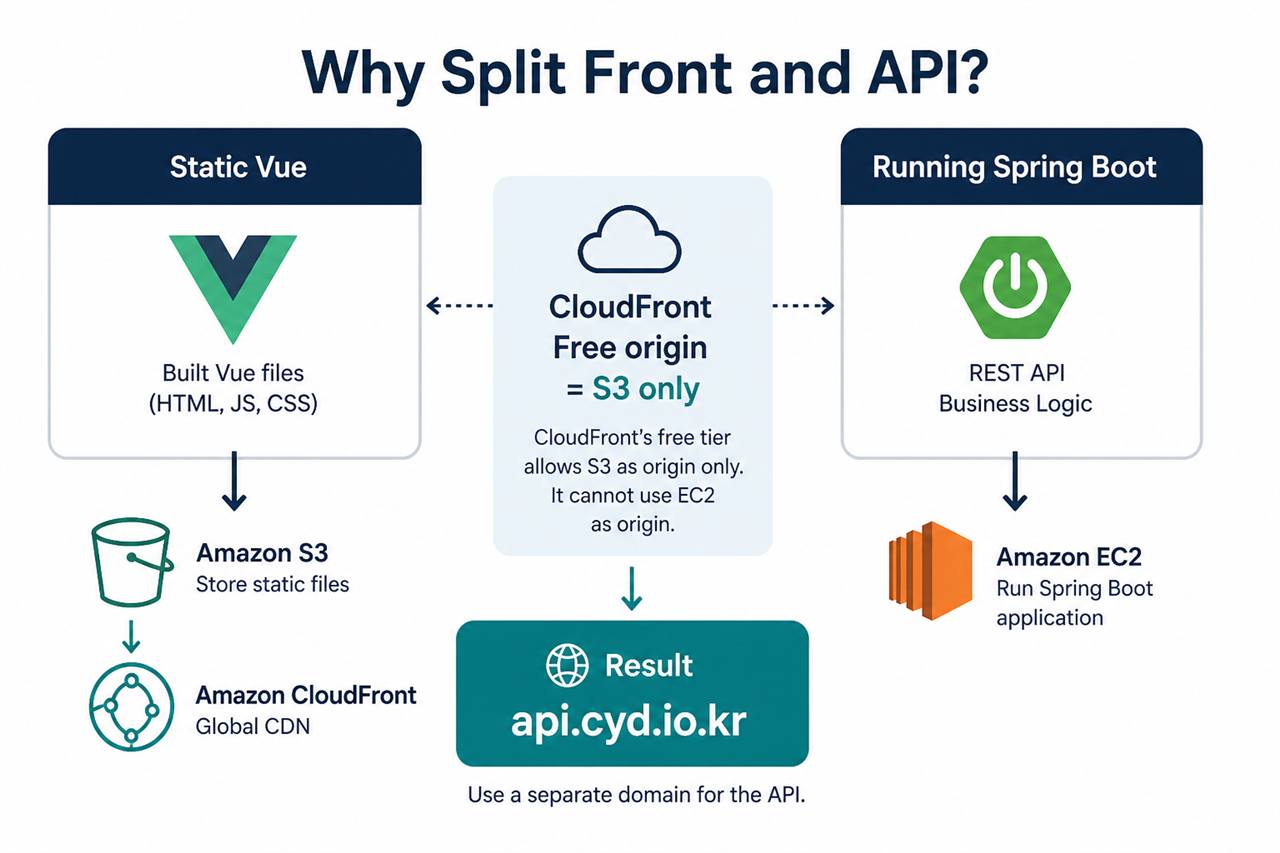
- Vue needs only static files after build → S3 + CloudFront is enough.
- Spring Boot needs a running process → EC2 + jar + systemd.
- CloudFront Free plan only allows S3 as origin, so I could not proxy /api to EC2.
- Result: separate subdomain
api.cyd.io.kr.
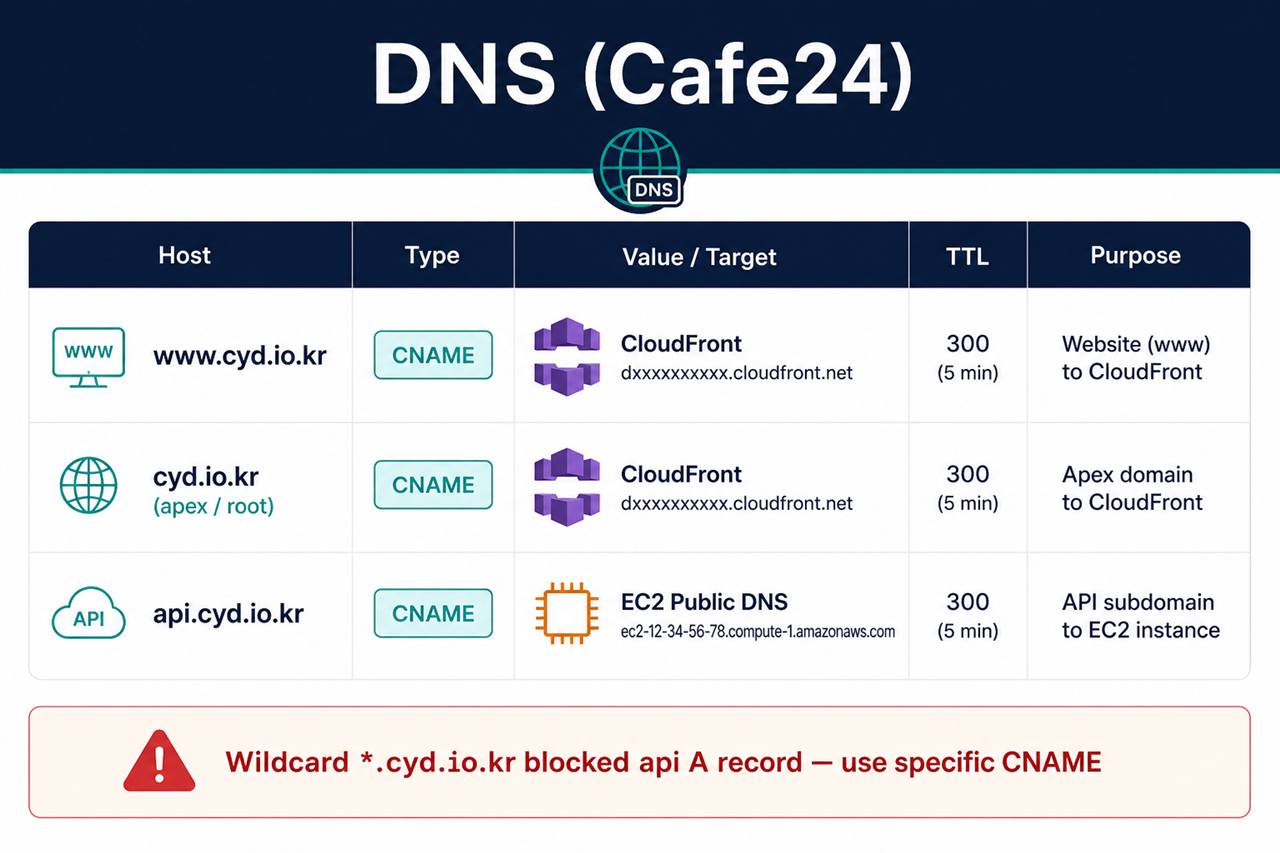
DNS (Cafe24)
www.cyd.io.kr→ CNAME → CloudFront domain- Apex
cyd.io.kr→ CloudFront api.cyd.io.kr→ CNAME → EC2 public DNS
Caveat: a Cafe24 wildcard *.cyd.io.kr could not be deleted in the UI and blocked an api A record. A more specific api CNAME worked.
Do not replace ACM DNS validation CNAMEs with CloudFront aliases — validation records are only for certificate issuance.
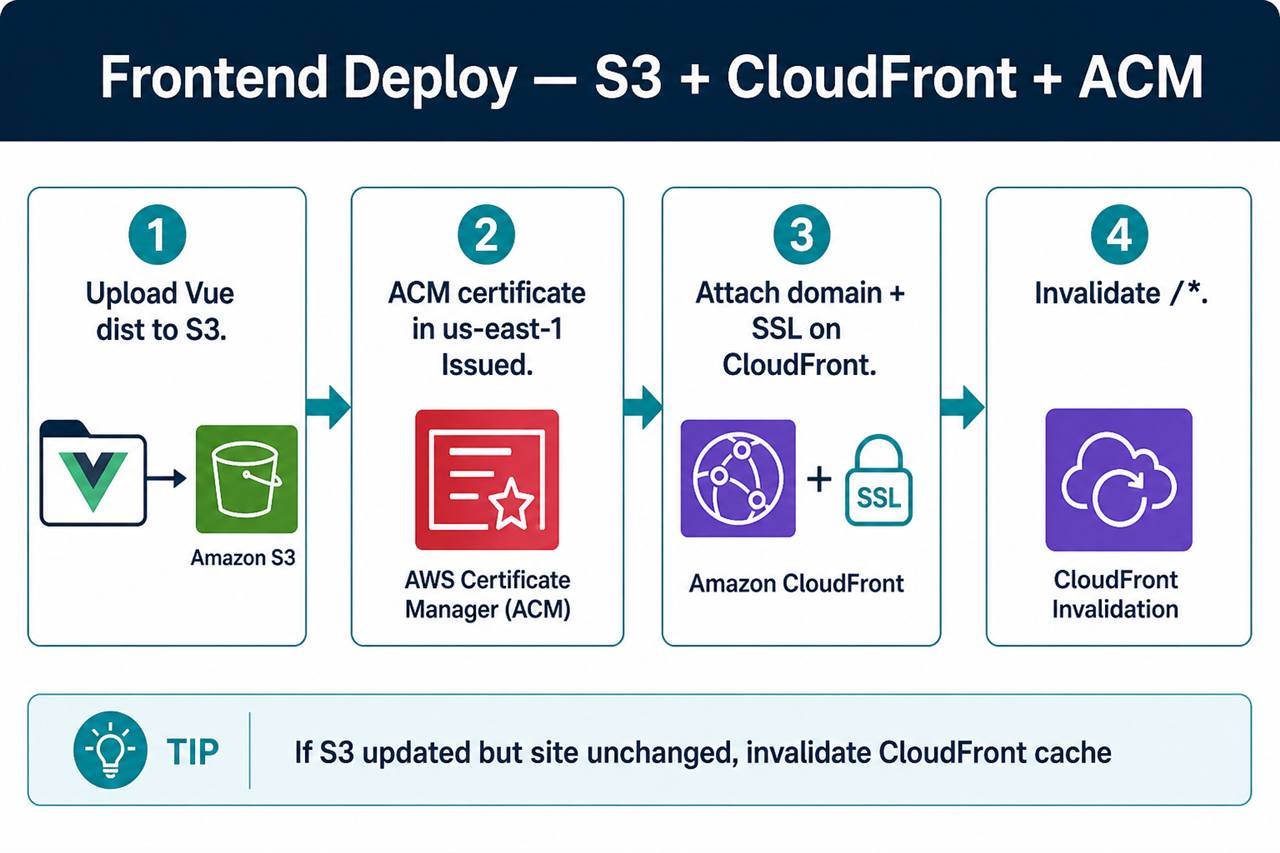
Frontend: S3 + CloudFront + ACM
- Upload Vue
distto S3. - Issue ACM certificate in us-east-1 (required for CloudFront).
- Attach alternate domain names + custom SSL on CloudFront.
- After each deploy, create Invalidation for
/*.
Common issues:
- CloudFront URL works but custom domain fails → DNS / alternate names / SSL incomplete.
- S3 updated but site unchanged → CloudFront cache; invalidate
/*.
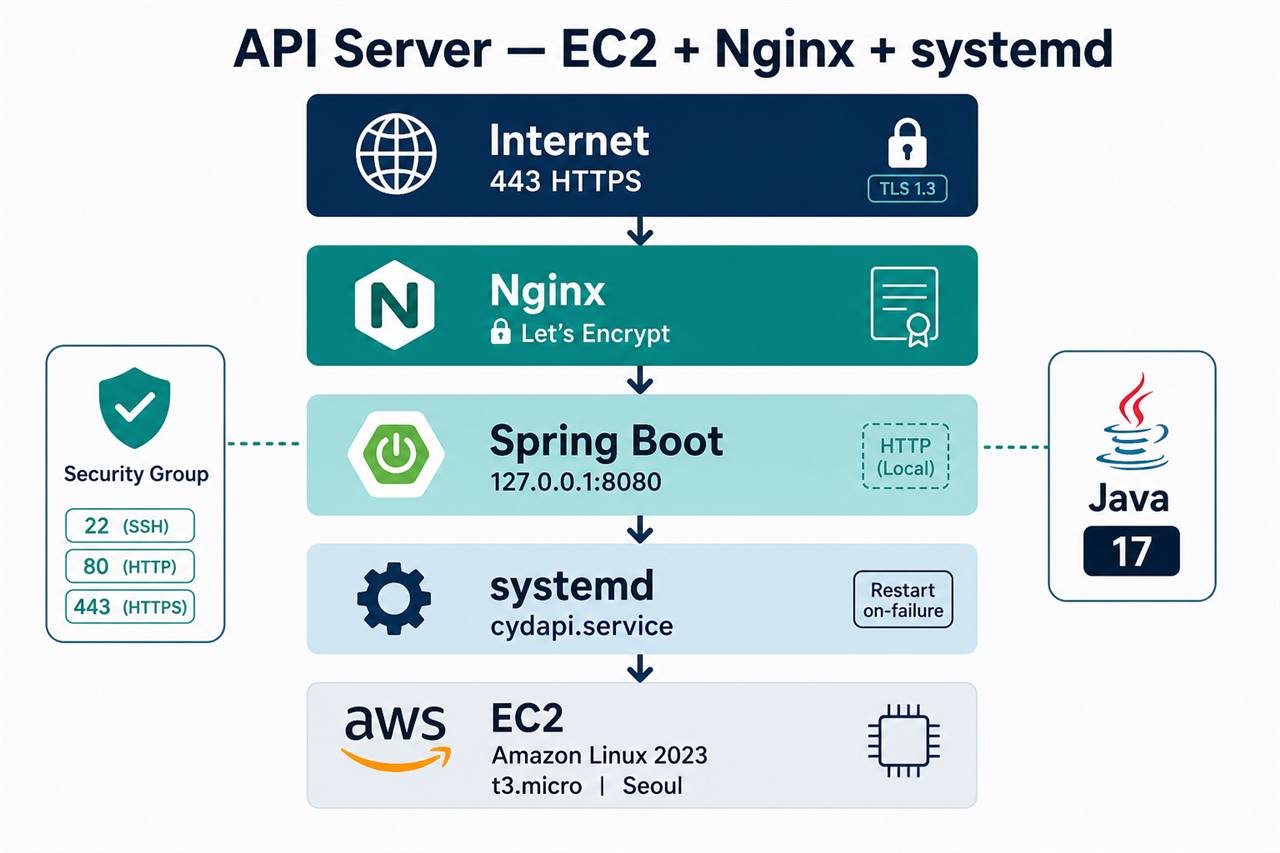
API: EC2 + Nginx + systemd
- Amazon Linux 2023, t3.micro, Seoul
- Security group: 22 (SSH), 80, 443
- Java 17, jar at
/opt/cydapi/cydapi.jar - Nginx reverse proxy to
127.0.0.1:8080 - Certbot for Let’s Encrypt on
api.cyd.io.kr
Keep port 8080 off the public internet once Nginx is in place.
Health check:
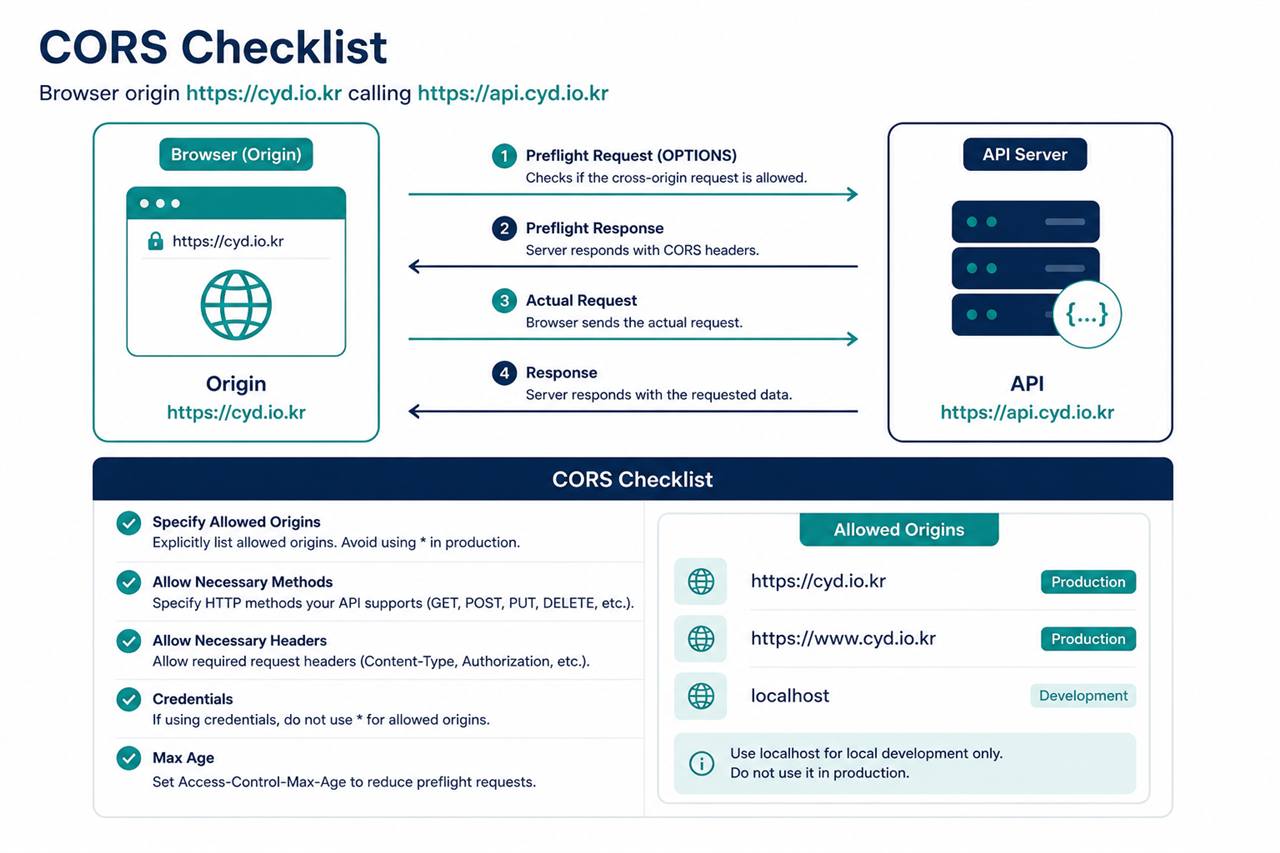
curl.exe -s https://api.cyd.io.kr/api/healthCORS
Browser origin https://cyd.io.kr calling https://api.cyd.io.kr needs Spring CORS for:
https://cyd.io.krhttps://www.cyd.io.kr- localhost variants for local dev
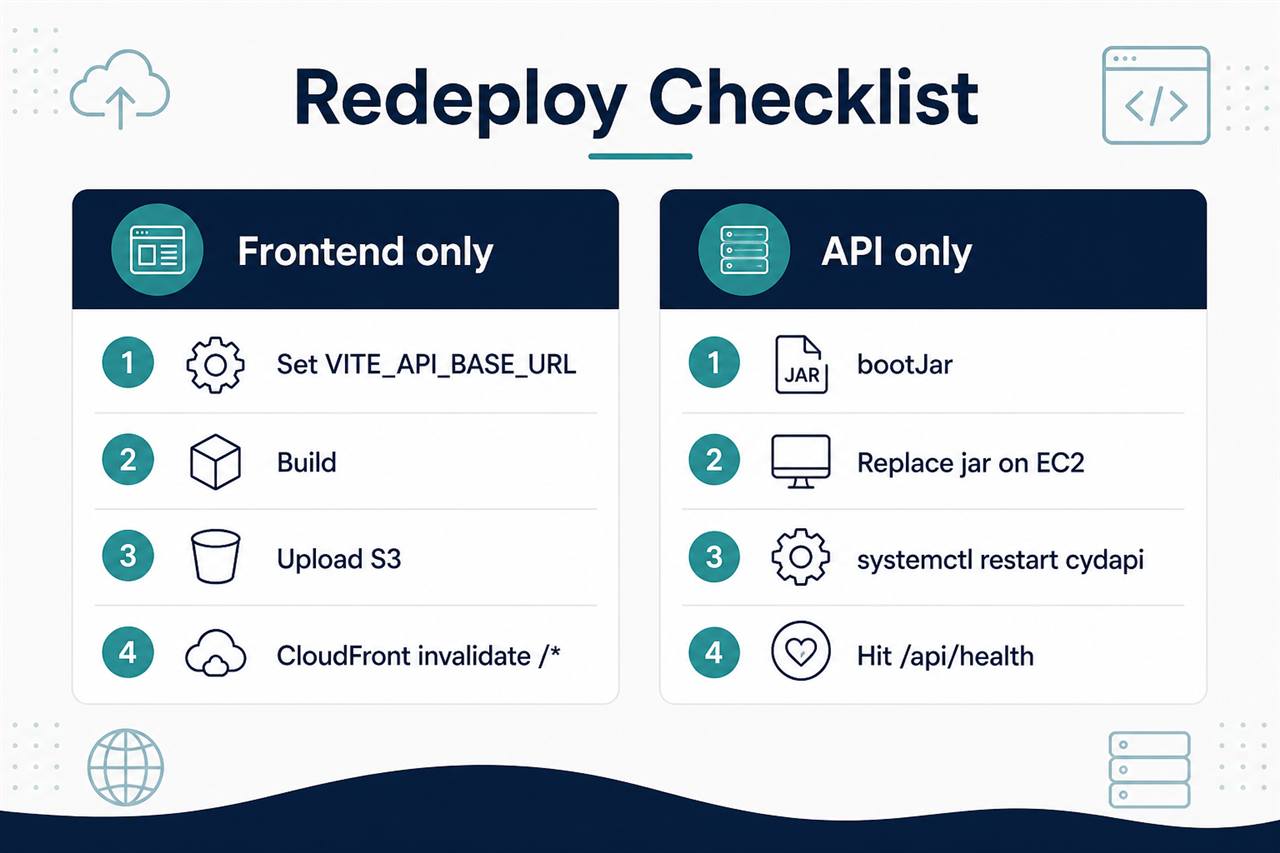
Build & deploy checklist
Frontend only
- Set
VITE_API_BASE_URL=https://api.cyd.io.krand build - Upload
distto S3 - CloudFront Invalidation
/*
API only
bootJar- Replace jar on EC2
systemctl restart cydapi- Hit
/api/health
Pitfalls worth remembering
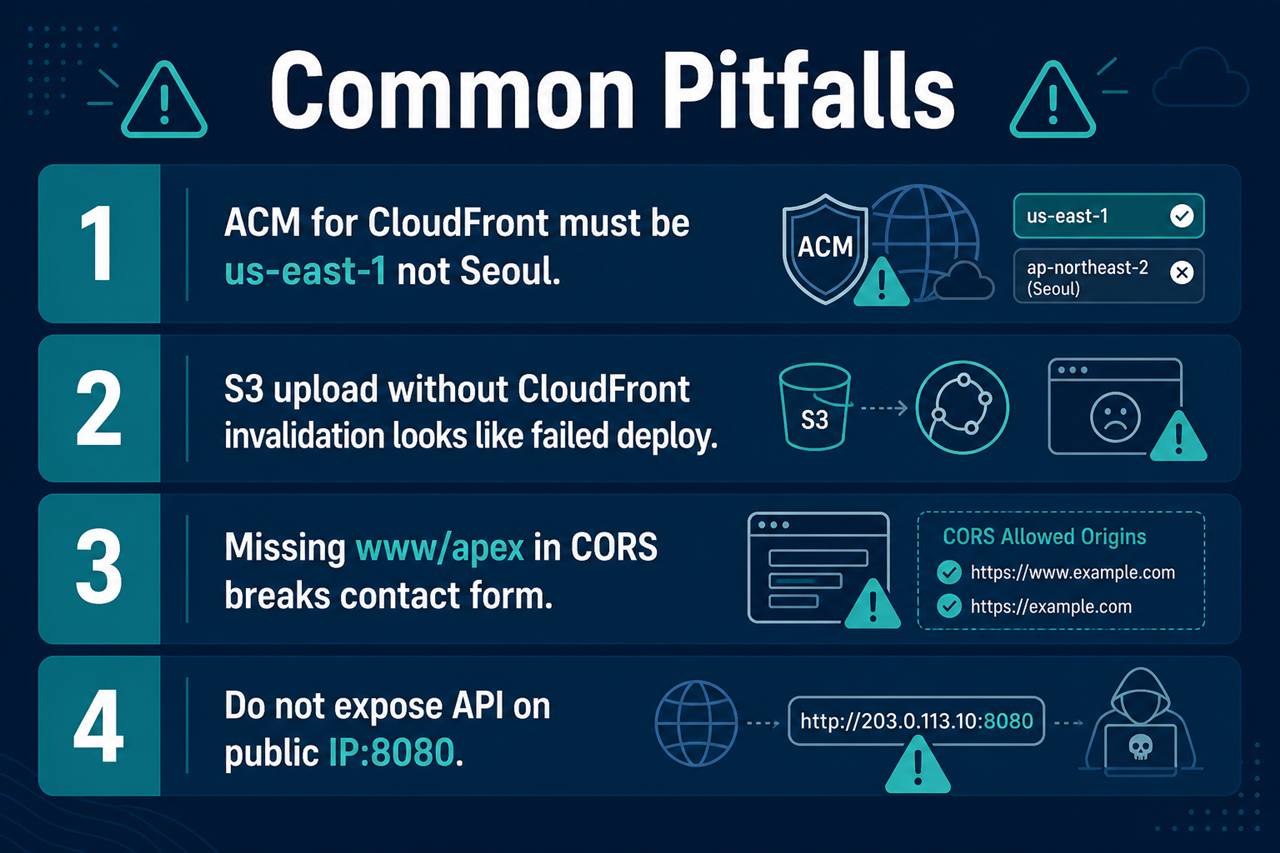
- ACM for CloudFront must be in us-east-1, not Seoul.
- Uploading to S3 without CloudFront invalidation looks like a failed deploy.
- Missing www / apex in CORS breaks the contact form.
- Do not leave the API exposed only by public IP/port 8080.
Security notes
- Never put Gmail app passwords in Git, chat, or public posts. Store them only in server env / systemd.
- Prefer Nginx :443 → local :8080.
- Rotate app passwords if anything leaks.
Written from a real production deploy of CYD. Site: cyd.io.kr
Leave a Reply