When should you read this?
You want to talk to a coding agent from your phone – check logs, tweak a script, ask for status – without remote-desktop into your machine and without setting up Slack. Cursor Automations are fine for cloud cron jobs. The chat you actually care about usually needs your working tree, env files, and local scripts. This post is that setup: Telegram in, local Cursor agent out.
What you are building
Phone (Telegram)
    <->  Bot API
Node bridge on the PC (always on)
    <->  @cursor/sdk  Agent.create / resume / send
Local Cursor agent (cwd = your repo)
    <->
Same disk: secrets/, scripts/, working tree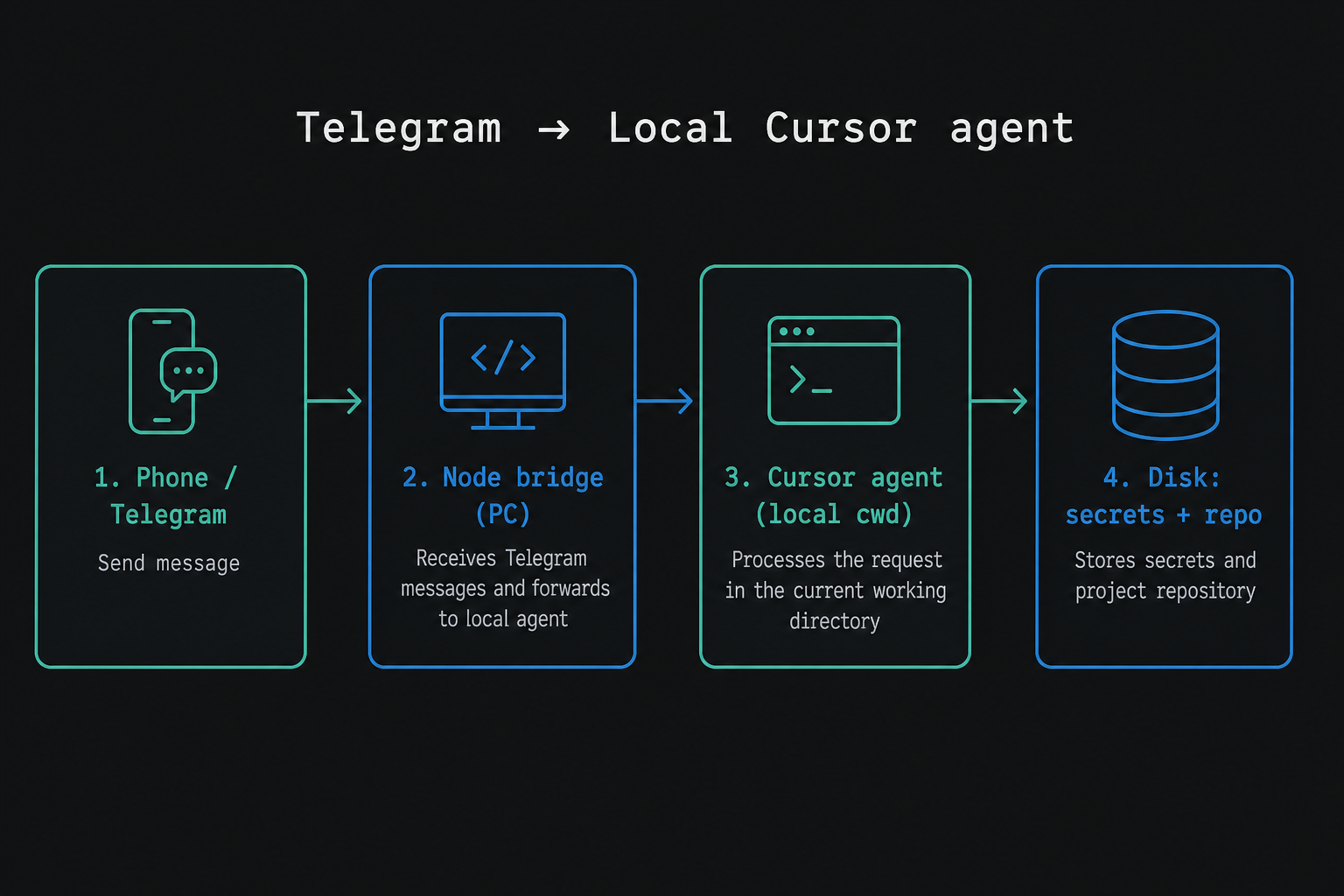
Three rules that keep the design honest:
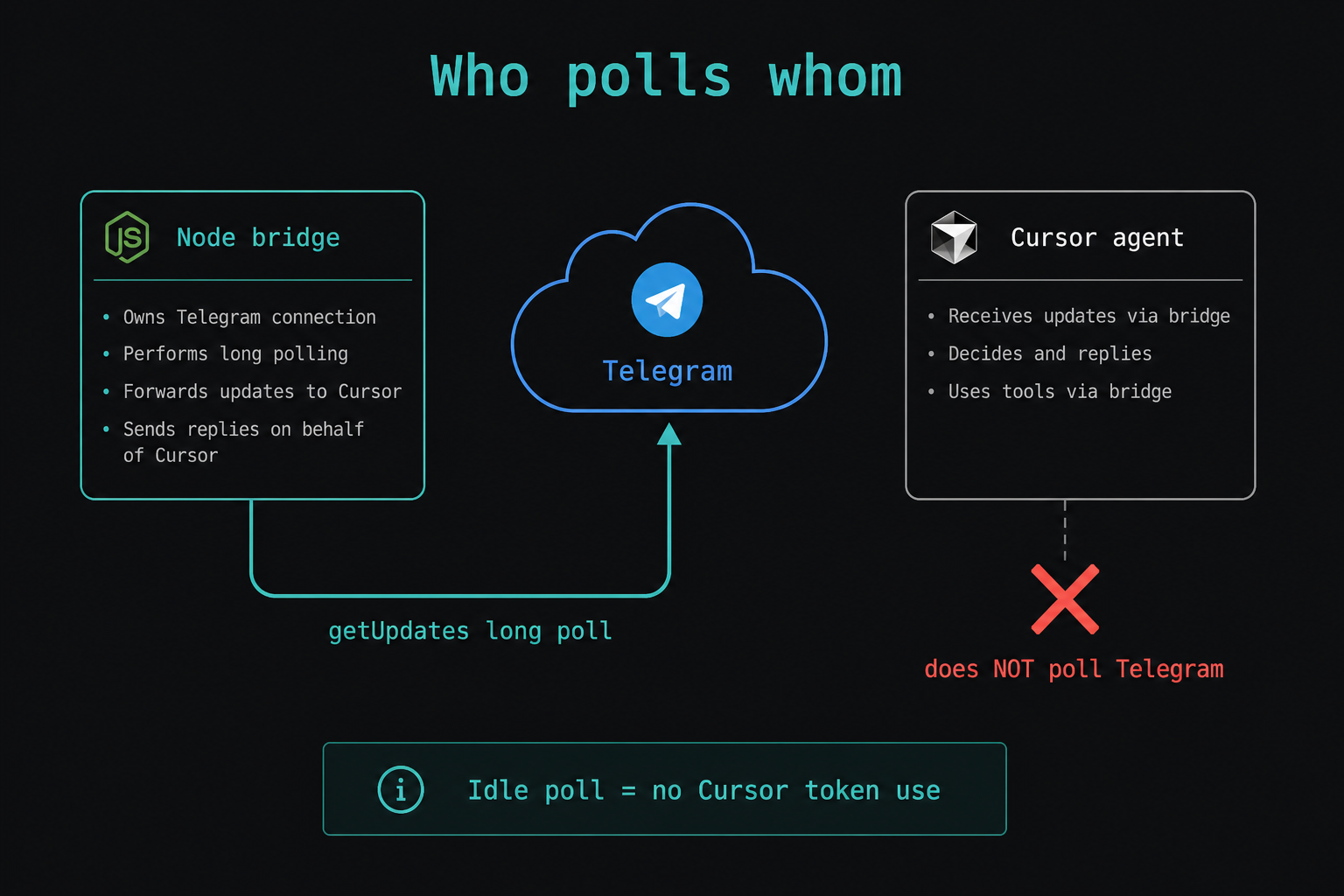
- Telegram does not talk to Cursor by itself. Something on your machine has to call both APIs.
- The bridge polls Telegram. Cursor does not poll your bot. Idle
getUpdatesdoes not burn Cursor usage. - A Telegram session is not your IDE chat. It has its own
agentId./newstarts a new one.
Why not Slack (for a solo operator)
Slack fits teams and channels. For one person and one bot:
- Create a bot, keep the token on disk, store your chat id.
- No workspace admin work just to DM yourself.
- Charts and screenshots are a single
sendPhoto.
If you need channels and threads later, use Slack. For "me and the agent," Telegram is enough.
The bridge process
This is a long-running Node script, not an HTTP server bound to a port.
On start it:
- Loads
TELEGRAM_BOT_TOKEN,TELEGRAM_CHAT_ID, andCURSOR_API_KEYfrom a gitignoredsecrets/folder. - Calls Telegram
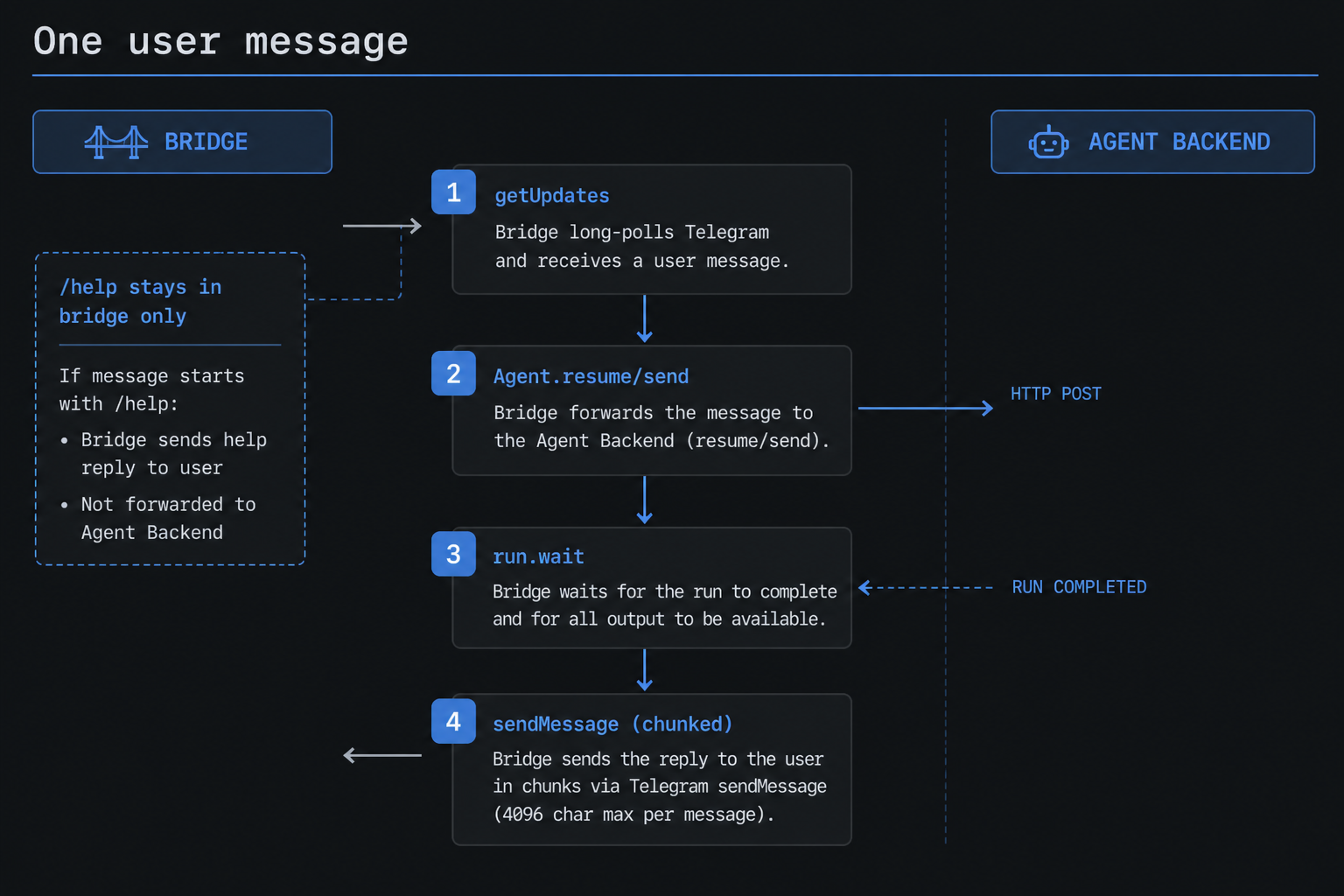
getMe, then loops ongetUpdates(long poll). - Ignores every chat except yours.
- Handles
/helpand/newin the bridge. - For anything else:
Agent.resume(agentId)(orcreate),send,wait, thensendMessageback (split to fit Telegram’s length limit).
If you send Telegram text from PowerShell 5, do not put Korean (or other non-ASCII) as string literals in the .ps1. Read UTF-8 template files with an explicit UTF-8 encoding. Prefer JSON UTF-8 bytes or curl --data-binary over default form encoding.
Local vs cloud agent
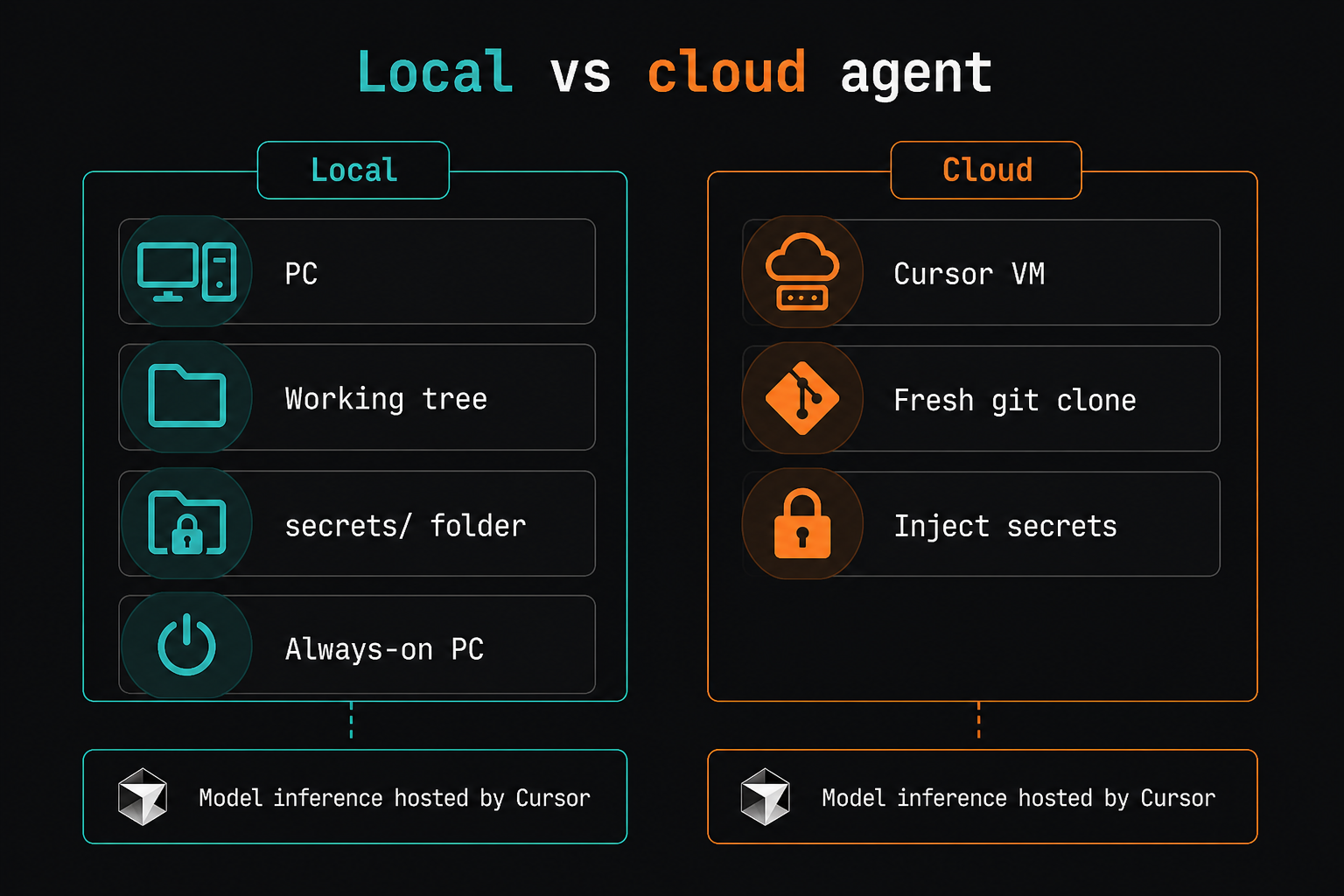
Local (local: { cwd }) | Cloud | |
|---|---|---|
| Model | Hosted by Cursor either way | Same |
| Files | Your working tree | Fresh clone |
| Secrets | secrets/ on disk | Inject via env / dashboard |
| Best when | The PC stays on | The PC is off, or you need many parallel runs |
"Local" means the agent loop and filesystem run on your PC. The model still runs on Cursor’s side. Agent.send bills like other Cursor agent use – even a short "hi" counts. Bridge-only /help does not.
If the PC is always on for this workflow, moving only the bridge to EC2 mostly adds latency and cost. Keep the bridge next to the agent.
Daily push without Windows Task Scheduler
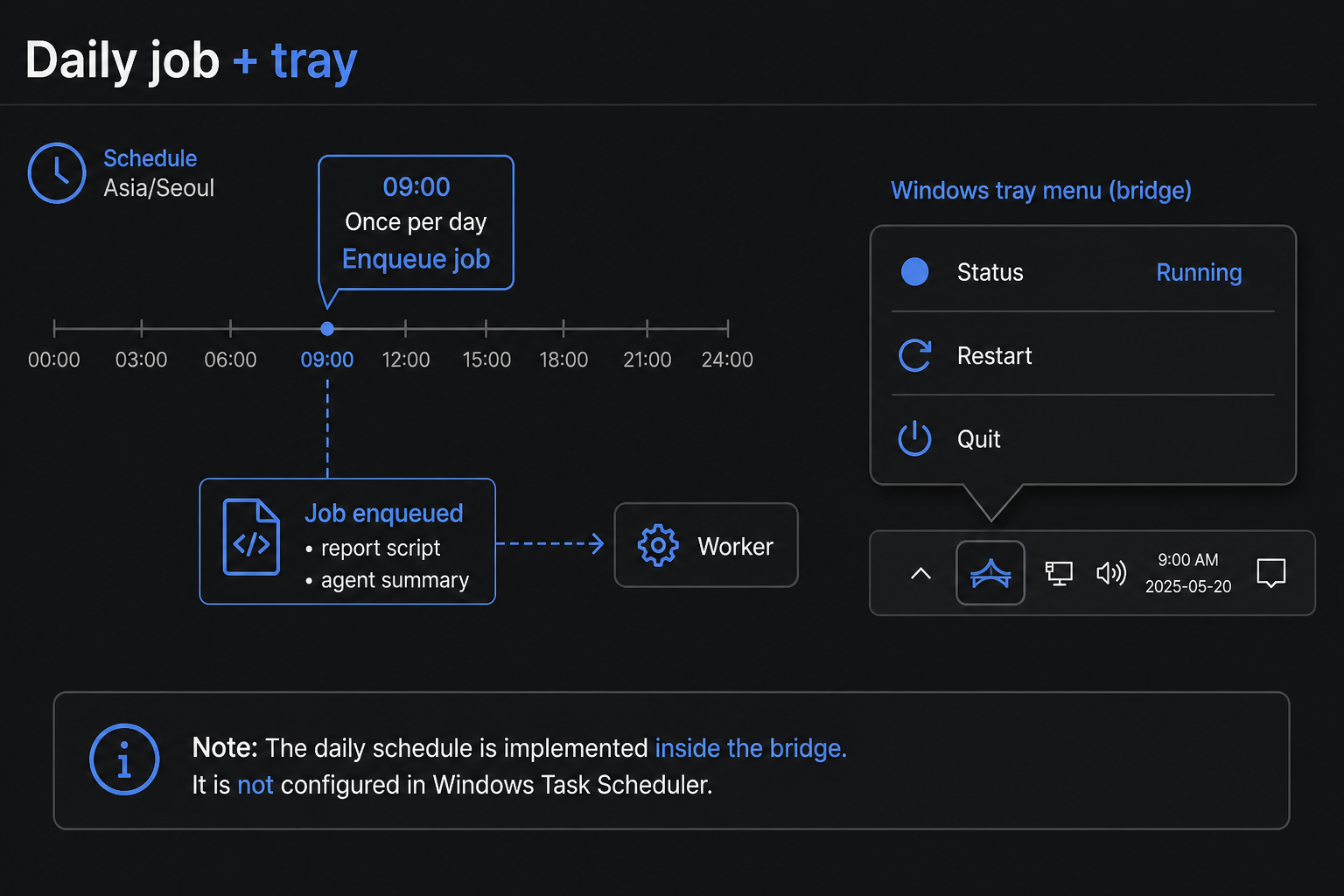
Cursor Automations are a clean way to run a cloud agent on a cron. If you want the same local agent that already owns the Telegram thread, schedule inside the bridge:
- About every 20 seconds, read the local timezone (for example Asia/Seoul).
- At a fixed clock time, once per calendar day, enqueue a job – for example:
- Run a cost or health report script and send charts to Telegram.
- Ask the local agent for a short status summary from live APIs or logs, not from stale folders.
Put DM handling and that daily job on one promise chain so they do not overlap mid-run.
Operability on Windows
Details that matter after the first successful DM:
- If you start the bridge inside a Cursor IDE terminal, closing the IDE can kill the bot. Prefer a hidden host (for example a PowerShell NotifyIcon tray app).
- Tray menu: status, Restart, Quit.
- A small
.exelauncher plus a desktop shortcut is easier to pin to the taskbar than a.vbs(Windows often blocks scripted "Pin to taskbar"). - Never commit bot tokens or
CURSOR_API_KEY. Rotate anything that was pasted into a chat.
What this is not
- Not a drop-in for Cursor Automations when you want cloud-only cron with no PC.
- Not a shared team inbox – gate on your chat id.
- Not the same transcript as the IDE chat. Use
/newwhen context goes stale, and seed the agent to check live state before it suggests next steps.
Minimal checklist
- BotFather token ->
secrets/telegram.env(chat id is yours, not the bot id prefix). - Cursor API key ->
secrets/cursor.env. - Bridge
cwd= the repo the agent should read and edit. - Keep the process running (tray / shortcut). Confirm a DM round-trip.
- Optional: in-process daily job for reports plus a short agent summary.
After that, you can drive the agent from Telegram. The repo and secrets stay on the PC.




Leave a Reply