When should you read this?
Your Vue build lands in S3 and CloudFront serves it, but someone can still open https://your-bucket.s3.amazonaws.com/... and pull JS, CSS, or a stale index.html past your CDN headers. Or a teammate flipped the bucket to public-read to “make the demo work” and left it that way. This post is the lock: keep Block Public Access on, put CloudFront in front, and allow only that distribution to GetObject via Origin Access Control (OAC).
S3 holds the files. CloudFront sits in front. That is the Vue front in What AWS Serverless Actually Means and in Part 1.
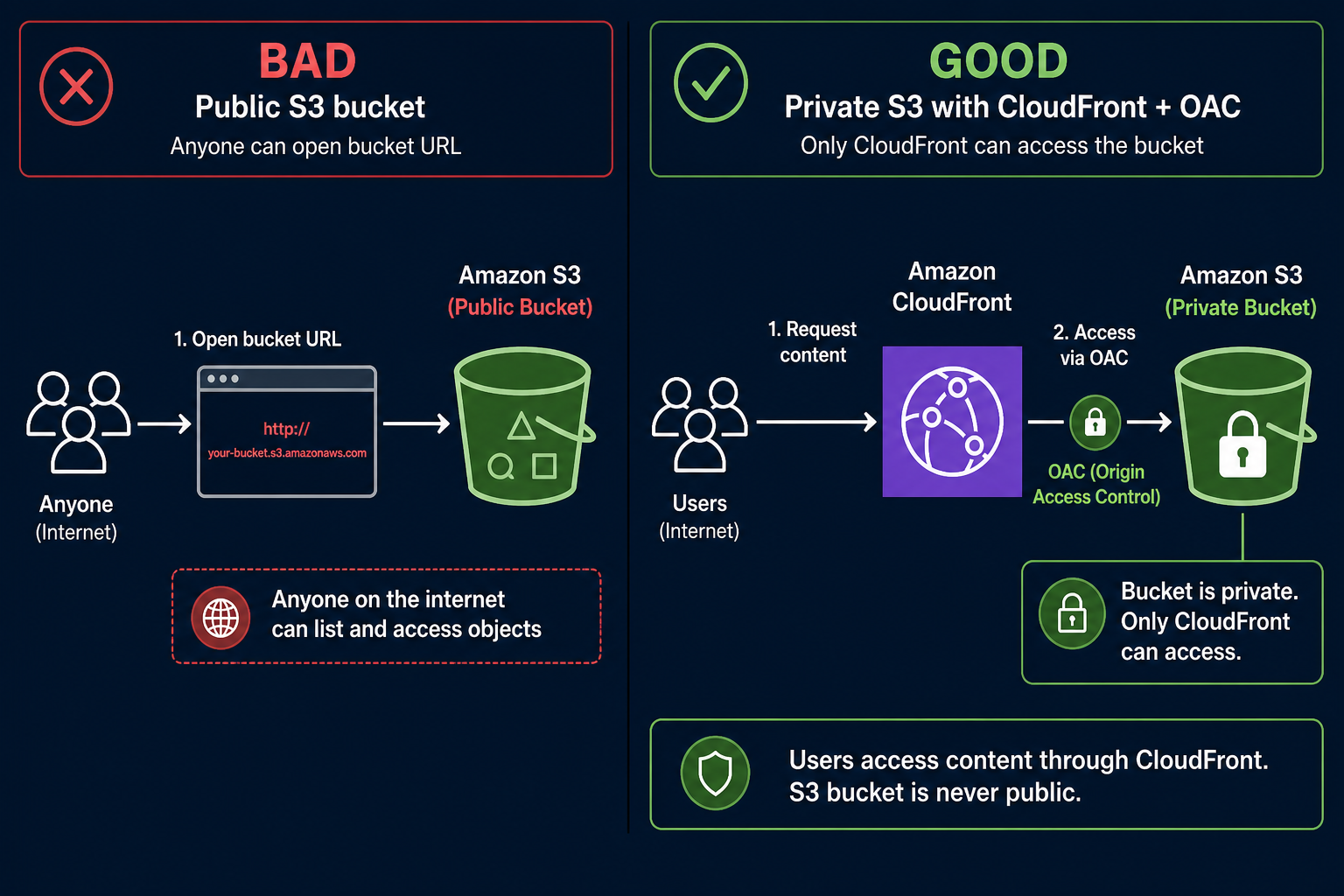
A common shortcut is “make the bucket public.” Then anyone can open https://your-bucket.s3.amazonaws.com/assets/... and skip your CDN cache headers. You did not hit a firewall rule failure. S3 is not an EC2 host with ports. Access is decided by who is calling GetObject.
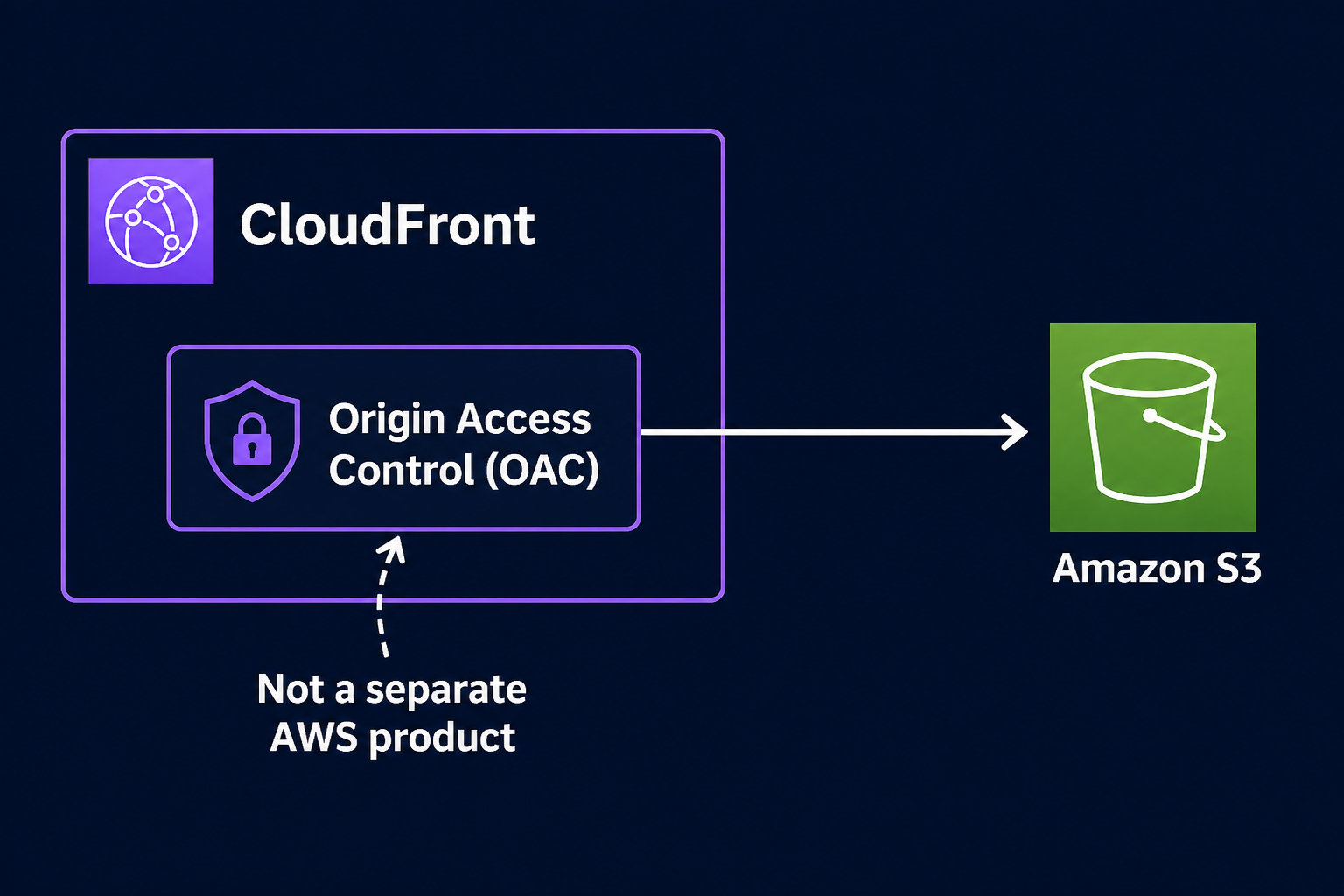
Origin Access Control (OAC) is that lock. It is not a separate AWS product and it is not billed on its own. OAC is a CloudFront setting: you create an OAC under CloudFront (Security – Origin access, or while editing a distribution origin), attach it to the S3 origin, and CloudFront signs requests to S3. The bucket policy then allows only that distribution. Block Public Access stays on. Older stacks used OAI. New setups should use OAC.
What you are building
End state:
- Bucket: Block Public Access on; no public ACL; no public bucket policy for
*. - CloudFront distribution origin: S3 REST endpoint + OAC (SigV4), not the S3 website endpoint.
- Bucket policy:
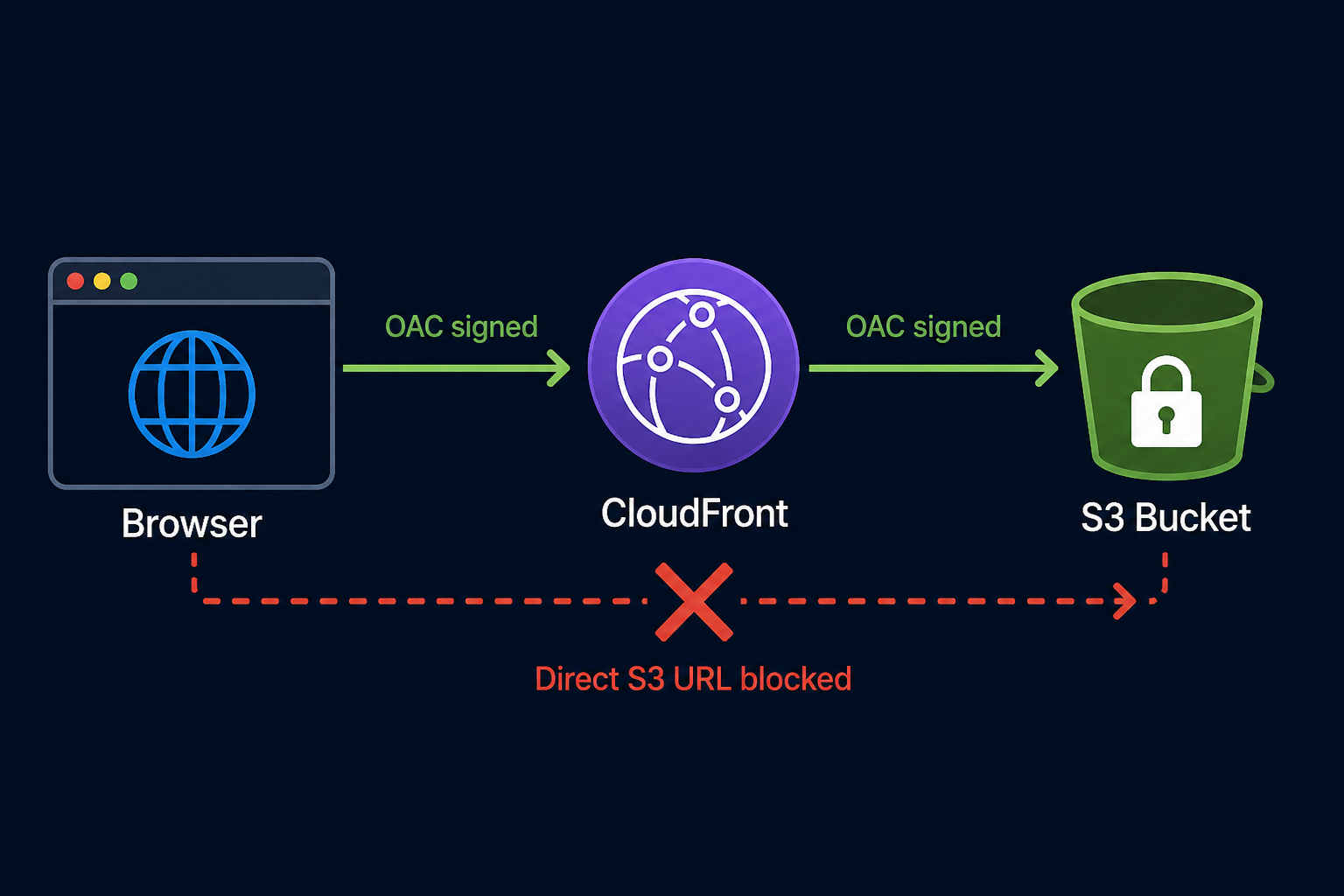
s3:GetObjectonly forcloudfront.amazonaws.comwith a condition on your distribution ARN. - Browser: 200 via CloudFront (or custom domain); 403 on the raw S3 object URL.
What it reduces:
- Hotlinking the origin URL for JS, images, stale
index.html - Accidental public-read on the origin
What it does not replace:
- App XSS, API auth bugs, EC2 hardening, or WAF on the domain
Setup (console shape)
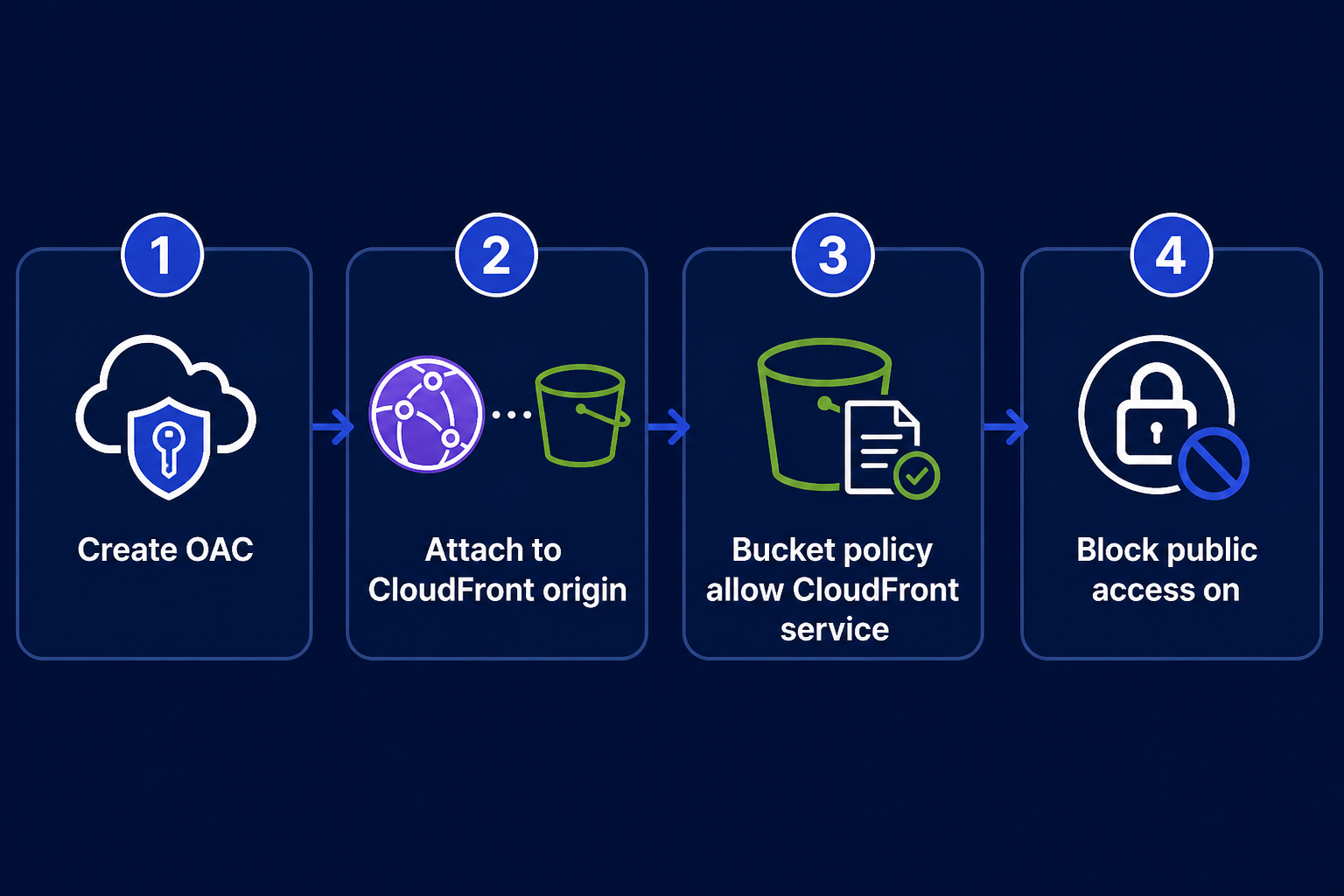
- In CloudFront, create an OAC (Sign requests: SigV4).
- On the distribution origin, use the S3 REST endpoint and attach the OAC – not the S3 website endpoint.
- Update the bucket policy so
cloudfront.amazonaws.comcans3:GetObjectonly for your distribution ARN. AWS often shows a policy you can copy after you save the origin. - Keep Block Public Access enabled.
- Wait until the distribution is deployed. Expect 403 on the raw S3 object URL and 200 on the CloudFront (or custom domain) URL.
Why the S3 website endpoint breaks OAC
The static website endpoint (bucket.s3-website-...) is a different origin model. OAC signing is built for the REST API origin. If you attach OAC to a website endpoint (or leave a public website hosting config as the “easy” SPA host), you either fail origin access or quietly keep a public path open. For Vue SPAs behind CloudFront, use the REST bucket origin, set default root object / custom error responses for SPA routes on CloudFront, and keep the website hosting feature off unless you have a separate reason.
Bucket policy shape (verify the ARN)
After CloudFront suggests a policy, read it before you paste. The dangerous miss is a policy that allows GetObject for any CloudFront distribution, or for * again. The condition should name your distribution ARN. If you recreate the distribution later, update the policy – an old ARN produces CloudFront 403s that look like “OAC is broken” when the signer and the policy no longer match.
CI deploy roles still need s3:PutObject (and usually invalidate permissions on CloudFront). OAC only governs anonymous/browser reads through the CDN. Do not solve deploy IAM by opening the bucket to the world.
Verify before you call it locked
- Copy an object URL from the S3 console. Open it in a private window. You want Access Denied / 403.
- Open the same path via the CloudFront domain (or custom domain). You want 200 and your cache headers.
- Confirm Block Public Access is still fully on.
- If SPA deep links 404, fix CloudFront custom error responses (map 403/404 to
/index.htmlwith 200) – that is a CDN config issue, not a reason to re-open the bucket.
Common failure modes: public bucket left from the demo; website endpoint as origin; OAI leftover conflicting with OAC; bucket policy missing the distribution ARN condition; testing before the distribution finished deploying.
Pair this with Part 2: long cache on hashed assets, short cache on index.html, invalidate those paths – still through CloudFront, not a public bucket.
Minimal checklist
- OAC created and attached to the S3 REST origin.
- Bucket policy allows only your distribution; Block Public Access on.
- Raw S3 URL 403; CloudFront URL 200.
- Deploy IAM separate from public-read; cache/invalidation still via CloudFront (Part 2).




Leave a Reply