When should you read this?
You deployed a Spring Boot fat jar on EC2 and the security group still allows 8080 from the world, or TLS is about to land and you do not want certificates inside the JVM. Exposing a Spring Boot jar on port 8080 is fine on a laptop. On an EC2 instance with a public IP, put Nginx on 80/443 and bind the app to 127.0.0.1:8080. The security group then only needs HTTP/HTTPS (and SSH from your IP).
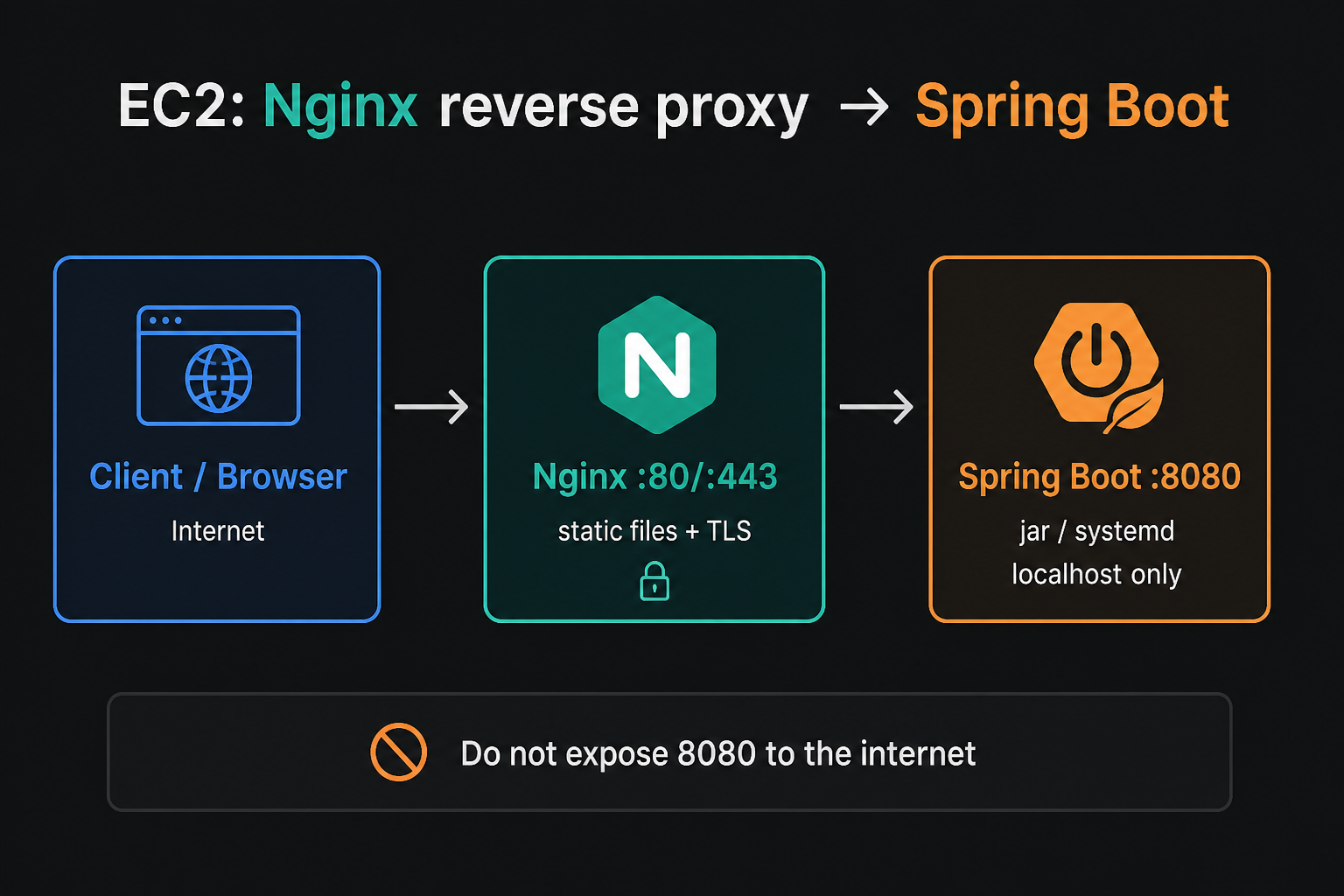
What you will run
- Nginx listens on 80 (add 443 later with Let’s Encrypt).
- Spring Boot listens on loopback only.
- systemd restarts both after a reboot.
Install Nginx
Amazon Linux 2023:
sudo dnf install -y nginx
sudo systemctl enable --now nginx
curl -sI http://127.0.0.1/
CentOS Stream / RHEL: use sudo dnf install -y nginx the same way. Open port 80 in the instance security group before you test from a browser.
Run the jar on localhost
Drop the fat jar under /opt/app/app.jar and create a unit so it does not depend on an SSH session.
sudo tee /etc/systemd/system/spring-boot.service >/dev/null <<'EOF'
[Unit]
Description=Spring Boot app
After=network.target

[Service]
User=ec2-user
WorkingDirectory=/opt/app
ExecStart=/usr/bin/java -jar /opt/app/app.jar --server.address=127.0.0.1 --server.port=8080
Restart=on-failure
SuccessExitStatus=143

[Install]
WantedBy=multi-user.target
EOF

sudo systemctl daemon-reload
sudo systemctl enable --now spring-boot
curl -s http://127.0.0.1:8080/actuator/health
If you do not ship Actuator, curl a real path instead. The point is the same: the app answers on loopback, not on the public interface. Create /opt/app owned by the service user before the first start, and keep the jar deploy (SCP/CI) separate from editing the unit file so a bad release does not require rewriting systemd every time.
Proxy with Nginx
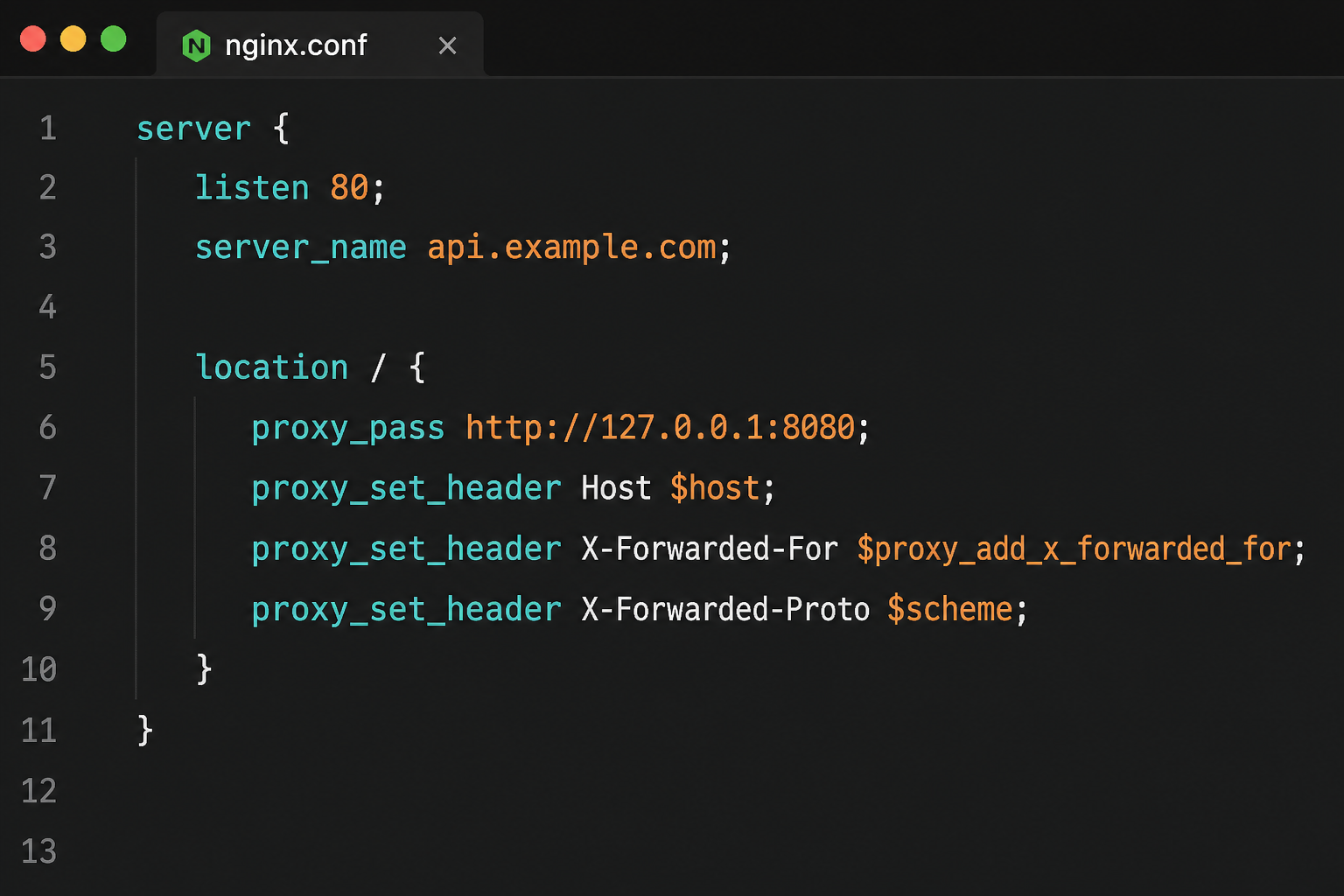
Replace the default server block (or add a file under /etc/nginx/conf.d/) so every request is forwarded:
server {
    listen 80;
    server_name _;

    location / {
        proxy_pass http://127.0.0.1:8080;
        proxy_set_header Host $host;
        proxy_set_header X-Forwarded-For $proxy_add_x_forwarded_for;
        proxy_set_header X-Forwarded-Proto $scheme;
        proxy_read_timeout 60s;
    }
}
sudo nginx -t
sudo systemctl reload nginx
curl -sI http://127.0.0.1/Host and X-Forwarded-* matter. Without X-Forwarded-Proto, Spring will often emit http:// redirects after you add TLS on Nginx. If you terminate WebSockets or long uploads, raise proxy_read_timeout and consider proxy_http_version 1.1 with connection upgrade headers. Keep one server block per site name once you attach a real domain – server_name _ is only a bootstrap.
Lock the security group
- Allow 22 from your IP only.
- Allow 80 (and 443 once you have a certificate).
- Do not allow 8080 from
0.0.0.0/0.
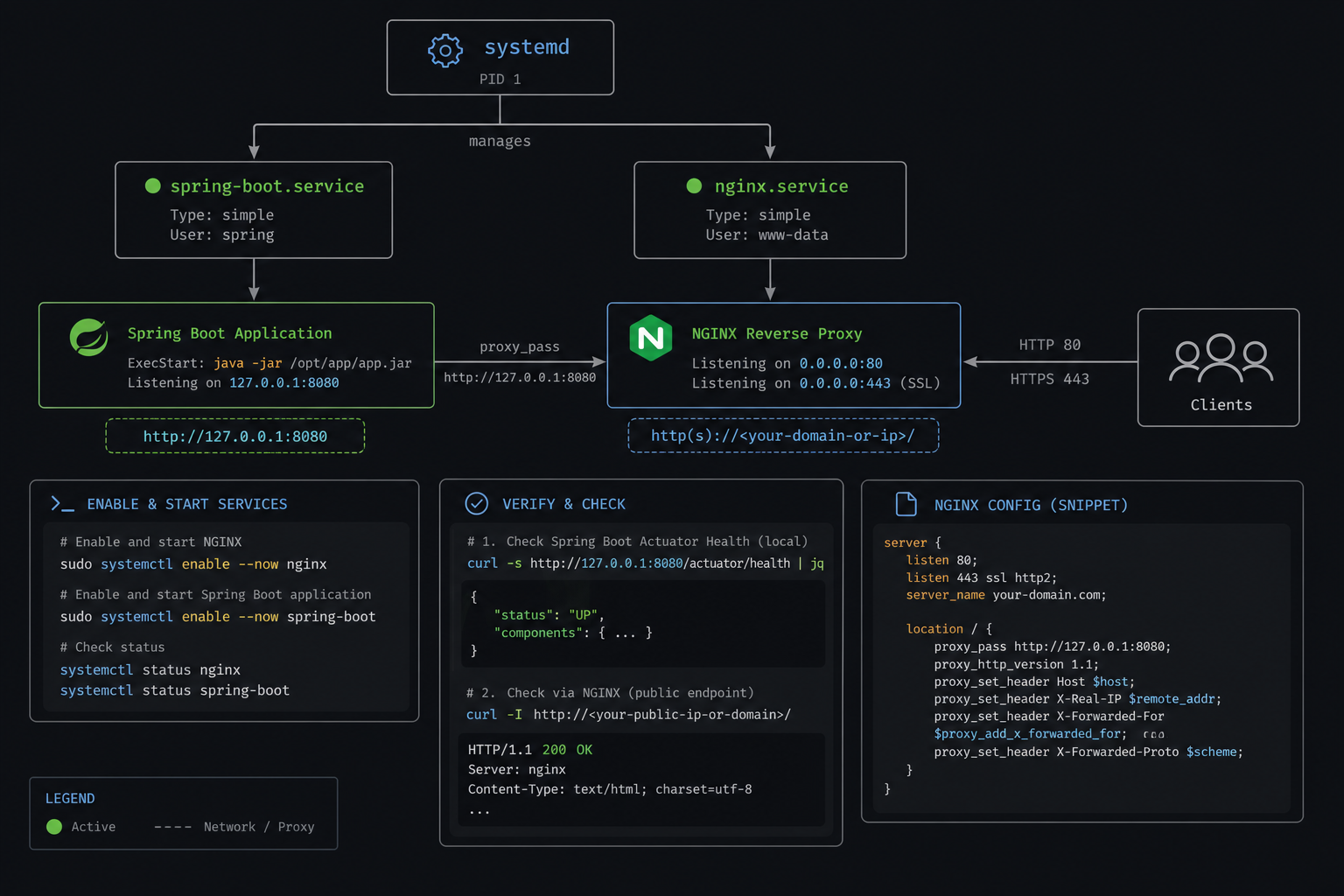
Quick checks
sudo systemctl status nginx spring-boot --no-pager
ss -lntp | grep -E '80|8080'
curl -s http://127.0.0.1:8080/actuator/health
curl -sI http://YOUR_PUBLIC_IP/
If ss shows Java on 0.0.0.0:8080, the bind address is wrong. Fix server.address and restart the unit. From another host, curl http://PUBLIC_IP:8080 must fail (timeout or connection refused) while curl http://PUBLIC_IP/ returns the app through Nginx.
Failure modes
- 502 Bad Gateway – Spring unit down, wrong
proxy_passport, or app still starting. - Browser works on :8080 but not on :80 – SG still exposes 8080 and you never tested the proxy path; close 8080 after Nginx works.
- Redirect loops after TLS – missing forwarded headers /
forward-headers-strategy. - Works until reboot – forgot
systemctl enableon nginx or spring-boot. - Permission errors on jar – unit User cannot read
/opt/app/app.jar.
HTTPS next
Put the certificate on Nginx, not on the JVM. Keep proxying to http://127.0.0.1:8080. After TLS works, add server.forward-headers-strategy=framework (or the equivalent for your Boot version) so redirects stay on HTTPS. Open 443 in the security group only after nginx -t is clean and a local curl -Ik https://127.0.0.1/ looks right.
Static files and Spring paths
If Spring also serves a built SPA from the jar, one location / proxy is enough. If Nginx should serve /assets from disk while API calls go to Boot, split locations: root/alias for immutable static files, proxy_pass for /api (or whatever your context path is). Do not leave a second public copy of the jar’s static tree on S3 and forget which origin the browser hits – pick one edge.
Health checks from an ALB or external monitor should hit Nginx on 80/443, not port 8080. That keeps the SG story honest and exercises the same path users take. For local debugging, curl -s http://127.0.0.1:8080/... on the instance is still valid; just do not open that port in the SG “temporarily” and forget it.
Deploy rhythm
Typical release: copy a new jar to /opt/app/app.jar (or a versioned name + symlink), sudo systemctl restart spring-boot, then confirm Nginx still returns 200 while the JVM is warm. If the app takes longer than Nginx’s proxy timeouts to boot, you will see brief 502s – either raise the timeout for the deploy window or put the instance behind a target group that waits on a real health path. Keep Nginx reload rare; Spring restart is the usual deploy step.
Logs: journalctl -u spring-boot -f for the app, /var/log/nginx/access.log and error.log for the edge. When users report “the site is down,” check Nginx first (is 80 listening?), then the unit (is Java up?), then SG rules from a second network path.
Minimal checklist
- Nginx on 80; Spring on 127.0.0.1:8080 via systemd.
- SG: 22 from your IP, 80/443 public as needed, no public 8080.
nginx -tclean; health check via public HTTP hits the app.- Forwarded headers set before you turn on TLS redirects.




Leave a Reply